Annotation symbols help you mark important information, organize ideas, and communicate thoughts without writing lengthy explanations. You can find them in books, classroom notes, academic papers, drawings, flowcharts, and digital documents. Each symbol serves a different purpose, depending on where and how you use it.
If you’re looking for annotation symbols to copy and paste, this guide covers a wide collection of useful marks. You’ll discover question marks, stars, check marks, crosses, arrows, brackets, and other characters that make reading and note-taking easier.
We’ll also explore annotation symbols for close reading, middle school, college, chess, and Revit. You’ll find their meanings, practical examples, and helpful charts to understand how different annotation systems work.
Annotation Symbols Meaning
Annotation symbols are small characters, signs, or marks used to add information, highlight important details, and explain written or visual content. They help readers understand what deserves attention and where additional thoughts or questions belong.
The meaning of an annotation symbol depends on its context. A question mark might indicate confusion in a textbook, while the same character can represent a question in ordinary writing.
Here are some commonly used annotation symbols and their meanings:
| Symbol | Name | Common Meaning |
| ★ | Star | Important information |
| * | Asterisk | Key point or additional note |
| ? | Question Mark | Confusing information or a question |
| ! | Exclamation Mark | Surprising or interesting information |
| ✓ | Check Mark | Correct information or agreement |
| ✗ | Cross Mark | Incorrect information or disagreement |
| + | Plus Sign | Agreement or additional information |
| − | Minus Sign | Disagreement or negative information |
| → | Right Arrow | Leads to another idea |
| ← | Left Arrow | Refers to an earlier point |
| ○ | Circle | Important word or concept |
| △ | Triangle | Special attention |
| ≈ | Approximately Equal | Similar ideas or approximate values |
| = | Equals Sign | Equality or a connection |
| # | Number Sign | Topic or category marker |
| !? | Exclamation and Question Marks | Surprise mixed with uncertainty |
Why Are Annotation Symbols Used?
These marks make information easier to review and remember. Instead of highlighting every sentence, you can assign a specific symbol to each type of observation.
For example:
- Put ★ beside an important definition.
- Use ? beside a sentence you don’t understand.
- Add ! beside a surprising fact.
- Draw a circle around unfamiliar vocabulary.
- Use → to connect two related ideas.
- Mark ✓ beside information you have already understood.
The best approach is to use a consistent system. When each symbol has a clear purpose, your notes become easier to understand.
Annotation Symbols Examples
Different annotation symbols work for different situations. Some highlight important details, while others help readers identify questions, connections, disagreements, and unfamiliar words.
Here is a practical collection of annotation symbols you can copy and use.
Basic Annotation Symbols
| Symbol | Meaning | Example Use |
| ★ | Important point | Mark a central argument |
| ☆ | Interesting point | Highlight an additional idea |
| ? | Question | Mark something unclear |
| ! | Surprise | Identify an unexpected fact |
| ✓ | Agreement | Confirm a statement |
| ✗ | Disagreement | Identify an incorrect claim |
| * | Key information | Mark a useful detail |
| + | Positive connection | Add supporting information |
| − | Negative connection | Identify a drawback |
| → | Related idea | Connect two concepts |
| ← | Previous reference | Refer to an earlier paragraph |
| ↔ | Two-way relationship | Connect related concepts |
| ○ | Important term | Circle a vocabulary word |
| □ | To-do item | Identify something to review |
| △ | Special point | Mark an unusual detail |
Decorative Annotation Symbols
These characters are useful for digital notes, study documents, presentations, and personal organization.
Copy and Paste Symbols
✦
Copy
✧
Copy
✩
Copy
✪
Copy
❖
Copy
◆
Copy
◇
Copy
▪
Copy
▫
Copy
●
Copy
○
Copy
◉
Copy
※
Copy
⁕
Copy
⁂
Copy
❗
Copy
You can combine these characters with ordinary text to create clear headings and organized notes. However, decorative marks should not replace standard academic annotation conventions when accuracy matters.
Annotation Symbols Chart
An annotation symbols chart provides a quick reference for identifying different marks and understanding their purposes. Students, teachers, researchers, and readers can use one to maintain consistent notes.
The following chart brings together common symbols from reading, writing, and general annotation.
| Symbol | Symbol Name | Purpose |
| ★ | Star | Important idea |
| ? | Question Mark | Question or confusion |
| ! | Exclamation Mark | Interesting information |
| ✓ | Check Mark | Confirmed information |
| ✗ | Cross Mark | Incorrect or conflicting idea |
| * | Asterisk | Additional information |
| + | Plus | Agreement or addition |
| − | Minus | Disagreement or subtraction |
| → | Right Arrow | Leads to another point |
| ← | Left Arrow | Refers backward |
| ↑ | Up Arrow | Increase or higher priority |
| ↓ | Down Arrow | Decrease or lower priority |
| = | Equals | Same or equivalent |
| ≠ | Not Equal | Difference |
| ~ | Tilde | Approximate relationship |
| [ ] | Square Brackets | Enclose information |
| ( ) | Parentheses | Add clarification |
| Curly Braces | Group related information | |
| // | Double Slash | Separate or divide notes |
| … | Ellipsis | Omitted or unfinished thought |
How to Use an Annotation Symbols Chart
Keep a printed chart beside your textbook or save a digital copy with your notes. Refer to it whenever you forget a symbol’s meaning.
You can also create your own chart for a particular subject. For example, a literature class might use symbols for character development, themes, and literary devices. A science class might focus on definitions, evidence, and important formulas.
Remember that annotation symbols do not have one universal meaning across every subject. Always explain your personal system when sharing notes with other people.
Text Annotation Symbols
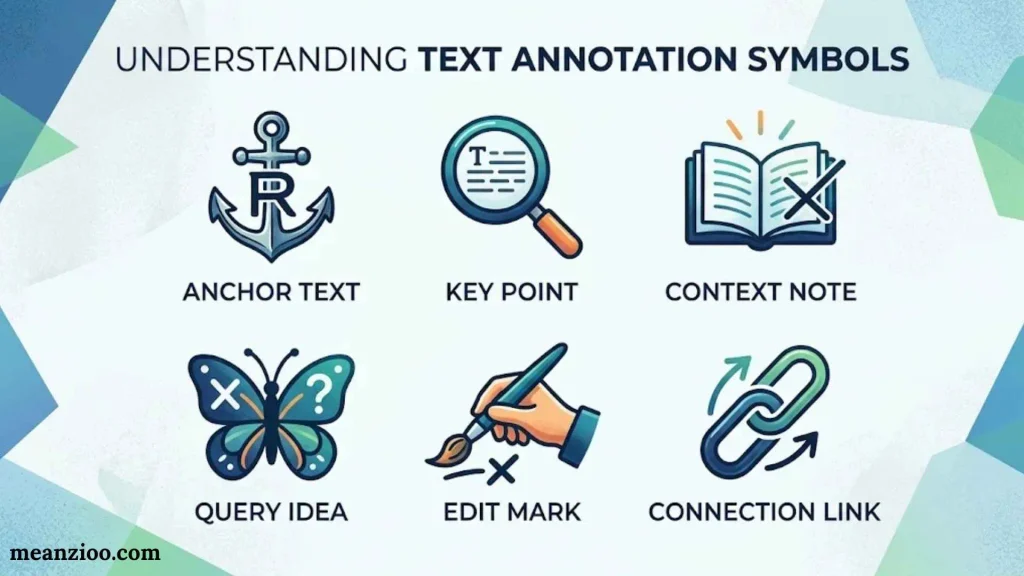
Text annotation symbols are characters inserted into written material to highlight, organize, or explain information. They’re especially useful in digital documents, messaging applications, online study notes, and personal writing.
Here are some useful text symbols:
Text Symbols to Copy
Stars
★ ☆ ✦ ✧ ✩ ✪
Copy
Arrows
→ ← ↑ ↓ ↔ ⇢ ⇒
Copy
Check Marks
✓ ✔ ☑ ☐
Copy
Crosses
✗ ✘ × ✕ ☒
Copy
Brackets
[ ] ( ) { } ⟨ ⟩
Copy
Question and Attention
? ! ‼ ⁉ ※
Copy
Bullets
• ◦ ▪ ▫ ◆ ◇
Copy
Mathematical Marks
+ − × ÷ = ≠ ≈
Copy
Examples of Text Annotations
You can place symbols before or after sentences to make their purpose clear.
- ★ Important: Review this definition before the exam.
- ? Question: How does this process work?
- ✓ Completed: The assignment is ready.
- ! Remember: The deadline is approaching.
- → Connection: This idea relates to the previous chapter.
These characters also work well in digital study planners and personal knowledge systems. Their appearance may vary between fonts and devices, so check the final document before sharing it.
Reading Annotation Symbols
Reading annotation symbols help readers interact with a text instead of simply moving through its pages. They provide a simple way to record reactions, identify important information, and recognize relationships between ideas.
Readers commonly use these marks when studying textbooks, articles, novels, research papers, and other written materials.
| Symbol | Reading Purpose |
| ★ | Important information |
| ? | Something you want to understand |
| ! | Surprising information |
| ✓ | Information you agree with |
| ✗ | Information you disagree with |
| ○ | Unfamiliar vocabulary |
| → | Connection to another passage |
| * | Main idea |
| [ ] | Important paragraph or section |
| underline | Supporting evidence |
| ↑ | Something worth reviewing |
| R | Repeated idea or theme |
Reading Annotation Example
Consider this sentence:
“Plants use sunlight, water, and carbon dioxide to produce food through photosynthesis.”
You could annotate it in several ways:
- ★ Mark the sentence because it explains an important scientific process.
- ○ Circle the word “photosynthesis” if you need to learn its definition.
- ? Write a question about how sunlight contributes to the process.
- → Connect it to another paragraph explaining chlorophyll.
This method turns reading into an active learning experience. You begin noticing details, asking questions, and connecting information as you progress.
College Annotation Symbols
College students often need a more detailed annotation system because academic reading involves arguments, evidence, theories, research findings, and complex vocabulary.
A simple set of symbols can help you understand lengthy readings without writing a full paragraph beside every passage.
| Symbol | Meaning | College Application |
| ★ | Main argument | Identify the author’s central claim |
| E | Evidence | Mark supporting research |
| C | Counterargument | Identify an opposing position |
| ? | Question | Record something unclear |
| ! | Significant finding | Highlight an unexpected result |
| D | Definition | Mark important terminology |
| EX | Example | Identify an illustration |
| ✓ | Agreement | Mark a convincing argument |
| ✗ | Disagreement | Identify a weak claim |
| → | Connection | Link related theories |
| R | Repetition | Identify a recurring theme |
| S | Summary | Mark a useful summary point |
Example of Academic Annotation
Imagine you’re reading a research paper about climate change.
- ★ beside the author’s main argument.
- E beside a statistical finding.
- D beside a scientific term.
- C beside an opposing viewpoint.
- ? beside a claim that needs further investigation.
You can also write brief margin notes such as “strong evidence,” “needs citation,” or “connects to previous research.”
For college assignments, remember to distinguish your personal reactions from the author’s actual claims. This makes your notes more reliable when preparing essays, discussions, and research projects.
Annotation Symbols for Close Reading
Close reading involves examining a text carefully to understand its meaning, structure, language, and deeper ideas. Annotation symbols make this process easier by helping readers identify important passages and record their interpretations.
Teachers often encourage students to develop a consistent set of close-reading marks.
Common Close Reading Symbols
| Symbol | Meaning | What to Look For |
| ★ | Main idea | Central message or argument |
| ? | Question | Unclear statements or confusing ideas |
| ! | Surprising detail | Unexpected information |
| + | Agreement | Ideas you support |
| − | Disagreement | Ideas you challenge |
| = | Connection | Similar ideas or experiences |
| X | Contradiction | Information that conflicts with another claim |
| ○ | Vocabulary | Unfamiliar or important words |
| underline | Key detail | Supporting evidence |
| [ ] | Important passage | A meaningful section |
| T | Theme | Recurring message or subject |
| IM | Imagery | Descriptive language |
| M | Metaphor | Figurative comparison |
How to Annotate a Passage
Use a short passage to practice:
“The old house stood alone on the hill, reminding everyone of a forgotten past.”
You might mark it this way:
- Underline “stood alone” because it creates a sense of isolation.
- Write IM beside the descriptive imagery.
- Use ? if you’re unsure what the forgotten past represents.
- Mark ★ if the sentence introduces an important theme.
- Write T beside the passage if loneliness appears repeatedly.
Close reading isn’t about filling every margin with symbols. Choose marks that help you understand the author’s message and explain why a particular passage matters.
Annotation Symbols Middle School
Middle school students benefit from simple annotation symbols that are easy to remember and apply. A small collection of familiar marks can help them understand reading assignments, identify key information, and participate in classroom discussions.
Teachers can introduce these symbols before students begin annotating longer passages.
Easy Annotation Symbols for Middle School
| Symbol | Meaning | Student Activity |
| ★ | Important idea | Mark a key fact |
| ? | I have a question | Identify something confusing |
| ! | Interesting fact | Mark surprising information |
| ✓ | I understand | Confirm a familiar idea |
| X | I disagree | Identify a different opinion |
| ○ | New word | Circle unfamiliar vocabulary |
| → | Connection | Connect two ideas |
| + | Something positive | Mark supporting information |
| − | Something negative | Mark a problem or drawback |
| * | Main point | Identify the central idea |
Example for Middle School Students
Suppose you’re reading a chapter about the solar system.
You can use:
- ★ for the definition of a planet.
- ? beside a fact about planetary motion you don’t understand.
- ! beside an interesting fact about Saturn.
- ○ around unfamiliar astronomy vocabulary.
- → to connect information about Earth and Mars.
Tips for Teachers
- Introduce three to five symbols at a time.
- Display a classroom annotation chart.
- Demonstrate how to annotate a short paragraph.
- Encourage students to write short explanations beside their marks.
- Let students create their own symbols once they understand the basics.
The goal is to make reading more interactive, not to turn every page into a collection of marks.
Book Annotation Symbols
Book annotation symbols help readers record thoughts directly alongside passages. They are particularly useful for novels, nonfiction books, textbooks, poetry, and literature assignments.
You can use these marks in a personal book, a printed reading worksheet, or digital reading software.
Popular Book Annotation Symbols
| Symbol | Meaning |
| ★ | Favorite or important passage |
| ♥ | Emotional or memorable moment |
| ? | Confusing passage |
| ! | Unexpected event |
| ✓ | Important information understood |
| ○ | Unfamiliar word |
| △ | Important change or turning point |
| T | Theme |
| C | Character development |
| P | Plot development |
| S | Setting |
| F | Foreshadowing |
| M | Metaphor |
| IR | Interesting reference |
How to Annotate Different Types of Books
Fiction books: Mark character development, important conversations, plot twists, and recurring themes.
Nonfiction books: Highlight key arguments, statistics, definitions, and supporting evidence.
Poetry: Identify imagery, metaphors, rhyme patterns, tone, and emotional language.
Textbooks: Mark definitions, formulas, important examples, and information that may appear in examinations.
For books you don’t own, use sticky notes instead of writing directly on the pages. Digital readers may also offer highlighting, commenting, and bookmarking tools.
Annotation Symbols Cross
Cross symbols are useful annotation marks for identifying mistakes, disagreements, contradictions, and information that needs correction. Their exact meanings depend on the system you’re using.
Here are several cross-style symbols you can copy and paste.
Cross Annotation Symbols
✗
Copy
✘
Copy
✕
Copy
×
Copy
☒
Copy
✖
Copy
╳
Copy
⨯
Copy
❌
Copy
Meanings of Common Cross Symbols
- ✗ — Commonly represents an incorrect answer or disagreement.
- ✘ — Often used to indicate rejection or a mistake.
- ✕ — A cross mark used to show cancellation or exclusion.
- × — A multiplication sign or a mark indicating something is crossed out.
- ☒ — A ballot box with a cross, often used for a selected or marked option.
- ✖ — A bold cross used for emphasis or rejection.
- ❌ — A red cross emoji commonly used for errors or something unacceptable.
For academic annotation, choose one cross symbol and assign it a specific meaning. Don’t use several different crosses interchangeably if your notes require precise interpretation.
Chess Annotation Symbols
Chess annotation symbols describe the quality of moves, tactical opportunities, and strategic decisions. Players and commentators use them to explain why a move is strong, weak, brilliant, or questionable.
These symbols usually appear immediately after a move in chess notation.
Standard Chess Annotation Symbols
| Symbol | Meaning | Explanation |
| ! | Good move | A strong or effective move |
| !! | Brilliant move | An exceptionally impressive move |
| ? | Mistake | An inaccurate move |
| ?? | Blunder | A serious mistake |
| !? | Interesting move | A move worth considering |
| ?! | Dubious move | A questionable decision |
| ⩲ | White has a slight advantage | A small positional edge for White |
| ⩱ | Black has a slight advantage | A small positional edge for Black |
| ± | White has a clear advantage | White has a significant edge |
| ∓ | Black has a clear advantage | Black has a significant edge |
| +− | White is winning | White has a winning position |
| −+ | Black is winning | Black has a winning position |
| ∞ | Unclear position | The position is difficult to evaluate |
| = | Equal position | Neither side has a clear advantage |
The evaluation symbols describe positions rather than individual move quality. Their exact interpretation can vary between commentators and chess publications.
Chess Annotation Example
Consider this simple notation:
1. e4 e5 2. Nf3 Nc6 3. Bc4?!
The ?! after Bc4 indicates that the move is considered questionable by the annotator. It doesn’t automatically mean the move loses the game.
Other examples include:
- Nf3! — A good knight move.
- Qh5? — A questionable queen move.
- Bxh7+!! — An exceptionally impressive bishop capture with check.
- Rxd8?? — A serious blunder involving a rook capture.
Chess Annotation Symbols on Chess.com
Chess.com provides move annotations and graphical evaluation features that help players understand their games.
Common features include:
- Move-quality indicators.
- Engine evaluations.
- Suggested alternative moves.
- Mistake and blunder classifications.
- Arrows highlighting possible moves.
- Colored board squares showing tactical ideas.
One distinction matters: traditional chess annotation symbols such as !, ?, !!, and ?? are established notation marks. Some colored arrows and graphical indicators are platform interface features rather than standard PGN annotation symbols.
Chess.com Annotation Symbols
Chess.com uses visual indicators to make game analysis easier. When reviewing a completed game, you may encounter move labels, evaluation information, arrows, and colored highlights.
These features help players identify mistakes and understand better alternatives.
Common Chess.com Move Labels
| Label | General Meaning |
| Brilliant | An exceptionally strong move according to the platform’s analysis |
| Great | A particularly strong move |
| Best | The engine’s preferred move |
| Excellent | A strong move |
| Good | A reasonable move |
| Book | A move found in opening theory |
| Inaccuracy | A move that reduces the position’s quality |
| Mistake | A move that significantly worsens the position |
| Miss | A missed opportunity |
| Blunder | A serious error |
These are Chess.com analysis classifications, not all traditional chess notation symbols. The platform’s classifications and availability may change with its analysis features.
What Do Arrows and Colored Squares Mean?
During analysis, arrows can show possible moves or recommended plans. Colored squares can draw attention to important board locations.
For example, an arrow from a knight’s square to another square may indicate a suggested knight move. A highlighted square can show where a tactical opportunity exists.
These visual elements are particularly useful for beginners because they show the idea behind an evaluation rather than relying on notation alone.
Annotation Symbols Revit
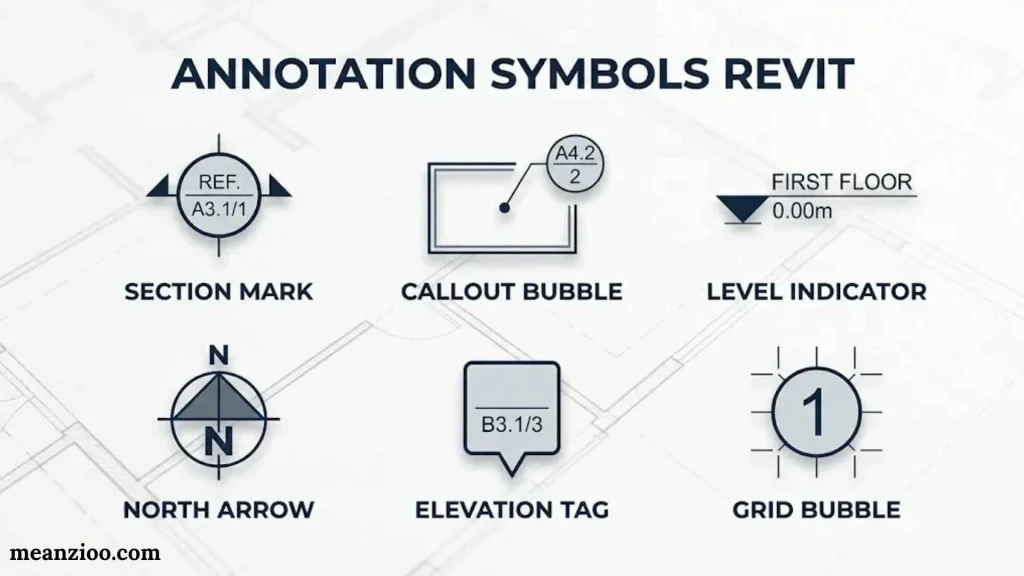
In Autodesk Revit, annotation symbols are graphical elements used to communicate information in architectural, structural, and engineering drawings.
They help designers identify building components, display measurements, label objects, and explain construction details. Unlike decorative text symbols, Revit annotations are connected to specific documentation and modeling workflows.
Autodesk describes annotation elements as including dimensions, text notes, keynotes, tags, and symbols.
Common Revit Annotation Symbols
| Annotation Type | Purpose |
| Section Marker | Identifies a section view |
| Elevation Marker | Indicates an elevation view |
| Detail Callout | References an enlarged drawing detail |
| Door Tag | Identifies a door and its information |
| Window Tag | Displays window identification |
| Room Tag | Shows room names and numbers |
| Grid Bubble | Identifies structural grid lines |
| Level Symbol | Indicates a building level |
| Dimension Line | Displays measurements |
| Keynote Tag | Identifies materials or construction elements |
| North Arrow | Shows drawing orientation |
| Text Note | Adds written explanations |
How to Create Annotation Symbols in Revit
The general process involves creating an annotation family and configuring its appearance and parameters.
- Open the File menu and select New.
- Choose the Annotation Symbol family template.
- Select an appropriate family category.
- Draw the symbol using available drawing tools.
- Add labels connected to relevant parameters when needed.
- Adjust the symbol’s appearance and placement.
- Save the family and load it into your project.
Autodesk’s documentation explains that annotation symbol families can contain graphic shapes and parameter-based labels.
Autodesk Help+1
Revit Annotation Symbols vs. Model Elements
Annotation elements communicate information about a design. Model elements represent the actual building components.
For example, a door tag identifies a door, while the door itself is a model element. Similarly, a dimension annotation displays a measurement without representing a physical building component.
This distinction helps keep architectural drawings organized and readable.
A Symbol or Annotation 4 Letters
If you’re solving a crossword puzzle or word game, a four-letter answer for a symbol or annotation may depend on the clue’s exact wording.
Here are some possible answers:
| Word | Meaning |
| Note | A written remark or annotation |
| Mark | A sign or identifying character |
| Sign | A symbol that communicates information |
| Icon | A small graphic representation |
| Text | Written information or characters |
| Tag | A label identifying an object |
NOTE is a particularly suitable answer when the clue refers to a written annotation. MARK may fit when the clue describes a sign or identifying symbol.
Always consider the surrounding crossword clues and available letters before choosing an answer.
Bulphonc Annotation Symbols Vowels
The phrase “Bulphonc annotation symbols vowels” does not appear to identify a recognized, standard annotation system. The spelling may be incorrect or refer to a specialized classroom resource.
If you’re looking for vowel symbols used in phonetic transcription, the International Phonetic Alphabet (IPA) provides a useful collection of characters.
Common Vowel Symbols
| Symbol | IPA Name or Description |
| i | Close front unrounded vowel |
| ɪ | Near-close near-front unrounded vowel |
| e | Close-mid front unrounded vowel |
| ɛ | Open-mid front unrounded vowel |
| æ | Near-open front unrounded vowel |
| ɑ | Open back unrounded vowel |
| ɔ | Open-mid back rounded vowel |
| o | Close-mid back rounded vowel |
| ʊ | Near-close near-back rounded vowel |
| u | Close back rounded vowel |
| ə | Schwa |
| ɜ | Open-mid central unrounded vowel |
These are phonetic transcription symbols, not general reading annotation marks. They help linguists and language learners describe vowel sounds accurately.
For example, the symbol ə represents the schwa sound, which commonly appears in unstressed syllables in English.
If “Bulphonc” refers to a particular phonics system, textbook, or worksheet, its original spelling or source would be needed to identify the intended symbols accurately.
Drawing Annotation Symbols
Drawing annotation symbols provide additional information about an illustration, technical drawing, architectural plan, or engineering diagram.
They help viewers understand dimensions, materials, directions, construction details, and other important features.
Common Drawing Annotation Symbols
| Symbol | Name | Common Purpose |
| Ø | Diameter | Identifies a circular feature’s diameter |
| R | Radius | Indicates a curved feature’s radius |
| ± | Plus or Minus | Shows tolerance or variation |
| ° | Degree | Indicates an angle |
| ⌀ | Diameter Symbol | Used in technical dimensions |
| ↗ | Direction Arrow | Indicates a direction |
| CL | Centerline | Identifies a centerline |
| ⌖ | Position Symbol | Geometric tolerance symbol |
| ⌯ | Profile Symbol | Surface profile tolerance |
| △ | Delta | Can identify a revision |
| ↔ | Double Arrow | Indicates a measurement direction |
Architectural Drawing Annotations
Architectural drawings use standardized and project-specific symbols to communicate design information.
Some common examples include:
- Section symbols: Show where a building section is taken.
- Elevation symbols: Identify exterior or interior views.
- Detail symbols: Point to enlarged construction details.
- Door and window tags: Identify individual openings.
- Level markers: Show vertical building elevations.
- North arrows: Indicate the orientation of a plan.
Engineering Drawing Annotations
Engineering drawings use more specialized marks to explain dimensions, tolerances, materials, and manufacturing requirements.
For example:
- Ø25 — A diameter of 25 units.
- R10 — A radius of 10 units.
- 45° — An angle of 45 degrees.
- ±0.5 — A permitted variation of 0.5 units, when specified as a tolerance.
The units and drawing standards must be checked before interpreting these measurements. A symbol’s meaning can also depend on the applicable engineering discipline and drafting standard.
Frequently Asked Questions About Annotation Symbols
What Are the Most Common Annotation Symbols?
The most common annotation symbols include ★ for important information, ? for questions, ! for surprising details, ✓ for agreement, ✗ for disagreement, and → for connections between ideas.
How Do You Use Annotation Symbols When Reading?
Choose a small set of symbols and assign each one a specific purpose. Mark important ideas, circle unfamiliar words, identify confusing passages, and connect related information with arrows.
What Is the Difference Between Annotation Symbols and Text Symbols?
Annotation symbols organize or explain information within a document, while text symbols are Unicode characters used in digital writing. Some characters serve both purposes depending on their context.
Are Annotation Symbols Universal?
No. Some symbols have widely recognized meanings, but many annotation marks are specific to a classroom, profession, or software application. Always check the legend or instructions before interpreting unfamiliar marks.
Can I Copy and Paste Annotation Symbols Into Word and Google Docs?
Yes. You can generally copy Unicode annotation characters into Microsoft Word, Google Docs, and other applications that support those characters. Their appearance depends on the available fonts and platform support.
Conclusion
Annotation symbols make reading, studying, writing, and technical communication more organized. From simple question marks and stars to specialized chess and Revit annotations, each mark serves a useful purpose.
You can use these symbols to highlight important information, identify mistakes, connect ideas, and understand complicated material. Students can apply them to textbooks, while professionals can use specialized annotation systems in technical drawings and digital projects.
The best annotation system is one you can understand and use consistently. Choose symbols that match your needs, learn their meanings, and keep a reference chart nearby. This simple habit can make your notes clearer and easier to review.

I’m Ryan Mitchell, and I write about modern English, trending slang, and online expressions. I enjoy explaining the meanings, origins, and real-life usage of popular words in a simple way. I believe learning slang is an important step toward understanding today’s English-speaking culture. Through my work, I aim to help readers speak more naturally and stay updated with the latest language trends.