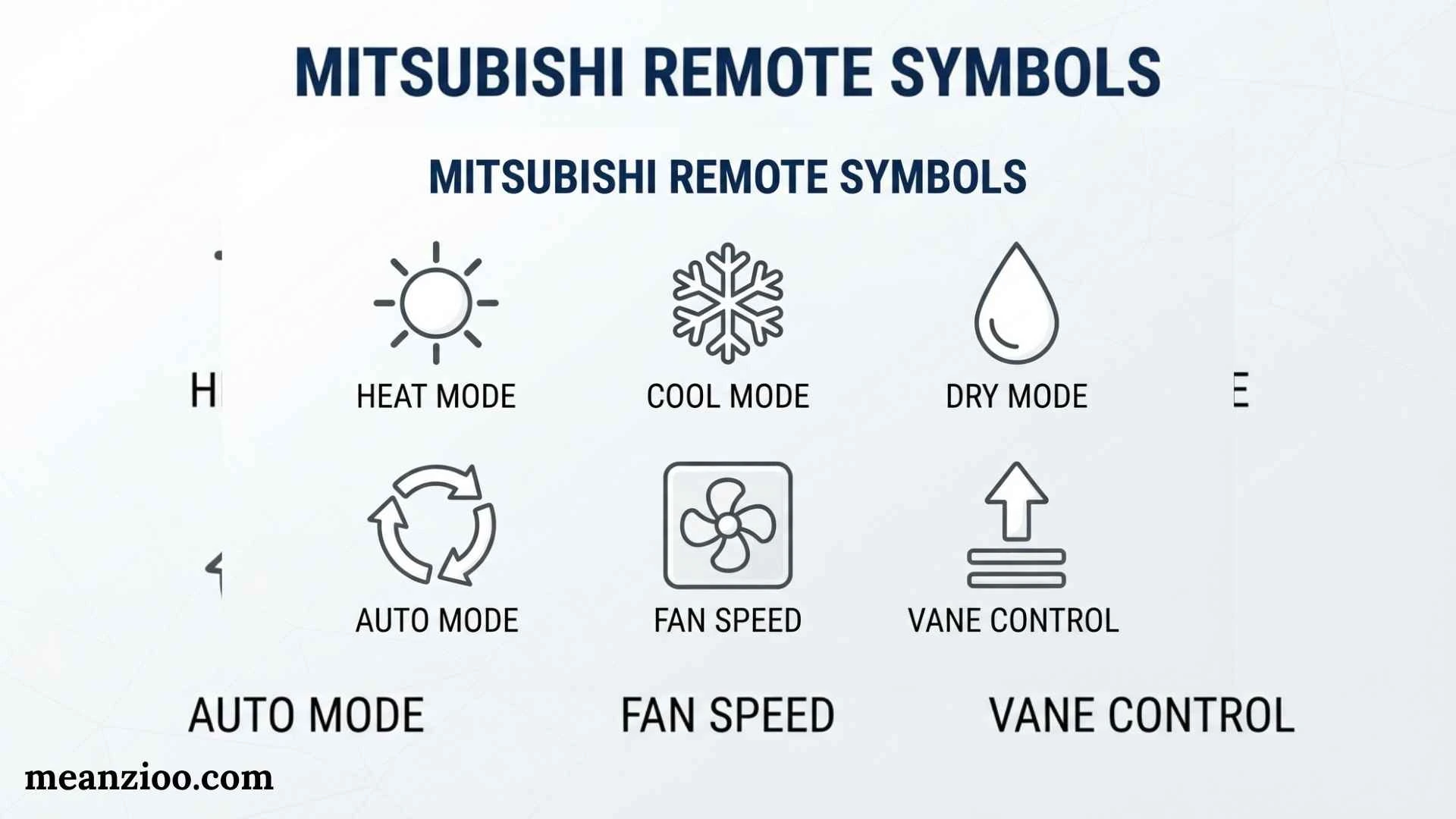
Mitsubishi remote symbols help you understand what your air conditioner is doing and which function you have selected. A snowflake may indicate cooling, a sun can indicate heating, a water drop can represent dry mode, and a fan symbol can control airflow. Other icons may relate to timers, sleep settings, economy operation, powerful cooling, airflow direction, cleaning, silent operation, or special sensors.
The confusing part is that Mitsubishi does not use one identical remote for every air conditioner. Mitsubishi Electric and Mitsubishi Heavy Industries have separate product ranges, while individual models can also have different controllers and features. Mitsubishi Electric specifically notes that the appearance and functions of remote controls can vary by model. Mitsubishi Heavy Industries also directs users to the user manual for the functions available on a particular unit.
This guide explains the most common Mitsubishi remote symbols, what they mean, how the major modes work, which advanced icons you may encounter, and what to do when an unfamiliar or flashing symbol appears.
What Do Mitsubishi Remote Symbols Mean?
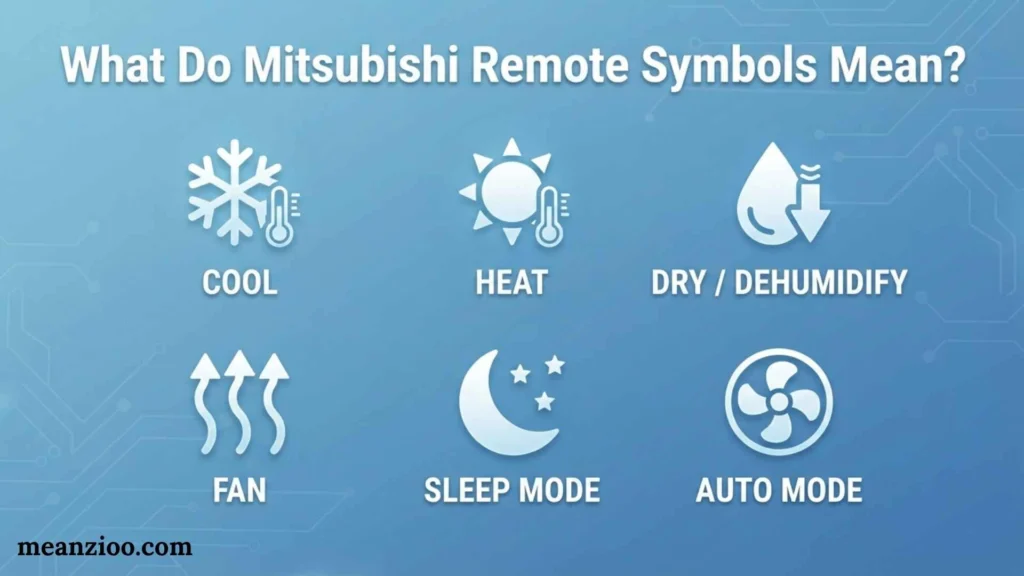
Mitsubishi remote symbols are icons, letters, or indicators displayed on an air conditioner remote to show the selected operating mode or function.
The most common symbols relate to:
- Power
- Cooling
- Heating
- Dry/dehumidification
- Fan operation
- Automatic mode
- Temperature
- Fan speed
- Airflow direction
- Swing
- Timers
- Sleep
- Economy
- Powerful operation
- Cleaning
- Silent operation
- Child lock
- Sensors
- Air purification
A quick interpretation is:
| Common Symbol | Typical Meaning |
| ⏻ | Power ON/OFF |
| ❄️ | Cooling |
| ☀️ | Heating |
| 💧 | Dry/dehumidification |
| 🌀 | Fan |
| AUTO | Automatic operation |
| ▲ / ▼ | Temperature adjustment |
| Fan bars | Fan speed |
| Swing/vane icon | Airflow movement |
| Clock | Timer |
| Moon | Sleep/night function |
| ECO/ECONO | Economy operation |
| POWER/HI POWER | High-power operation |
| CLEAN | Self-clean operation |
| Lock | Child lock |
| Silent icon | Reduced-noise operation |
These are general visual descriptions, not guaranteed universal icons. The exact design depends on the remote and air conditioner model.
Mitsubishi Remote Symbols Chart
If you only need a quick answer, use this Mitsubishi AC remote symbols chart.
| Symbol or Display | Meaning | What It Does |
| ⏻ | ON/OFF | Starts or stops the air conditioner |
| ❄️ | Cool | Lowers room temperature |
| ☀️ | Heat | Raises room temperature |
| 💧 | Dry | Removes moisture from indoor air |
| 🌀 | Fan | Circulates air |
| AUTO | Auto mode | Automatically manages operation |
| ▲ | Temperature up | Raises set temperature |
| ▼ | Temperature down | Lowers set temperature |
| Fan bars | Fan speed | Adjusts airflow speed |
| Vane/arrows | Airflow | Changes air direction |
| Swing | Swing airflow | Moves the vane automatically |
| Clock | Timer | Schedules operation |
| Moon | Sleep | Night-time or sleep-related operation |
| ECO/ECONO | Economy | Reduces power use |
| HI POWER | Powerful | Temporarily increases output |
| CLEAN | Self-clean | Dries internal components on supported models |
| Silent | Silent operation | Reduces operating noise |
| Lock | Child lock | Prevents accidental changes |
| Sensor | Sensor-related function | Uses available room/person sensing |
| Air-clean icon | Air purification | Operates an applicable air-cleaning feature |
Not every Mitsubishi remote includes every function.
Mitsubishi Electric vs Mitsubishi Heavy Industries Remotes
One of the most important things to understand when searching for Mitsubishi remote symbols is that Mitsubishi Electric and Mitsubishi Heavy Industries are different companies.
Mitsubishi Electric Remote Symbols
Mitsubishi Electric remotes can include controls for:
- ON/OFF
- Temperature
- Mode
- Fan speed
- Fast operation
- Auto vane
- Timers
- Sleep mode
- Airflow direction
Mitsubishi Electric’s own guide explains that fan speed may be represented by bars or a small fan, while Auto Vane Control can provide multiple airflow positions and swing operation.
Mitsubishi Heavy Industries Remote Symbols
Mitsubishi Heavy Industries remotes can include a broader set of model-dependent functions, such as:
- AUTO
- COOL
- HEAT
- DRY
- FAN
- HI POWER
- ECONOMY
- AIR FLOW
- TIMER
- SLEEP
- CLEAN
- 3D AUTO
- SILENT
- NIGHT SETBACK
- CHILD LOCK
An MHI remote manual, for example, shows dedicated controls for FAN SPEED, MODE, HI POWER, AIR FLOW, ECONO, TEMP, TIMER, SLEEP, CLEAN, and related functions.
This is why a generic Mitsubishi remote-symbol chart may not perfectly match your controller.
Mitsubishi Power Symbol
What Does the Power Symbol Mean?
The familiar circle with a vertical line represents the power or ON/OFF function.
Pressing it normally starts or stops the indoor unit.
Mitsubishi Electric identifies the ON/OFF button as one of the standard controls on its AC remotes.
If the remote does nothing when you press the power button, check:
- Batteries
- Remote display
- Indoor-unit power
- Signal path between remote and receiver
- Whether a lock function is active
Mitsubishi Snowflake Symbol
What Does the Snowflake Symbol Mean?
The snowflake symbol ❄️ normally represents Cool mode.
In cooling mode, the air conditioner works to reduce the room temperature toward your selected set point.
Mitsubishi Electric describes Cool mode as the standard cooling operation in which the user selects a temperature and fan speed.
When Should You Use Cool Mode?
Use cooling mode when:
- The room is too warm
- Outdoor weather is hot
- You want active temperature reduction
- You need normal summer cooling
For example, if your room is warm and the remote displays a snowflake, you can adjust the temperature using the ▲ and ▼ buttons.
Mitsubishi Sun Symbol
What Does the Sun Symbol Mean?
The sun symbol ☀️ generally indicates Heat mode on Mitsubishi heat-pump systems.
Heat mode reverses the normal purpose of the system so it can provide warm air.
It may be useful during:
- Winter
- Cold mornings
- Cool evenings
- Cold indoor conditions
Heating availability depends on the specific model. A cooling-only system will not necessarily have a heating function.
Mitsubishi Water Drop Symbol
What Does the Water Drop Mean?
The water drop 💧 normally represents Dry mode.
Dry operation focuses on reducing humidity rather than simply providing maximum cooling.
Mitsubishi Heavy Industries describes Dry Operation as reducing humidity by removing moisture from the air.
When Should You Use Dry Mode?
Dry mode can be useful when:
- The room feels damp
- Humidity is high
- The air feels uncomfortable but does not require strong cooling
- You want moisture reduction
Dry mode is not identical to normal Cool mode, so the indoor temperature may not change in the same way.
Mitsubishi Fan Symbol
What Does the Fan Symbol Mean?
The fan symbol indicates fan operation or fan-speed control.
Depending on the model, you may see:
- One bar
- Several bars
- A small fan
- AUTO
- LO
- MED
- HI
Mitsubishi Electric explains that more fan-speed bars generally indicate faster fan operation.
What Do the Fan Bars Mean?
Generally:
Low: gentle airflow and lower noise.
Medium: balanced airflow.
High: stronger airflow for faster air circulation.
Auto: the system adjusts fan speed automatically.
The exact behavior can vary by model.
Mitsubishi AUTO Symbol
What Does AUTO Mean?
AUTO means the air conditioner automatically controls its operation according to its control logic and room conditions.
On Mitsubishi Heavy Industries systems, automatic operation can select heating or cooling based on room conditions and the set temperature.
AUTO is useful if you do not want to manually switch between heating and cooling.
However, AUTO does not mean exactly the same thing on every Mitsubishi system. Always check the manual for your model.
Mitsubishi Mode Symbol
What Does the MODE Button Do?
The MODE button usually cycles through the available operating modes.
Depending on the unit, these may include:
- AUTO
- COOL
- DRY
- HEAT
- FAN
Mitsubishi Electric specifically identifies Mode as a control used to switch between functions such as cool, dry, and auto.
If your remote does not show one of these modes, your model may not support it.
Mitsubishi Temperature Symbols
What Do the Up and Down Arrows Mean?
The ▲ and ▼ controls adjust the target temperature.
Usually:
- ▲ = increase temperature
- ▼ = decrease temperature
The remote display shows the selected temperature.
The temperature you see is generally the set temperature, not necessarily the current room temperature.
Why Does the Room Feel Different From the Set Temperature?
The displayed setting does not guarantee that every part of the room is exactly that temperature.
Differences can result from:
- Room size
- Insulation
- Sunlight
- Outdoor temperature
- Number of occupants
- Airflow
- Indoor-unit position
- Sensor location
Mitsubishi Fan Speed Symbols
Fan speed symbols tell you how strongly air is being circulated.
Low Fan
Low fan is useful when you prefer gentler airflow and lower noise.
Medium Fan
Medium provides a compromise between airflow and noise.
High Fan
High fan increases air movement and can distribute conditioned air faster.
Auto Fan
Auto fan lets the air conditioner manage fan speed automatically.
Do not assume that maximum fan speed always means maximum cooling. Fan speed and compressor operation are separate parts of the system.
Mitsubishi Swing Symbol
What Does the Swing Icon Mean?
The Swing function moves the air vane automatically.
Instead of directing air toward one fixed position, the vane can move through a range.
Mitsubishi Electric describes Auto Vane Control as allowing control of airflow direction, including swing operation on supported models.
When Should You Use Swing?
Swing can help when:
- You want wider air distribution
- Several people are in the room
- You do not want airflow fixed in one direction
- You want more even circulation
Mitsubishi Airflow Direction Symbols
Airflow symbols control where conditioned air travels.
Depending on the model, you may have:
- Up/down arrows
- Left/right arrows
- Vane-position indicators
- Swing
- 3D airflow
What Does 3D AUTO Mean?
On supported Mitsubishi Heavy Industries systems, 3D Auto Mode uses three independent motors to distribute airflow more evenly through the room.
This is different from ordinary swing because the system is designed to coordinate multiple airflow directions.
Mitsubishi Timer Symbol
What Does the Clock Symbol Mean?
The clock symbol generally indicates a timer or scheduling function.
Depending on the model, you may have:
- ON timer
- OFF timer
- Sleep timer
- Weekly timer
- Program timer
Mitsubishi Heavy Industries lists On/Off Timer and Weekly Timer functions on supported systems.
What Does ON Timer Do?
An ON timer tells the air conditioner to start at a selected time.
What Does OFF Timer Do?
An OFF timer tells the air conditioner to stop at a selected time.
What Does Weekly Timer Do?
On supported Mitsubishi Heavy Industries systems, weekly scheduling can allow multiple ON/OFF events to be programmed throughout the week.
This can be useful for regular work or sleep schedules.
Mitsubishi Sleep Symbol
What Does Sleep Mode Mean?
Sleep-related functions are designed for nighttime comfort and scheduled operation.
Mitsubishi Electric describes a Sleep Mode on applicable remotes that adjusts the temperature and later returns to the original setting.
Mitsubishi Heavy Industries also provides sleep-timer functions on supported systems that operate for a predetermined period before switching off.
Because these functions are not identical across models, do not assume that a moon icon always performs the same sequence.
Mitsubishi ECONO or ECO Symbol
What Does ECONO Mean?
ECONO or ECO generally indicates an energy-saving mode.
Mitsubishi Heavy Industries describes Economy Mode as operating at reduced capacity to reduce power consumption while maintaining comfortable conditions.
On some MHI remotes, the HI/ECO button switches between High Power, Economy, and normal operation.
When Should You Use Economy Mode?
Economy mode may be useful when:
- The room is already comfortable
- You want lower power consumption
- Maximum output is unnecessary
- You want gentler operation
The exact temperature behavior can vary by model.
Mitsubishi HI POWER Symbol
What Does HI POWER Mean?
HI POWER indicates a temporary boosted operating mode.
Mitsubishi Heavy Industries states that supported systems can provide approximately 15 minutes of boosted power to quickly heat or cool the room.
When Should You Use HI POWER?
Use it when:
- You have just entered a hot room
- You want faster initial cooling
- You need faster heating
- The room temperature is far from your target
It is not necessarily designed for continuous maximum operation.
Mitsubishi CLEAN Symbol
What Does CLEAN Mean?
The CLEAN symbol represents a self-clean or internal-drying function on supported models.
Mitsubishi Heavy Industries documentation explains that CLEAN operation can run the indoor fan after applicable cooling or dry operation to remove internal moisture and help control mold and bacteria growth.
However, the manufacturer also states that this function is not a replacement for removing mold, germs, or grime that has already adhered to the unit.
That distinction is important.
Does CLEAN Mean the AC Does Not Need Maintenance?
No.
A self-clean function does not eliminate the need for:
- Filter cleaning
- Professional servicing when necessary
- Drain inspection
- General maintenance
Mitsubishi Silent Symbol
What Does Silent Mode Mean?
Silent operation is designed to reduce operating noise.
Mitsubishi Heavy Industries lists Silent Operation on several product ranges and describes it as a mode intended to reduce operating noise.
This can be useful for:
- Bedrooms
- Study rooms
- Offices
- Nighttime operation
- Quiet environments
The trade-off may be reduced airflow or output depending on the system.
Mitsubishi Child Lock Symbol
What Does the Lock Symbol Mean?
A lock symbol can indicate that the remote or controller has been locked.
On supported Mitsubishi Heavy Industries systems, Child Lock prevents accidental changes to control settings.
If buttons seem unresponsive and a lock icon is displayed, check the model’s manual for the correct unlock sequence.
Do not assume the same button combination works on every remote.
Mitsubishi Night Setback Symbol
What Does Night Setback Mean?
Night Setback is a specialized temperature-management function found on some Mitsubishi systems.
Mitsubishi Heavy Industries describes it as maintaining room temperature during cold conditions when the room is unattended.
This is different from ordinary Sleep mode.
Night Setback is particularly relevant to systems that need to avoid excessive temperature drops during periods when occupants are away.
Mitsubishi Sensor Symbols
What Does the Sensor Icon Mean?
Some Mitsubishi systems use sensors to detect room conditions or occupants.
Depending on the model, a sensor-related function may be designed to:
- Detect people
- Adjust operation based on occupancy
- Reduce unnecessary operation
- Improve comfort
- Redirect airflow
Do not assign one universal meaning to a sensor icon because Mitsubishi product lines use different sensing technologies and functions.
What Is i-see Sensor?
Some Mitsubishi Electric systems use i-see Sensor technology to detect temperature distribution and help control comfort.
If your remote or indoor unit shows a sensor-related indicator, check the exact model documentation before assuming what it does.
Mitsubishi Air Purification Symbols
What Does the Air-Cleaning Symbol Mean?
Some Mitsubishi air conditioners offer air-cleaning or allergen-related functions.
Mitsubishi Heavy Industries, for example, offers Allergen Clear Operation on selected systems, while some product ranges include clean-air technologies designed to address airborne allergens and odors.
These functions are model-specific.
An air-purification icon should not be interpreted as meaning that the AC replaces a dedicated air purifier in every situation.
Mitsubishi Luminous Remote Symbols
What Are Luminous Buttons?
Some Mitsubishi Electric remotes include luminous buttons designed to make controls easier to see in dim environments. Mitsubishi Electric specifically lists luminous buttons among the functions found on some of its remotes.
If a button appears to glow after the lights are turned off, this may be a convenience feature rather than an operating mode.
Mitsubishi Auto Restart Indicator
What Does Auto Restart Mean?
Auto Restart is not necessarily a mode you select from the remote.
On supported Mitsubishi Heavy Industries systems, Auto Restart can restore operation after a temporary power interruption.
Some settings may not be restored in exactly the same way, so the model manual should be consulted.
Mitsubishi Remote Error Symbols and Codes
Not every unusual display means the AC is broken.
Some indicators may represent:
- Timer operation
- Cleaning
- Heating preparation
- Defrosting
- Lock
- Special operating modes
- Fault conditions
What Does a Flashing Symbol Mean?
A flashing indicator can have several possible meanings.
For example, Mitsubishi Heavy Industries documentation shows that indicator lights can blink during conditions such as heating preparation, Self Clean operation, or an invalid operating mode.
Therefore, a flashing light does not automatically mean a serious failure.
What Should You Do With an Error Code?
If an actual error code appears:
- Write down the code exactly.
- Note which lights are flashing.
- Check the exact model number.
- Consult the manufacturer’s manual or support information.
- If the issue persists, contact a qualified service professional.
Mitsubishi Heavy Industries also provides an e-service application designed to help identify error codes and possible causes.
Mitsubishi Remote Symbols for Heating Preparation
Why Does the AC Show an Indicator but Not Blow Warm Air?
During heating operation, some Mitsubishi systems may temporarily delay warm airflow while preparing the system.
Mitsubishi Heavy Industries documentation identifies a blinking RUN/HOT KEEP indicator during heating preparation on applicable systems.
This can be normal and does not necessarily mean the unit has failed.
Mitsubishi Remote Symbols for Defrosting
Why Does Heating Sometimes Stop Temporarily?
Heat-pump systems can enter a defrosting process under certain outdoor conditions.
During this period, normal heating airflow may temporarily change.
The exact indicator behavior varies by model, so the manual remains the best source for interpreting a particular display.
Why Mitsubishi Remote Symbols Look Different
There are several reasons your remote may not match an online picture.
Different Mitsubishi Product Companies
Mitsubishi Electric and Mitsubishi Heavy Industries use different product ranges.
Different Air Conditioner Models
Even within one brand, different series can have different functions.
Different Remote Controllers
A basic wireless remote may have fewer buttons than an advanced wired controller.
Different Regions
Features and product names can vary by market.
Different Manufacturing Years
Older remotes may not include newer functions.
This is why the model number is one of the most important pieces of information when identifying an unfamiliar symbol.
How to Identify Your Mitsubishi Remote Model
If you want an exact answer for one symbol, collect these details:
Find the Air Conditioner Model Number
Look for a label on the indoor unit or outdoor unit.
Check the Remote
Some controllers have model information printed on the back or inside the battery compartment.
Take Note of the Exact Symbol
Describe the symbol carefully or compare it with the manual.
Check the Manufacturer
Determine whether the unit is Mitsubishi Electric or Mitsubishi Heavy Industries.
Use the Correct Manual
Mitsubishi Heavy Industries provides manuals through its support resources, while Mitsubishi Electric provides model-specific product documentation.
This is much safer than assuming every Mitsubishi remote works the same way.
How to Use Mitsubishi Remote Symbols Step by Step
Step 1: Turn the AC On
Press the power button.
Step 2: Select the Mode
Press MODE until the desired mode appears.
For cooling, look for the snowflake.
For heating, look for the sun.
For dry operation, look for the water drop.
Step 3: Set the Temperature
Use ▲ or ▼.
Step 4: Select Fan Speed
Choose Auto, Low, Medium, High, or the available setting.
Step 5: Adjust Airflow
Use the vane or swing controls.
Step 6: Add a Timer if Needed
Use the clock or timer controls.
Step 7: Use Special Functions Carefully
Select ECO, HI POWER, SLEEP, CLEAN, SILENT, or another function only if your model supports it.
Best Mitsubishi Remote Settings for Common Situations
| Situation | Suggested Mode/Function |
| Very hot room | COOL |
| Humid room | DRY |
| Cold weather | HEAT |
| Unsure which mode to use | AUTO, if supported |
| Want gentle airflow | Low fan |
| Want stronger airflow | High fan |
| Want broad airflow | Swing |
| Need fast initial cooling/heating | HI POWER, if supported |
| Want reduced energy use | ECONO/ECO |
| Sleeping | SLEEP or Silent, if supported |
| Want scheduled operation | TIMER |
| Want internal drying | CLEAN, if supported |
| Want fewer accidental button presses | CHILD LOCK |
These are general starting points. Your specific model may behave differently.
Common Mitsubishi Remote Problems and Solutions
The AC Is Not Cooling
Check:
- Is the snowflake/Cool mode selected?
- Is the set temperature lower than the room temperature?
- Is airflow reaching the room?
- Are the filters dirty?
- Are doors and windows closed?
- Is the outdoor unit operating?
If the problem continues, consult the model manual or a qualified technician.
The AC Is Not Heating
Check:
- Is Heat mode selected?
- Is the target temperature above the room temperature?
- Is the system temporarily preparing for heating?
- Is a special mode active?
A short delay before warm airflow can occur on heat-pump systems.
The Remote Display Is Blank
The first thing to check is the batteries.
Also inspect the battery contacts and confirm that the batteries are inserted correctly.
The Remote Works but the AC Does Not Respond
Check:
- Remote batteries
- Signal path
- Indoor-unit power
- Remote lock
- Receiver area
If the remote still does not communicate with the unit, professional assistance may be required.
The AC Is Beeping but the Symbol Is Unclear
A beep may simply confirm a button press or setting change.
The exact sound behavior varies by model.
The Symbol Will Not Disappear
Some symbols remain displayed while a function is active.
Examples include:
- Timer
- ECO
- Sleep
- Clean
- Lock
Cancel the corresponding function rather than repeatedly pressing unrelated buttons.
Common Mistakes When Reading Mitsubishi Remote Symbols
Mistake 1: Assuming Every Snowflake Means the Same Thing
The snowflake generally means cooling, but the overall operation still depends on the model and settings.
Mistake 2: Confusing Dry Mode With Fan Mode
Dry mode is designed for moisture reduction. Fan mode mainly circulates air.
Mistake 3: Assuming ECO Means the AC Is Off
ECO is an operating mode or function intended to reduce power use, not a shutdown state.
Mistake 4: Treating CLEAN as Complete Maintenance
Self-cleaning can help dry internal components, but it does not eliminate the need for normal maintenance.
Mistake 5: Using Instructions for the Wrong Mitsubishi Brand
Mitsubishi Electric and Mitsubishi Heavy Industries remotes are not interchangeable.
Mistake 6: Ignoring the Model Number
The model number is often the fastest way to find the correct symbol definition.
Mitsubishi Remote Symbols: Quick Glossary
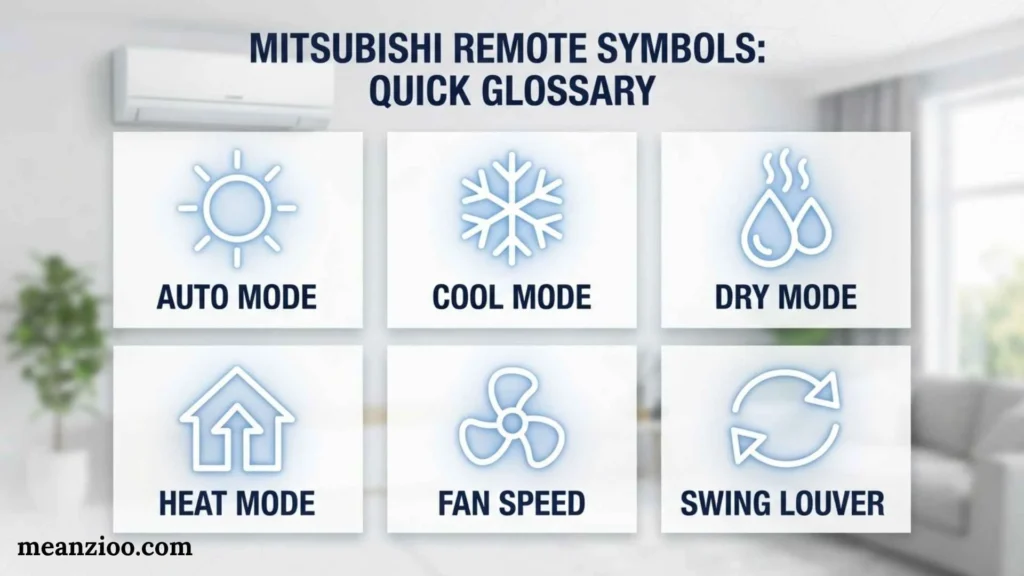
Here is a condensed glossary for readers who want fast answers.
❄️ Snowflake: Cool mode.
☀️ Sun: Heat mode on supported heat-pump systems.
💧 Water drop: Dry/dehumidification.
🌀 Fan: Fan operation or fan-speed control.
AUTO: Automatic operation.
▲ / ▼: Temperature adjustment.
Fan bars: Fan-speed level.
Swing: Automatic vane movement.
Clock: Timer or scheduling.
Moon: Sleep-related operation on applicable models.
ECO/ECONO: Economy operation.
HI POWER: Temporary boosted operation.
CLEAN: Self-clean/internal drying on supported models.
Silent: Reduced-noise operation.
Lock: Child-lock or controller lock.
Sensor: Sensor-related function on supported models.
Air-clean icon: Air purification or allergen-related operation on supported models.
Frequently Asked Questions
What do the symbols on a Mitsubishi AC remote mean?
Mitsubishi remote symbols indicate functions such as cooling, heating, dry mode, fan speed, airflow direction, timers, sleep, economy, high power, cleaning, and locking. The exact symbols vary by model.
What is the snowflake symbol on a Mitsubishi remote?
The snowflake normally represents Cool mode. It tells the air conditioner to operate for cooling.
What does the sun mean on a Mitsubishi remote?
The sun generally represents Heat mode on Mitsubishi systems that support heating.
What does the water drop mean on a Mitsubishi AC remote?
The water drop normally indicates Dry mode, which reduces humidity by removing moisture from indoor air.
What does the fan symbol mean on a Mitsubishi remote?
The fan symbol usually controls or indicates fan operation and airflow speed. Fan bars can indicate different speed levels.
What does the clock symbol mean on a Mitsubishi AC remote?
The clock usually relates to timer functions, such as an ON timer, OFF timer, sleep timer, or weekly schedule, depending on the model.
What does ECONO mean on a Mitsubishi remote?
ECONO or Economy mode reduces operating capacity or power consumption on supported models while aiming to maintain comfortable conditions.
What does HI POWER mean on a Mitsubishi remote?
HI POWER is a temporary boosted operation on supported Mitsubishi Heavy Industries systems. MHI documentation describes a 15-minute boosted operation for faster heating or cooling.
What does CLEAN mean on a Mitsubishi remote?
CLEAN is a self-clean/internal-drying function on supported models. It can help reduce internal moisture, but it does not replace normal AC cleaning and maintenance.
Why is my Mitsubishi remote showing a lock symbol?
A lock symbol may indicate that Child Lock or another controller-lock function is active. Check the manual for your exact model for the correct unlocking procedure.
Why does my Mitsubishi remote have different symbols from pictures online?
Mitsubishi uses different remote controllers and product ranges. Mitsubishi Electric and Mitsubishi Heavy Industries are separate brands, and functions vary by model.
How can I find the exact meaning of an unfamiliar Mitsubishi symbol?
Find the air conditioner’s model number, identify the manufacturer, locate the matching user manual, and compare the symbol with the controller diagram. This is more reliable than using a generic Mitsubishi remote-symbol chart.
Conclusion
Understanding Mitsubishi remote symbols becomes much easier once the icons are grouped by function. The snowflake normally represents cooling, the sun represents heating, the water drop indicates dry operation, and the fan symbol relates to airflow. Timer, swing, sleep, ECO, HI POWER, CLEAN, Silent, and Lock symbols control additional functions on supported models.
The biggest point to remember is that there is no single Mitsubishi remote control with one universal set of symbols. Mitsubishi Electric and Mitsubishi Heavy Industries use different product ranges, and individual models can have different features and controllers. Mitsubishi Electric itself notes that remote representations vary by model, while Mitsubishi Heavy Industries directs users to the applicable manual for model-specific functions.
If you cannot identify a symbol, do not guess based only on its shape. Find the exact model number and use the corresponding manufacturer’s documentation. This is especially important when the symbol relates to an error, lock, sensor, cleaning function, or advanced operating mode.

Hi, I’m Charlotte Hayes. I love writing about the newest English slang, pop culture phrases, and digital communication. I spend my time exploring how language evolves across social media, gaming, and everyday conversations. I enjoy sharing easy-to-understand guides that help learners keep up with modern English. My goal is to make every article useful, accurate, and enjoyable for readers around the world.
Books:
- Everyday Slang Dictionary
- Fluent Through Informal English
 Ryan Mitchell