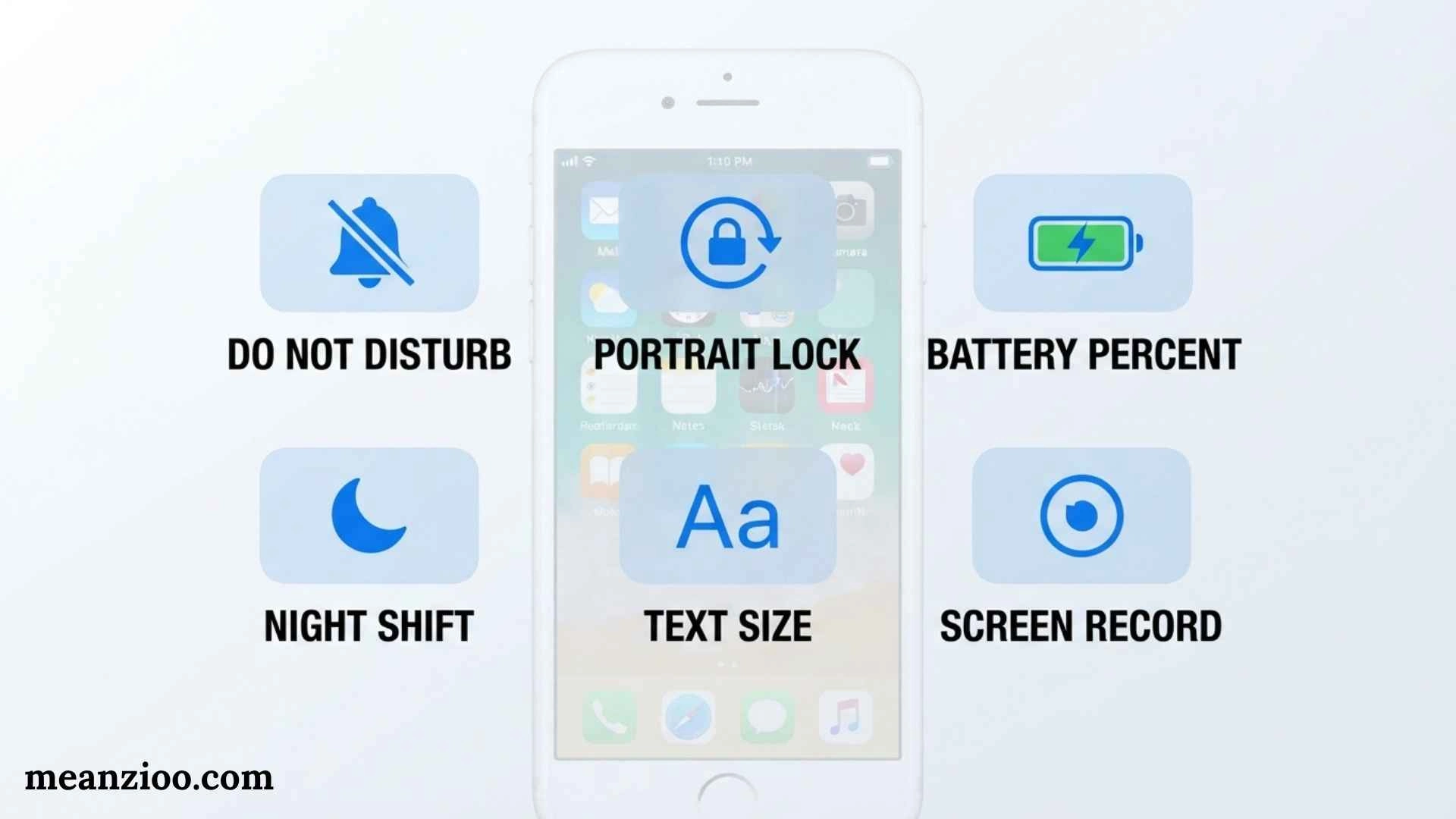
Symbols on iPhone provide quick information about your phone’s connection, battery, privacy, settings, and active features. Some icons are easy to recognize, such as Wi-Fi, battery, Bluetooth, and Airplane Mode. Others, including SOS, SAT, VPN, Location Services, the orange microphone indicator, and the green camera indicator, can be confusing when they suddenly appear.
Apple’s current iPhone documentation explains that status icons appear in the status bar and, on iPhones with Face ID, additional status information can appear at the top of Control Center. The symbols you see can vary according to your iPhone model, iOS version, carrier, region, settings, and features currently being used.
This guide explains the most important symbols on iPhone, including status bar icons, network symbols, battery indicators, privacy dots, Control Center controls, Focus symbols, Dynamic Island activities, charging indicators, satellite icons, and symbols that may require troubleshooting.
What Do Symbols on iPhone Mean?
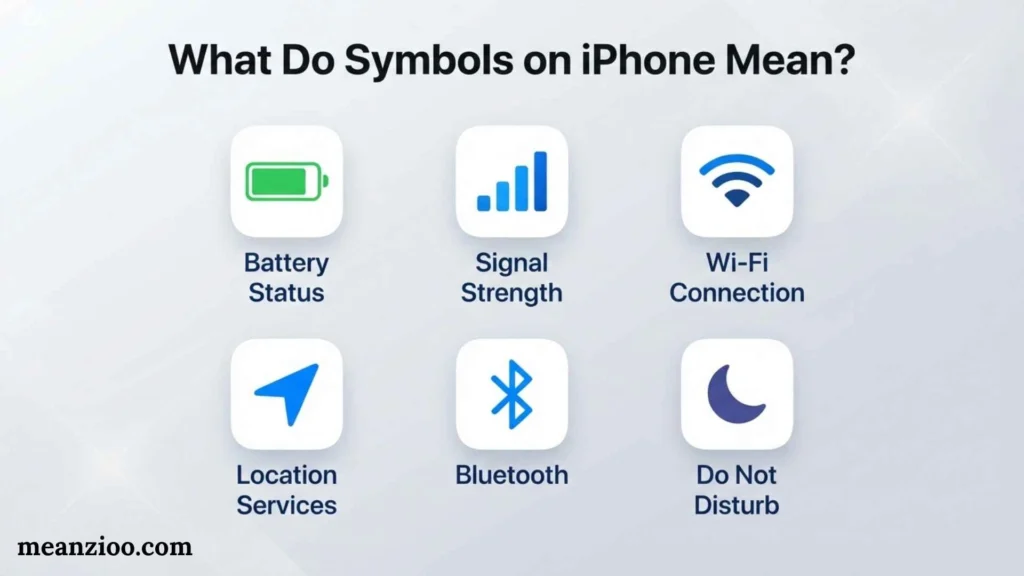
Symbols on iPhone are visual indicators that communicate the current state of your device or an active feature.
They can show:
- Cellular signal strength
- Wi-Fi connection
- Mobile network technology
- Battery level
- Charging status
- Airplane Mode
- SOS availability
- Satellite features
- VPN connection
- Personal Hotspot
- Location Services
- Camera access
- Microphone access
- Screen recording
- Focus modes
- Alarm status
- Navigation
- Bluetooth accessories
- AirPlay
- CarPlay
- Voice Control
- TTY
- Call forwarding
Apple’s current status-icon guide includes all of these categories and notes that additional icons may appear in Control Center.
Quick Answer
Symbols on iPhone are icons that show the status of your network, battery, privacy permissions, connections, and active features. Common examples include Wi-Fi, cellular bars, 5G, battery, SOS, Airplane Mode, VPN, Location Services, Focus, and camera or microphone indicators.
iPhone Icons List and Meanings
Your iPhone uses icons to communicate important information without requiring you to open an app or read a notification. These small symbols can tell you whether your phone is connected to Wi-Fi, charging, using location services, or running in a particular mode. Understanding their meanings helps you navigate your device more confidently.
Here are some common iPhone icons and what they indicate:
- Battery icon: Shows your remaining battery level. A lightning bolt usually indicates that your iPhone is charging.
- Wi-Fi icon: Indicates a connection to a wireless network. More visible signal bars generally mean a stronger connection.
- Cellular signal bars: Show the strength of your mobile network connection.
- Airplane icon: Indicates that Airplane Mode is enabled.
- Moon icon: Commonly indicates that a Focus mode, such as Do Not Disturb, is active.
- Location arrow: Suggests that an app or system service has recently used, or is using, your location.
- Lock with a circular arrow: Indicates that screen rotation is locked.
- Green or orange privacy indicator: Shows that an app is using the camera or microphone, respectively.
The exact appearance and availability of these icons can vary depending on your iPhone model, iOS version, and settings. Recognizing the most common symbols is a simple way to understand your phone’s status at a glance.
Symbols on iPhone Screen
The symbols on your iPhone screen provide quick information about connectivity, notifications, privacy, and device settings. Some appear in the status bar, while others show up inside apps, on the Lock Screen, or in notifications.
For example, a battery symbol tells you how much power remains, while a Wi-Fi symbol indicates a wireless connection. A small microphone indicator may appear when an app accesses your microphone, and a location arrow can signal location-related activity.
You may also see icons that represent app notifications, alarms, timers, Bluetooth connections, or active Focus settings. If you notice an unfamiliar symbol, check where it appears before interpreting it. An icon in the Photos app may have a completely different purpose from a similar-looking symbol in Control Center.
Quick tip: Take a screenshot of the unfamiliar icon and compare it with Apple’s official iPhone user guide. This can help you identify symbols that vary by iOS version.
iPhone Symbols on Pull Down Screen
When you swipe down from the top of your iPhone, you can access either Notification Center or Control Center, depending on where you swipe. These two screens serve different purposes, and their symbols have different meanings.
On Face ID models, swiping down from the upper-right corner opens Control Center. Swiping down from the top-center area generally opens Notification Center. On iPhones with a Home button, the gestures may differ.
Control Center includes shortcuts for frequently used settings:
- Airplane Mode: Turns off cellular connections and may affect other wireless services.
- Wi-Fi: Lets you manage your wireless network connection.
- Bluetooth: Controls connections to wireless accessories.
- Cellular Data: Enables or disables mobile data, where available.
- Flashlight: Turns the iPhone’s LED light on or off.
- Brightness slider: Adjusts screen brightness.
- Volume slider: Controls audio output.
- Focus: Lets you activate modes such as Do Not Disturb.
- Screen Recording: Starts or stops recording your screen when the control is available.
- Orientation Lock: Prevents the screen from rotating automatically.
Notification Center, by comparison, displays alerts and notifications from your apps. Knowing which screen you opened makes it easier to find the symbol or setting you’re looking for.
iPhone Symbols on Top of Screen
The icons at the top of your iPhone screen are part of the status bar. They provide a quick overview of your device’s current condition, including network availability, battery level, and certain active features.
Common status bar symbols include:
- Cellular bars: Indicate the strength of your mobile signal.
- Wi-Fi fan-shaped symbol: Shows a Wi-Fi connection.
- Battery indicator: Displays your approximate remaining charge.
- Charging bolt: Appears when your iPhone is charging.
- Airplane: Indicates Airplane Mode.
- VPN: May appear when a VPN connection is active.
- Personal Hotspot: Indicates hotspot-related activity when supported.
- Focus indicator: May appear when a Focus mode is active.
- Green privacy indicator: Means the camera is in use, sometimes alongside microphone access.
- Orange privacy indicator: Means the microphone is in use without the camera being active.
Not every iPhone displays all these symbols in the same place. Dynamic Island, the camera cutout, and different display sizes can affect how status information appears.
If an icon disappears, it doesn’t necessarily mean a feature has stopped working. Some symbols appear only while a particular activity is taking place.
Symbols on iPhone Photos Meaning
The Photos app uses symbols to help you organize pictures, edit images, manage albums, and share memories. These icons are different from the status symbols at the top of your screen.
Here are several symbols you may encounter while browsing your photos:
- Heart: Marks a picture or video as a favorite.
- Share icon: Opens options for sending or sharing a photo.
- Trash can: Deletes a selected picture or video, subject to the app’s deletion process.
- Three sliders: Opens editing tools for adjusting the image.
- Information icon (i): Displays available details, such as the date, camera information, and location metadata.
- Magnifying glass: Opens photo search.
- Album icon: Helps you browse or manage photo collections.
- Play symbol: May indicate video playback or a Live Photo-related action, depending on the screen.
- Cloud symbol: Can indicate iCloud-related status or downloading activity in certain contexts.
Some Photos icons change depending on whether you’re viewing an individual picture, selecting multiple images, editing a photo, or browsing an album.
For instance, tapping the heart on a picture can add it to your Favorites album. Selecting the information button can help you identify when and where the picture was taken, if that information is available.
Find My iPhone Symbols Meaning
The Find My app helps you locate Apple devices, share locations, and find supported accessories. Its map symbols and status labels explain where an item was last detected and what actions may be available.
Common Find My symbols and indicators include:
- Device icon: Represents an iPhone, iPad, Mac, Apple Watch, or another supported device.
- Person icon: Represents someone who shares their location with you.
- AirTag or item symbol: Represents a compatible item being tracked through Find My.
- Map pin: Marks a location on the map.
- Directions arrow: Opens navigation options to a selected location.
- Play Sound: Helps locate a nearby device or supported item by making it produce a sound.
- Notify When Found: Can alert you when an offline device becomes detectable again, when the option is available.
- Offline status: Indicates that the device isn’t currently reachable in the expected way.
- No Location Found: Means Find My cannot currently provide a location for that person or device.
The meaning of a symbol depends on the selected device, item, or person. For example, a device appearing at an older location doesn’t guarantee that it is still there.
If you cannot locate your iPhone, check its last reported location, connection status, and available Find My options. Features vary by device, software version, account settings, and whether the device can communicate with the Find My network.
Weather Symbols on iPhone Meaning
The Apple Weather app uses visual symbols to summarize current conditions and forecasts. These icons help you understand the weather quickly without reading a detailed forecast.
Here are some common iPhone weather symbols and their meanings:
- Sun: Clear or sunny conditions.
- Sun behind a cloud: Partly cloudy weather.
- Cloud: Cloudy conditions.
- Cloud with rain: Rain or showers are expected.
- Cloud with snowflakes: Snow or snowy conditions.
- Cloud with lightning: Thunderstorms.
- Fog symbol: Foggy or misty conditions.
- Wind symbol: Windy weather or wind-related information.
- Thermometer: Temperature information.
- Raindrops or precipitation percentage: Information related to expected precipitation, depending on the view.
- Moon or moon behind clouds: Nighttime conditions, such as a clear or partly cloudy night.
- Sunrise or sunset symbol: Indicates the time of sunrise or sunset.
Some symbols combine several weather conditions. A cloud with rain and lightning, for example, suggests a thunderstorm rather than ordinary rain.
Remember that a weather icon is a visual summary, not a complete forecast. Check hourly predictions, precipitation chances, wind speeds, and weather alerts when planning outdoor activities.
iTunes Symbols on iPhone
Although iTunes is no longer the main music-management app on modern iPhones, you may still encounter iTunes-related symbols in older instructions, media purchases, account settings, or computer synchronization workflows.
The meaning of an iTunes-related icon depends on where it appears.
- Music note: Represents music or audio content in supported Apple apps.
- Play triangle: Starts playback.
- Pause symbol: Temporarily stops playback without closing the player.
- Download arrow: Indicates that content can be downloaded or is being downloaded.
- Cloud with an arrow: Often represents downloading previously purchased or cloud-stored content.
- Circular arrows: May indicate synchronization or repeating playback, depending on the interface.
- Device icon in Finder or Apple Devices: Represents a connected Apple device that can be managed or synchronized.
- Exclamation mark: May indicate a problem with a file, connection, or available content, depending on the application.
On current Apple devices, music streaming and library management generally use the Music app, while device management on a Mac uses Finder. Windows users may use the Apple Devices app and other dedicated Apple apps, depending on their setup.
If you see an unfamiliar iTunes symbol, identify the app or screen where it appears. A download icon in a music library does not necessarily mean the same thing as a recovery or connection symbol shown during device troubleshooting.
Symbols on iPhone Keyboard
The iPhone keyboard includes letters, numbers, punctuation marks, emoji, and additional characters. Many symbols are hidden behind the number or punctuation screens, so knowing where to find them can make typing easier.
Here are some useful keyboard symbols and their meanings:
- @ — Used in email addresses and social media mentions.
- # — Used for hashtags, labels, and number references.
- & — Means “and.”
- % — Represents a percentage.
- $ — Represents the US dollar or another context-specific currency reference.
- ? — Indicates a question.
- ! — Adds emphasis or expresses strong emotion.
- + — Represents addition or a positive value.
- = — Indicates equality or a result.
- **/ ** — Used in dates, fractions, and web addresses.
- © — Copyright symbol.
- ™ — Trademark symbol.
- ° — Degree symbol, often used for temperatures.
- … — Ellipsis, which indicates an omission or trailing thought.
To access more symbols, tap 123 on the standard iPhone keyboard. Depending on your keyboard layout, tapping the additional symbol key may reveal further punctuation and special characters. Pressing and holding certain keys can also display alternative characters.
You can also use the emoji keyboard to insert emoji and other supported visual characters. The exact selection depends on your language, keyboard configuration, and iOS version.
Symbols on iPhone Control Center
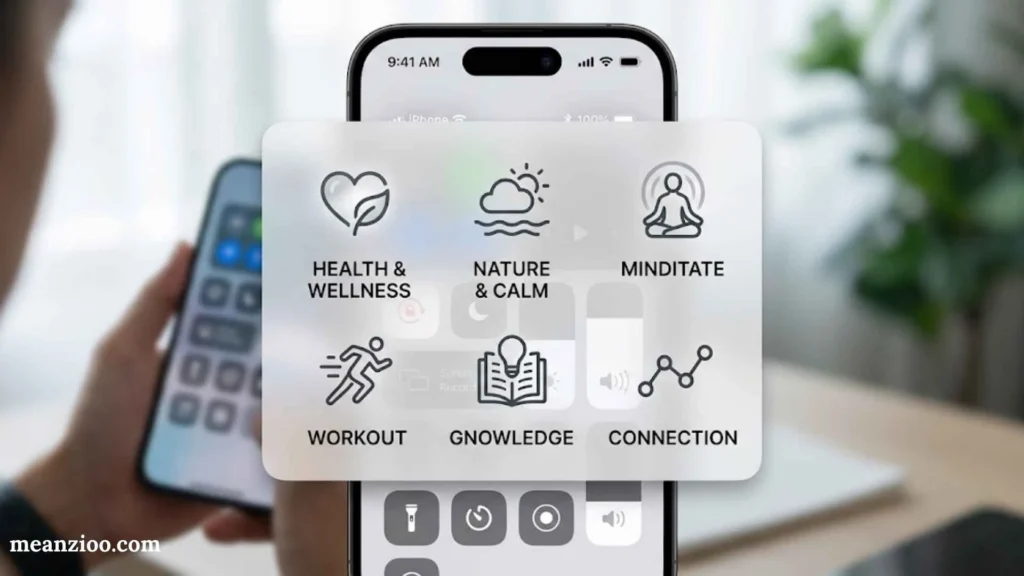
Control Center provides quick access to frequently used iPhone settings. You can open it without navigating through the Settings app, making it useful when you need to change a connection, adjust brightness, or activate a shortcut.
Here are some of the most common Control Center symbols:
- Airplane: Toggles Airplane Mode.
- Wi-Fi: Manages Wi-Fi connectivity.
- Bluetooth: Controls Bluetooth connections.
- Cellular Data: Turns mobile data on or off.
- Lock with circular arrow: Locks or unlocks screen orientation.
- Crescent moon or Focus symbol: Activates or manages Focus modes.
- Flashlight: Controls the built-in flashlight.
- Camera: Opens the Camera app when the shortcut is available.
- Screen Recording: Starts or stops screen recording.
- Hearing: Provides hearing-related controls when supported and configured.
- Text Size (AA): Adjusts text size in supported contexts.
- Timer: Opens or controls timer functions.
- QR Code Scanner: Opens a scanner when the control is available.
Some controls offer additional options when you touch and hold them. For example, pressing and holding the connectivity controls can reveal more detailed settings.
You can also customize Control Center on supported iOS versions by adding, removing, or rearranging controls. If a symbol is missing, check your iOS version and Control Center customization options.
Icons on an iPhone
Icons on an iPhone are small visual indicators that represent apps, settings, actions, and device activity. Some are universal symbols, while others are specific to Apple’s software or individual apps.
Understanding the main icon categories helps you identify their purpose:
- App icons: Represent applications installed on your iPhone.
- Status icons: Display battery, signal, connectivity, and other device information.
- Control icons: Let you activate or adjust features such as Wi-Fi, Bluetooth, and screen recording.
- Notification icons: Help you recognize alerts and app activity.
- Privacy indicators: Show when the camera or microphone is being accessed.
- Navigation icons: Help you move between screens, return to previous pages, or open menus.
- Accessibility icons: Provide access to features designed to make the iPhone easier to use.
- Media icons: Control playback, downloads, and audio or video content.
An icon’s location often provides the best clue to its meaning. A magnifying glass usually indicates search, but the exact search function depends on the app. Similarly, a gear generally represents settings, while a trash can commonly represents deletion.
When you cannot identify an icon, look at the surrounding text and controls. The same basic shape may serve different purposes in different apps.
iPhone Icons Meaning
Understanding iPhone icons can save time and help you spot potential problems. Instead of opening several menus, you can often recognize a feature’s status directly from its symbol.
For example, a lightning bolt inside the battery icon usually means your iPhone is charging. An orange dot indicates microphone use, while a green dot indicates camera use or camera and microphone use together. A location arrow may signal location-related activity.
Other icons help you manage everyday tasks. The bell or Focus indicators can relate to alerts and notification settings, while the Wi-Fi and cellular symbols show your available network connections.
However, not every unfamiliar icon signals an error. Some appear only temporarily when you activate a feature, connect an accessory, use an app, or perform a specific action.
If an icon seems unusual, follow these steps:
- Identify where the symbol appears.
- Check whether it appears in the status bar, Control Center, an app, or a notification.
- Look for a related setting or status message.
- Compare the symbol with Apple’s documentation for your iOS version.
- If the icon relates to connectivity or privacy, review the relevant settings.
This approach helps you understand the symbol without accidentally changing an important setting.
Top Right Corner iPhone Symbols
The top-right corner of an iPhone screen commonly displays important status information, although the exact arrangement varies by model and iOS version. On many Face ID iPhones, this area contains the battery icon and may show other status indicators when relevant.
Here are the symbols you may see in or near the top-right corner:
- Battery icon: Shows the remaining battery charge.
- Lightning bolt: Indicates that the battery is charging.
- Wi-Fi symbol: Shows a wireless network connection, although its position can vary.
- Cellular signal bars: Display mobile signal strength.
- Airplane icon: Indicates that Airplane Mode is enabled.
- Green privacy indicator: Signals camera use, potentially alongside microphone use.
- Orange privacy indicator: Signals microphone use.
- VPN indicator: May appear when a VPN connection is active.
- Focus indicator: May be displayed in the status area when a Focus mode is enabled, depending on the interface.
If your iPhone has a Dynamic Island, some activities appear there instead of remaining visible in the traditional status bar. These can include timers, ongoing calls, and certain app activities.
A missing icon doesn’t always mean a feature is disabled. iOS may display status symbols only when they are relevant or when screen space allows. If you want to check a specific setting, open Control Center or Settings rather than relying only on the top-right corner.
The easiest way to understand any iPhone symbol is to consider its shape, location, and context together. Once you recognize the most common icons, checking your phone’s status becomes much quicker and easier.
iPhone Symbols and Meanings Chart
Use this table as a quick reference when you see an unfamiliar iPhone icon.
| iPhone Symbol or Indicator | Meaning |
| Cellular bars | Cellular signal strength |
| Wi-Fi | Connected to a Wi-Fi network |
| 5G | 5G cellular network available |
| 5G UC | Carrier’s 5G UC network |
| 5G+ | Carrier’s 5G+ network |
| 5G UW | Carrier’s 5G UW network |
| 5G E | Carrier’s 5G E network |
| LTE | LTE network available |
| 4G | 4G/UMTS or carrier-specific network indicator |
| 3G | 3G network |
| E | EDGE network |
| G | GPRS/1xRTT network |
| SOS | Normal carrier service unavailable; emergency calling may be possible |
| Satellite | Apple satellite features are available |
| SAT | Carrier-provided satellite feature is being used |
| Wi-Fi Calling | Wi-Fi calling is configured |
| ✈️ | Airplane Mode |
| VPN | VPN connection is active |
| Location arrow | Location Services is being used |
| Alarm | An alarm is set |
| Headphones | Bluetooth headphones are connected |
| Battery | Battery level |
| Yellow battery | Low Power Mode is on |
| Charging battery | iPhone is charging |
| Bluetooth battery | Battery level of a paired Bluetooth device |
| AirPlay | AirPlay is active |
| Personal Hotspot | iPhone is providing or using a hotspot |
| Navigation indicator | Turn-by-turn navigation is active |
| Phone indicator | iPhone is on a call |
| FaceTime indicator | FaceTime call is active |
| Recording indicator | Screen recording is active |
| Orange indicator | Microphone is being used |
| Green indicator | Camera is being used, with or without microphone |
| Lock | iPhone is locked |
| Focus icon | A Focus is active |
| Portrait Lock | Screen orientation is locked |
| Syncing | iPhone is syncing with a computer |
| Network activity | Network activity is occurring |
| Call forwarding | Call forwarding is enabled |
| CarPlay | iPhone is connected to CarPlay |
| Voice Control | Voice Control is enabled |
| TTY | RTT/TTY is enabled |
Apple’s official iOS 26 documentation confirms these status categories, although the exact visual appearance can vary by device and situation.
iPhone Status Bar Symbols
The status bar is one of the main places where you will see symbols on iPhone.
On Face ID models, the top of the screen has limited space, so some additional information is available when you open Control Center. Apple specifically notes that Focus icons can appear in the status bar when a Focus is enabled.
Cellular Signal Bars
The cellular signal icon shows the strength of your connection to your mobile carrier.
More bars generally mean a stronger cellular signal.
If your iPhone cannot connect to your carrier, you may instead see:
- No Service
- Searching
- SOS
On Dual SIM iPhones, Apple displays separate cellular signal information for the two lines.
Wi-Fi Symbol
The Wi-Fi symbol means your iPhone is connected to the internet through a Wi-Fi network.
This does not necessarily mean your internet connection is fast. The icon primarily tells you that Wi-Fi connectivity is active.
If Wi-Fi is disconnected, the symbol changes or disappears depending on the current connection state.
5G Symbol
The 5G symbol means your carrier’s 5G network is available and your iPhone can connect to it, assuming your device and plan support that network.
Apple also documents several carrier-specific 5G indicators, including:
- 5G
- 5G UC
- 5G+
- 5G UW
- 5G E
These indicators are not available in every country or with every carrier.
5G UC
5G UC is a carrier-specific indicator. Apple describes it as showing that the carrier’s 5G UC network is available, which can include a higher-frequency version of 5G.
5G+
5G+ indicates a carrier’s 5G+ network.
It can represent a higher-frequency version of the carrier’s 5G service.
5G UW
5G UW is another carrier-specific 5G indicator.
The exact network technology represented by the symbol depends on the carrier.
5G E
The 5G E indicator can appear on supported carrier networks.
Despite its appearance, it does not necessarily mean the same thing as the standard 5G icon. Apple lists it separately as a carrier network indicator.
LTE
LTE means your iPhone is connected to or can connect to an LTE network provided by your carrier.
Seeing LTE instead of 5G does not automatically indicate a problem.
The phone may simply be in an area where LTE is the available network.
4G
Depending on your carrier and region, your iPhone may display 4G for a supported cellular network.
Apple notes that the exact meaning can depend on the carrier’s network technology.
3G
3G indicates a 3G cellular network.
Availability of 3G depends heavily on your carrier and region because many networks have retired older technologies.
E
The E symbol represents an EDGE cellular connection.
EDGE is an older and slower mobile-data technology.
If you see E instead of 4G or 5G, internet speeds may be significantly slower.
G
The G symbol represents GPRS/1xRTT according to Apple’s status-icon documentation.
This is an older cellular data technology and is considerably slower than modern mobile networks.
iPhone SOS Symbol
What Does SOS Mean on iPhone?
SOS or SOS only means your iPhone is not connected to your normal cellular provider’s full service.
Emergency calls may still be possible through other available carrier networks, depending on the country or region.
Why Does My iPhone Say SOS?
Common reasons include:
- Poor carrier coverage
- Temporary network outage
- SIM or eSIM problems
- Carrier account issues
- Network configuration problems
- Traveling outside normal coverage
Apple recommends trying steps such as turning Airplane Mode on and off when appropriate to attempt to reconnect to a cellular network.
Is SOS on iPhone an Emergency?
The SOS indicator itself does not mean that your iPhone has detected an emergency.
It primarily indicates a cellular-service condition.
If you are actually experiencing an emergency, use the emergency calling features available in your region.
iPhone Satellite Symbols
What Does the Satellite Symbol Mean?
The satellite symbol indicates that supported satellite features are available at your location.
Apple currently lists satellite capabilities such as:
- Emergency SOS
- Find My
- Roadside Assistance
- Messages via satellite
These features are supported on iPhone 14 and later, subject to availability and regional requirements.
What Does SAT Mean on iPhone?
SAT is different from Apple’s general satellite availability indicator.
Apple explains that SAT appears when the iPhone is using a satellite feature provided by a cellular carrier. Availability depends on the carrier and supported plan or region.
This distinction is important when researching symbols on iPhone because SAT does not necessarily mean that Apple’s Emergency SOS via satellite is currently being used.
iPhone Airplane Mode Symbol
What Does the Airplane Symbol Mean?
The airplane symbol means Airplane Mode is turned on.
Airplane Mode changes your wireless connections and disables cellular communication while other wireless functions can be managed separately.
How Do You Turn Off Airplane Mode?
Open Control Center and tap the Airplane Mode control.
You can also manage it from Settings.
If the airplane icon remains visible, verify that Airplane Mode is actually disabled.
iPhone Wi-Fi Calling Symbol
What Does the Wi-Fi Calling Symbol Mean?
The Wi-Fi Calling indicator means your iPhone is configured for Wi-Fi calling.
Apple notes that the carrier name can also appear beside the Wi-Fi calling indicator.
Wi-Fi Calling can be helpful when cellular coverage is weak but a suitable Wi-Fi connection is available.
iPhone VPN Symbol
What Does VPN Mean on iPhone?
The VPN symbol means your iPhone is connected to a network using a VPN.
You may have a VPN because of:
- A VPN app
- Work settings
- School settings
- A manually configured VPN
- A security service
If you do not recognize the connection, review your VPN configuration.
How Do I Check VPN Settings?
Look in:
Settings → General → VPN & Device Management
The exact interface can vary between iOS versions and configurations.
iPhone Personal Hotspot Symbols
What Does the Personal Hotspot Symbol Mean?
A Personal Hotspot indicator can mean your iPhone is sharing its cellular internet connection with another device.
Apple also documents an indicator for an iPhone that is connected to another device’s Personal Hotspot.
Why Is Personal Hotspot Showing?
It may appear because another device is connected to your iPhone.
If you did not intend to share your connection, open your Personal Hotspot settings and check connected devices.
iPhone Battery Symbols
Battery indicators are some of the most useful symbols on iPhone because they tell you about power and charging.
Battery Icon
The standard battery icon displays the approximate remaining battery level.
Depending on your settings and iPhone model, the percentage can also be displayed.
Yellow Battery Symbol
A yellow battery icon means Low Power Mode is enabled.
Low Power Mode is designed to reduce certain activities and extend battery life.
You can check it under:
Settings → Battery
Charging Symbol
The charging indicator means the battery is charging.
Apple’s current documentation also notes that a gray charging indicator can mean charging has been paused.
A pause can happen for reasons such as charging management or temperature conditions.
Optimized Charging and Charging Limits
Modern iPhones can use battery-management features designed to reduce battery aging.
Depending on your model and iOS version, you may see settings related to:
- Optimized Battery Charging
- Charge Limit
- Charging status
- Charging paused
These features can change how the phone behaves while connected to power.
Why Is My iPhone Not Charging to 100%?
If your iPhone stops charging below 100%, do not immediately assume that the battery or charger is defective.
Possible explanations include:
- A configured charge limit
- Optimized charging
- Temperature protection
- Charging accessories
- Power-management behavior
Check Settings → Battery for the charging options available on your iPhone.
iPhone Privacy Symbols
Privacy indicators are among the most important symbols on iPhone because they show when apps are accessing the camera or microphone.
Orange Dot on iPhone
An orange dot means an app is using the microphone.
Apple introduced these indicators as a privacy feature. With the accessibility setting Differentiate Without Color, the orange indicator can appear as an orange square instead.
Green Dot on iPhone
A green dot means an app is using the camera.
It can also mean that an app is using both the camera and microphone.
Is the Orange Dot Dangerous?
No.
The orange indicator itself is not a warning that your iPhone has been hacked.
It tells you that microphone access is occurring.
If the indicator appears unexpectedly, check which app is responsible and review its microphone permissions.
Is the Green Dot Dangerous?
The green indicator is also not automatically a security warning.
It means an app is accessing the camera, or the camera and microphone together.
If you do not expect camera access, investigate the active app and review camera permissions.
How to Check Camera and Microphone Permissions
Go to:
Settings → Privacy & Security
Then review:
- Microphone
- Camera
You can remove access from apps that do not need those permissions.
iPhone Location Symbol
What Does the Location Arrow Mean?
A location-related indicator means an app is using Location Services.
Location access can be used by:
- Maps
- Navigation apps
- Weather apps
- Find My
- Ride-sharing apps
- Location-based reminders
- Other apps
Apple identifies Location Services as a specific iPhone status indicator.
Why Does the Location Symbol Keep Appearing?
An app or system service may be requesting your location.
To investigate, go to:
Settings → Privacy & Security → Location Services
Review which apps have permission and whether they are allowed access:
- Never
- Ask Next Time Or When I Share
- While Using the App
- Always
The exact options can vary by app.
iPhone Focus Symbols
What Does a Focus Symbol Mean?
When you activate a Focus, its associated icon can appear in the status bar.
Focus options can include:
- Do Not Disturb
- Sleep
- Work
- Personal
- Custom Focus modes
Apple confirms that an active Focus can display its icon in the status bar.
What Does the Moon Symbol Mean?
A moon icon commonly relates to Do Not Disturb or another Focus configuration.
It means a Focus is affecting notifications or other interruptions according to your selected settings.
Why Is the Focus Icon Showing?
You may have:
- Manually enabled a Focus
- Scheduled a Focus
- Linked a Focus to a Lock Screen
- Enabled a Focus automatically based on a location or time
- Used a Focus across Apple devices
Check Settings → Focus if you want to see which modes are configured.
iPhone Alarm Symbol
What Does the Alarm Icon Mean?
The alarm symbol means that an alarm is set.
Open the Clock app to view or modify your alarms.
If you see the icon and do not remember creating an alarm, check the Clock app’s Alarm section.
Apple includes Alarm among its official iPhone status indicators.
iPhone Lock Symbols
What Does the Lock Symbol Mean?
The lock symbol can indicate that your iPhone is locked.
This should not be confused with the Portrait Orientation Lock icon.
What Does the Rotation Lock Symbol Mean?
Portrait Orientation Lock prevents the screen from automatically rotating into landscape orientation.
You can control this setting through Control Center.
Apple identifies Portrait Orientation Lock as a separate status indicator.
iPhone Bluetooth Symbols
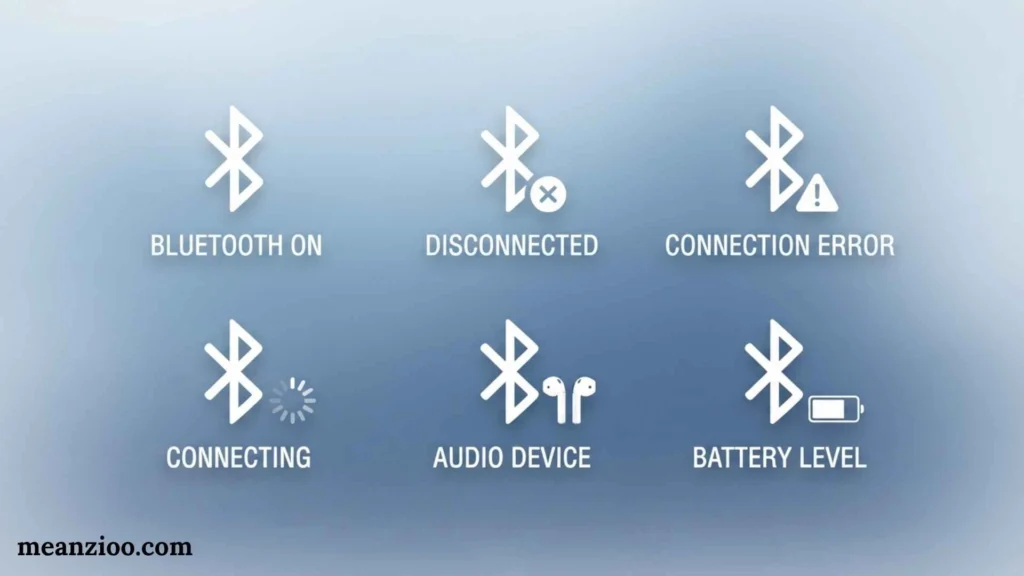
What Does the Bluetooth Symbol Mean?
Bluetooth allows your iPhone to connect with compatible accessories.
Examples include:
- Wireless headphones
- Speakers
- Keyboards
- Cars
- Fitness devices
- Other accessories
What Does the Headphones Symbol Mean?
The headphones indicator means your iPhone is paired with Bluetooth headphones that are turned on and within Bluetooth range.
What Is the Bluetooth Battery Symbol?
The Bluetooth battery indicator shows the battery level of a compatible paired Bluetooth accessory.
This can be useful for checking the remaining battery of headphones or other supported devices.
iPhone AirPlay Symbol
What Does AirPlay Mean?
The AirPlay symbol indicates that AirPlay is active.
AirPlay can send supported content to compatible devices such as:
- Apple TV
- Compatible smart TVs
- Speakers
- Other AirPlay-enabled devices
If audio or video seems to be playing somewhere else, check AirPlay before assuming there is a problem.
iPhone CarPlay Symbol
What Does the CarPlay Symbol Mean?
The CarPlay icon means your iPhone is connected to a compatible vehicle system through CarPlay.
CarPlay can provide access to supported navigation, calls, messages, audio, and other functions.
Apple includes CarPlay in its official list of iPhone status indicators.
iPhone Navigation Symbol
What Does the Navigation Icon Mean?
The navigation indicator means your iPhone is providing turn-by-turn directions.
You may see it while using Apple Maps or another supported navigation service.
If you are finished navigating but the indicator remains, check whether navigation is still active in the app.
iPhone Call and FaceTime Symbols
Phone Call Indicator
The phone-call indicator means your iPhone is currently on a phone call.
FaceTime Indicator
The FaceTime indicator appears when the iPhone is involved in a FaceTime call.
Apple lists both indicators among its current status icons.
iPhone Screen Recording Symbol
What Does the Recording Indicator Mean?
The recording indicator means your iPhone is recording the screen.
You can start screen recording from Control Center.
How Do You Stop Screen Recording?
Use the recording control or tap the recording indicator and follow the on-screen instructions.
The recording is normally saved in the Photos app.
iPhone Call Forwarding Symbol
What Does Call Forwarding Mean?
The call-forwarding icon means call forwarding has been configured.
Incoming calls can then be redirected according to your carrier settings.
If you do not remember enabling call forwarding, check your Phone settings and carrier options.
iPhone Syncing Symbol
What Does the Syncing Symbol Mean?
The syncing indicator means your iPhone is syncing with a computer or another supported service.
Apple includes syncing among the official status indicators.
iPhone Network Activity Symbol
What Does Network Activity Mean?
A network activity indicator means network activity is occurring.
Some third-party apps can also use a network activity indicator to show an active process.
Network activity does not automatically indicate that something is wrong.
iPhone Voice Control Symbol
What Does the Voice Control Symbol Mean?
The Voice Control icon means Voice Control is enabled.
Voice Control allows you to interact with your iPhone using spoken commands.
Apple lists it as an accessibility-related status indicator.
iPhone TTY Symbol
What Does TTY Mean on iPhone?
TTY relates to text-based telecommunications accessibility features.
Apple’s current status documentation identifies the TTY icon as indicating that software RTT/TTY or hardware TTY is turned on.
If you do not use TTY or RTT features, review the corresponding accessibility settings.
iPhone Control Center Symbols
Not all symbols on iPhone appear permanently in the status bar.
Control Center contains many quick controls and can display additional status information.
Common controls include:
- Airplane Mode
- Wi-Fi
- Bluetooth
- Cellular data
- Personal Hotspot
- Focus
- Rotation Lock
- Screen Recording
- Flashlight
- Brightness
- Volume
- Camera
- Calculator
- Accessibility controls
- AirPlay
- Other customizable controls
The exact Control Center layout can vary depending on your iPhone model, iOS version, and customization.
Why Do Some Icons Appear Only in Control Center?
The top of the iPhone screen has limited space.
Instead of displaying every active setting permanently, iOS provides more information when you open Control Center.
Apple specifically notes that Face ID iPhones have additional status icons at the top of Control Center.
iPhone Dynamic Island Symbols
What Is the Dynamic Island?
On supported iPhone models, the Dynamic Island can display information about ongoing activities.
Depending on the app and iOS version, you may see information related to:
- Phone calls
- Music
- Timers
- Navigation
- Recording
- AirDrop
- Live Activities
- Other supported background activities
Why Does an Icon Appear in the Dynamic Island?
The Dynamic Island can show an active activity without requiring you to open the full app.
For example, navigation can continue while you use another app, with relevant information remaining visible.
Do All iPhones Have Dynamic Island?
No.
The Dynamic Island is available only on supported iPhone models.
If your iPhone does not have it, you may see equivalent information elsewhere in iOS.
iPhone Lock Screen Symbols
The Lock Screen can display several types of indicators and controls.
Depending on your configuration, these can include:
- Battery information
- Focus
- Notifications
- Flashlight
- Camera
- Live Activities
- Other customizable controls
The exact appearance depends on your iOS version and Lock Screen setup.
iPhone Live Activity Symbols
What Are Live Activities?
Live Activities display ongoing information on the Lock Screen and, on supported iPhones, can interact with the Dynamic Island.
Examples can include:
- Sports scores
- Food delivery
- Ride status
- Timers
- Navigation
- Other real-time app activities
Live Activities are controlled by supported apps and iOS features.
iPhone Charging Symbols and Battery Management
Battery-related symbols on iPhone can provide more information than simply showing the percentage.
Charging Paused
Apple’s status-icon guide states that a gray charging indicator can mean charging is paused.
This can occur when the phone’s charging system temporarily pauses charging.
Charging Limit
On supported iPhones, you may be able to configure a charging limit.
This feature is designed to help manage battery aging by limiting how high the battery charges under certain settings.
Optimized Battery Charging
Optimized Battery Charging can delay charging beyond a certain level in some situations so the battery spends less time fully charged.
If your iPhone does not immediately reach 100%, check your battery settings before assuming there is a hardware problem.
iPhone Privacy and Security Symbols
Privacy indicators deserve special attention because they provide information about sensitive permissions.
Camera Access
Green means an app is using the camera or camera plus microphone.
Microphone Access
Orange means an app is using the microphone.
Location Access
A location indicator means an app is using Location Services.
What Should You Do if a Privacy Symbol Appears Unexpectedly?
Do not panic.
Instead:
- Identify which app is currently open.
- Think about what feature you were using.
- Check Control Center if additional privacy information is available.
- Review app permissions.
- Remove permissions from apps that do not need them.
This gives you a much clearer picture of why the indicator appeared.
Why iPhone Symbols Look Different on Different Models
Not every iPhone displays exactly the same symbols.
iPhone Model
Older iPhones and newer models can have different interface features.
iOS Version
Apple can change interface behavior and available indicators with major iOS updates.
Carrier
Mobile network symbols can depend on your carrier.
Country or Region
Some cellular and satellite features are region-specific.
Active Features
Your iPhone displays different indicators depending on what you are currently doing.
For example, navigation, screen recording, a phone call, VPN, and Personal Hotspot can all create temporary indicators.
Dual SIM
Dual SIM iPhones can show separate cellular information for different lines. Apple documents a dual-signal indicator for these devices.
iPhone Symbols That May Indicate a Problem
Not every unfamiliar icon means something is wrong.
However, some conditions deserve attention.
SOS
Check your cellular connection if SOS remains when you should have normal service.
No Service
Your iPhone is not connected to a cellular network.
Searching
Your iPhone is attempting to connect to a cellular network.
Unexpected VPN
Check your VPN configuration if you do not recognize the connection.
Unexpected Microphone Indicator
Review microphone permissions.
Unexpected Camera Indicator
Review camera permissions.
Charging Problems
Check the charging cable, adapter, temperature, battery settings, and charging configuration.
How to Identify an Unknown iPhone Symbol
If you see a symbol that you do not recognize, use this process.
Step 1: Identify Where It Appears
Ask whether the icon is:
- At the top of the screen
- In Control Center
- On the Lock Screen
- In the Dynamic Island
- Inside a particular app
Step 2: Think About What You Just Did
Did you:
- Connect headphones?
- Start navigation?
- Start recording?
- Turn on a Focus?
- Connect to Wi-Fi?
- Turn on a VPN?
- Connect to a car?
- Start a phone call?
- Open the camera?
The timing often explains the symbol.
Step 3: Check Control Center
Swipe down from the upper-right corner on Face ID iPhones to inspect additional status information and controls.
Step 4: Check Settings
Depending on the symbol, look at:
- Settings → Wi-Fi
- Settings → Cellular
- Settings → Bluetooth
- Settings → Focus
- Settings → Battery
- Settings → Privacy & Security
- Settings → General → VPN & Device Management
Step 5: Compare It With Apple’s Guide
Apple’s official iPhone status-icon page is the best reference for identifying system-level symbols because it reflects Apple’s current documentation.
Common iPhone Symbol Problems and Solutions
My iPhone Says SOS
Check your carrier coverage.
Try turning Airplane Mode on and off, then check cellular settings. Apple recommends this as one possible step for reconnecting to a cellular network.
My iPhone Shows an Orange Dot
An app is using the microphone.
Review which app is active and check microphone permissions under Privacy & Security.
My iPhone Shows a Green Dot
An app is using the camera or camera and microphone.
Check camera permissions if this is unexpected.
My iPhone Has a Yellow Battery
Low Power Mode is enabled.
Open Settings → Battery to review it.
My iPhone Shows a Moon
A Focus, commonly Do Not Disturb, is active.
Open Control Center or Settings → Focus to check.
My iPhone Shows a Location Arrow
An app or system service is using Location Services.
Review permissions under Settings → Privacy & Security → Location Services.
My iPhone Shows VPN
Your device is connected through a VPN.
Check your VPN settings if you do not recognize it.
My iPhone Shows Headphones
A compatible Bluetooth headphone device is connected and within range.
My iPhone Shows an Alarm
An alarm has been scheduled in the Clock app.
My iPhone Shows AirPlay
AirPlay is active.
Check the media destination if audio or video is playing on another device.
System Symbols vs. App Icons on iPhone
A common source of confusion is the difference between a system symbol and an app icon.
System Symbols
System symbols communicate device status.
Examples include:
- Wi-Fi
- Battery
- SOS
- 5G
- VPN
- Location
- Privacy indicators
App Icons
App icons represent applications.
Examples include:
- Safari
- Messages
- Photos
- Camera
- Maps
- Settings
A system symbol usually tells you what the iPhone is doing, while an app icon generally gives you access to an application.
Quick iPhone Symbol Glossary
For readers searching for one specific icon, this condensed glossary provides a fast answer.
Wi-Fi
Your iPhone is connected to Wi-Fi.
Cellular Bars
Shows cellular signal strength.
5G
A supported 5G network is available.
LTE
An LTE network is available.
SOS
Normal carrier service is unavailable, but emergency calling may be possible through another network depending on region.
Satellite
Supported satellite features are available in your location.
SAT
A carrier-provided satellite feature is being used.
Airplane
Airplane Mode is enabled.
VPN
A VPN connection is active.
Location Arrow
Location Services is being used.
Orange Dot
An app is using the microphone.
Green Dot
An app is using the camera or camera and microphone.
Yellow Battery
Low Power Mode is enabled.
Charging Battery
The iPhone is charging.
Alarm
An alarm is set.
Headphones
Compatible Bluetooth headphones are connected.
Moon or Focus Icon
A Focus is active.
Rotation Lock
Portrait orientation is locked.
AirPlay
AirPlay is active.
CarPlay
The iPhone is connected to CarPlay.
Recording
Screen recording is active.
Phone
The iPhone is on a call.
FaceTime
A FaceTime call is active.
Navigation
Turn-by-turn navigation is active.
Lock
The iPhone is locked.
Frequently Asked Questions
What do the symbols at the top of my iPhone mean?
The symbols at the top of your iPhone show information about cellular service, Wi-Fi, battery, privacy, Focus, location, VPN, calls, navigation, and other active features. The exact icons depend on your model, iOS version, carrier, and current activity.
What does the orange dot mean on iPhone?
The orange dot means an app is using the microphone. If Differentiate Without Color is enabled, the indicator can appear as an orange square instead.
What does the green dot mean on iPhone?
The green dot means an app is using the camera, or both the camera and microphone.
What does SOS mean on iPhone?
SOS or SOS only means your iPhone does not currently have full cellular service from your carrier. Emergency calling may still be possible through other carrier networks where supported.
What does the satellite symbol mean on iPhone?
The satellite indicator means supported satellite features are available in your location. Apple lists Emergency SOS, Find My, Roadside Assistance, and Messages via satellite among the supported features on iPhone 14 and later, subject to availability.
What does SAT mean on iPhone?
SAT indicates that your iPhone is using a satellite feature provided by your cellular carrier. It is different from Apple’s general satellite-feature indicator.
Why is my iPhone battery yellow?
A yellow battery indicates that Low Power Mode is turned on.
What does the moon symbol mean on iPhone?
The moon commonly represents Do Not Disturb or another Focus mode. An active Focus can display its icon in the iPhone status bar.
What does the arrow symbol mean on iPhone?
A location-related arrow means that Location Services is being used by an app or system service.
What does the VPN symbol mean on iPhone?
The VPN indicator means the iPhone is connected to a network using a VPN.
What does the headphones symbol mean on iPhone?
The headphones indicator means your iPhone is paired with Bluetooth headphones that are turned on and within Bluetooth range.
Why do different iPhones have different symbols?
The symbols can vary because of differences in iPhone model, iOS version, carrier, country or region, Dual SIM configuration, and active features. Apple’s current documentation includes different network and feature indicators for these situations.
How can I find out what an unknown iPhone symbol means?
First identify where the symbol appears, then check Control Center and relevant Settings. For a system status icon, compare it with Apple’s official iPhone status-icon guide.
Conclusion
Understanding symbols on iPhone makes it much easier to know what your device is doing without opening every setting. Network symbols tell you about Wi-Fi and cellular service, battery indicators show power and charging status, and privacy indicators tell you when an app is accessing the microphone or camera.
Other important icons include SOS, satellite, VPN, Personal Hotspot, Location Services, Focus, AirPlay, CarPlay, navigation, screen recording, alarms, Bluetooth accessories, and call indicators. Apple’s current iOS documentation confirms that the available symbols depend on the device, network, settings, and active features.
If an unfamiliar symbol appears, do not assume it indicates a problem. First check what you were doing when it appeared, open Control Center, review the relevant Settings section, and compare the icon with Apple’s official documentation. This approach can help you quickly distinguish a normal iPhone feature from a network, privacy, or charging issue.

I’m Ryan Mitchell, and I write about modern English, trending slang, and online expressions. I enjoy explaining the meanings, origins, and real-life usage of popular words in a simple way. I believe learning slang is an important step toward understanding today’s English-speaking culture. Through my work, I aim to help readers speak more naturally and stay updated with the latest language trends.
 Charlotte Hayes