If you have ever looked at a keyboard and wondered, “What is this symbol called?”, you are not alone. Symbols such as @, #, &, *, _, ~, |, {}, and [] are used every day, but their names are not always obvious.
This complete guide to keyboard symbols names explains the most common symbols, their alternative names, meanings, uses, and how to type them. It also covers Windows and Mac keyboards, programming symbols, mathematical symbols, mobile keyboards, and differences between US and UK terminology.
What Are Keyboard Symbols?
Keyboard symbols are characters that are not ordinary letters or numbers. They can represent punctuation, mathematical operations, currency, commands, programming functions, or other information.
Common keyboard symbols include:
- ! — Exclamation mark
- @ — At sign
- # — Number sign or hash
- $ — Dollar sign
- % — Percent sign
- ^ — Caret
- & — Ampersand
- * — Asterisk
- _ — Underscore
- + — Plus sign
- = — Equal sign
- ~ — Tilde
- | — Vertical bar or pipe
The exact meaning of a symbol depends on where it is being used. For example, * can mean multiplication in mathematics, a wildcard in some systems, or an asterisk for a footnote in writing.
Keyboard Symbols Names at a Glance
The following table provides a quick reference to commonly used keyboard symbols.
| Symbol | Common Name | Other Names | Common Uses | |
| ! | Exclamation mark | Exclamation point | Emphasis, programming | |
| @ | At sign | At symbol | Email, usernames | |
| # | Number sign | Hash, pound sign, octothorpe | Numbers, hashtags | |
| $ | Dollar sign | Dollar symbol | Currency | |
| % | Percent sign | Percentage sign | Percentages | |
| ^ | Caret | Circumflex | Mathematics, programming | |
| & | Ampersand | And sign | “And,” business names | |
| * | Asterisk | Star | Multiplication, footnotes | |
| ( | Left parenthesis | Opening parenthesis | Grouping | |
| ) | Right parenthesis | Closing parenthesis | Grouping | |
| – | Hyphen | Minus sign, dash in some contexts | Words, subtraction | |
| _ | Underscore | Low line | File names, usernames | |
| + | Plus sign | Addition sign | Mathematics | |
| = | Equal sign | Equals sign | Mathematics, programming | |
| [ | Left square bracket | Opening bracket | Writing, programming | |
| ] | Right square bracket | Closing bracket | Writing, programming | |
| { | Left curly brace | Opening brace | Programming | |
| } | Right curly brace | Closing brace | Programming | |
| \ | Backslash | Reverse slash | Programming, file paths | |
| ` | ` | Vertical bar | Pipe, vertical line | Programming, text |
| : | Colon | — | Punctuation, programming | |
| ; | Semicolon | — | Punctuation, programming | |
| ‘ | Apostrophe | Single quote | Writing, programming | |
| “ | Quotation mark | Double quote | Writing, programming | |
| < | Less-than sign | Angle bracket | Mathematics, HTML | |
| > | Greater-than sign | Angle bracket | Mathematics, HTML | |
| , | Comma | — | Punctuation | |
| . | Period | Full stop, dot | Writing, URLs, decimals | |
| / | Forward slash | Slash | URLs, dates, programming | |
| ? | Question mark | — | Questions | |
| ` | Backtick | Grave accent | Programming, Markdown | |
| ~ | Tilde | — | Approximation, computing |
Keyboard Symbols on the Number Row
On a standard US keyboard, many frequently used symbols share keys with the number row. Pressing Shift plus the corresponding number generally produces the symbol.
! — Exclamation Mark
How to type: Shift + 1
The ! symbol is called an exclamation mark. In American English, it is also commonly called an exclamation point.
It expresses strong emotion, emphasis, surprise, or urgency.
Example:
Stop!
In programming, ! may also represent logical NOT or have another language-specific function.
@ — At Sign
How to type: Shift + 2 on a standard US keyboard
The @ symbol is called the at sign.
Its best-known use is in email addresses:
hello@example.com
It is also widely used for social media usernames and mentions.
# — Number Sign or Hash
How to type: Shift + 3 on a standard US keyboard
The # symbol has several names, including:
- Number sign
- Hash
- Hash sign
- Octothorpe
In the United States, it can be used before a number:
#5
On social media, it is commonly called a hashtag when used to create a topic label.
Example:
#Technology
$ — Dollar Sign
How to type: Shift + 4
The $ symbol is called the dollar sign.
It is used primarily to represent dollar-denominated currencies.
Example:
$100
The exact currency represented can depend on the surrounding context.
% — Percent Sign
How to type: Shift + 5
The % symbol is called the percent sign.
It means a quantity per hundred.
Examples:
50%
10% discount
It is common in mathematics, finance, statistics, prices, and everyday writing.
^ — Caret
How to type: Shift + 6
The ^ symbol is commonly called a caret. It is also related to the circumflex symbol used in typography and language.
Its meaning depends heavily on context. In programming, it may represent an operation such as bitwise XOR. In some mathematical or plain-text contexts, it can indicate exponentiation.
Example:
2^3
& — Ampersand
How to type: Shift + 7
The & symbol is called an ampersand.
It represents the word and.
Example:
Research & Development
The ampersand is especially common in company names, headings, abbreviations, and programming.
* — Asterisk
How to type: Shift + 8
The * symbol is called an asterisk.
It can be used for:
- Footnotes
- Multiplication
- Wildcards
- Search functions
- Programming
- Correcting or censoring text
Example:
5 * 6 = 30
( and ) — Parentheses
How to type: Shift + 9 and Shift + 0
The characters ( and ) are called parentheses.
Individually:
- ( — Left or opening parenthesis
- ) — Right or closing parenthesis
They are used to group information.
Example:
(important information)
They are also heavily used in mathematics and programming.
Also Check This Post:Brand Symbols: Complete Guide to Types, Examples, Meanings, and Trademark Symbols
Keyboard Symbols on Other Common Keys
– — Hyphen or Minus Sign
The – character can be called a hyphen when joining words and a minus sign when performing subtraction.
Example as a hyphen:
well-known
Example as a mathematical operator:
10 – 4
Technically, the keyboard character and the typographically correct mathematical minus sign are not always identical.
_ — Underscore
The _ symbol is called an underscore or low line.
On many keyboards, it is typed with:
Shift + Hyphen
It is commonly used in:
- Usernames
- File names
- Programming
- Database fields
- URLs and identifiers
Example:
my_document
+ — Plus Sign
The + symbol is called the plus sign.
It represents addition.
Example:
5 + 5 = 10
It can also mean adding, combining, or including something in technical contexts.
= — Equal Sign
The = symbol is called the equal sign or equals sign.
Example:
10 = 10
It is one of the most recognizable mathematical symbols and is also fundamental in many programming languages.
Brackets and Parentheses: What Are They Called?
Brackets are a common source of confusion because different types have different names.
( ) — Parentheses
These are called parentheses.
- ( — Left parenthesis
- ) — Right parenthesis
They are common in writing, mathematics, and programming.
[ ] — Square Brackets
These are called square brackets.
- [ — Left square bracket
- ] — Right square bracket
They are commonly used in:
- Citations
- Editorial additions
- Programming
- Arrays
- Technical documentation
{ } — Curly Braces
These are called curly braces, curly brackets, or simply braces.
- { — Left curly brace
- } — Right curly brace
They are especially important in programming languages such as JavaScript, Java, C, C++, and many others.
< > — Angle Brackets
These are called angle brackets.
- < — Left angle bracket
- > — Right angle bracket
When used mathematically, they are normally called:
- < — Less-than sign
- > — Greater-than sign
They are also important in HTML and XML.
Punctuation Keyboard Symbols and Names
, — Comma
The , symbol is called a comma.
It separates items, phrases, and clauses.
Example:
apples, oranges, and bananas
. — Period or Full Stop
The . symbol has several names depending on context.
It may be called:
- Period
- Full stop
- Dot
It is used to end sentences, represent decimals, and form domain names.
Example:
example.com
: — Colon
The : symbol is called a colon.
It is commonly used before lists and explanations.
Example:
You need three things: water, food, and shelter.
It is also used in time notation:
10:30
; — Semicolon
The ; symbol is called a semicolon.
It can connect closely related clauses in writing and is also used in many programming languages.
‘ — Apostrophe or Single Quote
The ‘ character can be called an apostrophe in ordinary writing.
Example:
Sarah’s book
When used in programming, it is commonly called a single quote.
Example:
‘Hello’
“ — Double Quote
The ” symbol is called a double quotation mark, quotation mark, or double quote.
It is commonly used around quoted text and strings in programming.
Example:
“Hello”
? — Question Mark
The ? symbol is called a question mark.
It normally appears at the end of a direct question.
Example:
What time is it?
Slash Symbols and Their Names
/ — Forward Slash
The / character is called a slash or forward slash.
It is commonly used in:
- Website addresses
- Dates
- File paths on some systems
- Fractions
- Programming
\ — Backslash
The \ character is called a backslash.
It is particularly common in programming and Windows file paths.
Example:
C:\Users\John
The forward slash / and backslash \ are different characters and should not be confused.
The Pipe Symbol |
The | character is commonly called a vertical bar, vertical line, or pipe.
Its name depends on the context.
In programming and command-line environments, it is often called a pipe.
It can also be used as a separator:
Home | Services | Contact
The Tilde ~
The ~ symbol is called a tilde.
It has several uses.
In mathematics and general writing, it can indicate approximation.
Example:
~100 people
In programming and computing, it can have language- or system-specific meanings.
The Backtick `
The ` symbol is known as a backtick, grave accent, or grave quote.
It should not be confused with the apostrophe.
Compare:
- Apostrophe: ‘
- Backtick: `
Backticks are frequently used in programming and Markdown.
Mathematical Keyboard Symbols
Keyboard symbols are frequently used to represent mathematical operations and relationships.
Common Mathematical Symbols
| Symbol | Name | Meaning |
| + | Plus | Addition |
| – | Minus | Subtraction |
| * | Asterisk | Multiplication in plain text |
| / | Slash | Division in plain text |
| = | Equal sign | Equality |
| < | Less-than | Smaller than |
| > | Greater-than | Larger than |
| % | Percent | Per hundred |
| ^ | Caret | Often used for powers in plain text |
Some mathematical symbols do not appear directly on standard keyboards and may require Unicode input, an equation editor, or a character-selection tool.
Keyboard Symbols Used in Programming
Programmers use symbols extensively, and the same character can have different meanings in different programming languages.
Common programming symbols include:
() — Parentheses
[] — Square brackets
{} — Curly braces
; — Semicolon
: — Colon
= — Assignment/equality-related syntax
== — Equality comparison in many languages
!= — Not equal in many languages
&& — Logical AND in many languages
|| — Logical OR in many languages
! — Logical NOT in many languages
// — Common single-line comment syntax
/* */ — Common block-comment syntax
# — Comment marker in several languages
| — Pipe or bitwise operator depending on context
\ — Backslash or escape-related syntax
It is important to remember that a symbol’s name does not automatically tell you its programming function. Always check the language-specific documentation.
Keyboard Symbols in File Names and URLs
Some symbols appear frequently in digital file names, web addresses, and identifiers.
Underscore _
Often used to separate words:
project_report
Hyphen –
Common in URLs and file names:
keyboard-symbols
Period .
Used in file extensions:
document.pdf
And domain names:
example.com
Forward Slash /
Used in web addresses:
example.com/blog/article
Backslash \
Frequently used in Windows paths:
C:\Documents\Files
The exact rules for allowed symbols can vary between operating systems, websites, and applications.
Keyboard Symbols in Passwords
Many websites allow or encourage symbols in passwords because they increase character variety.
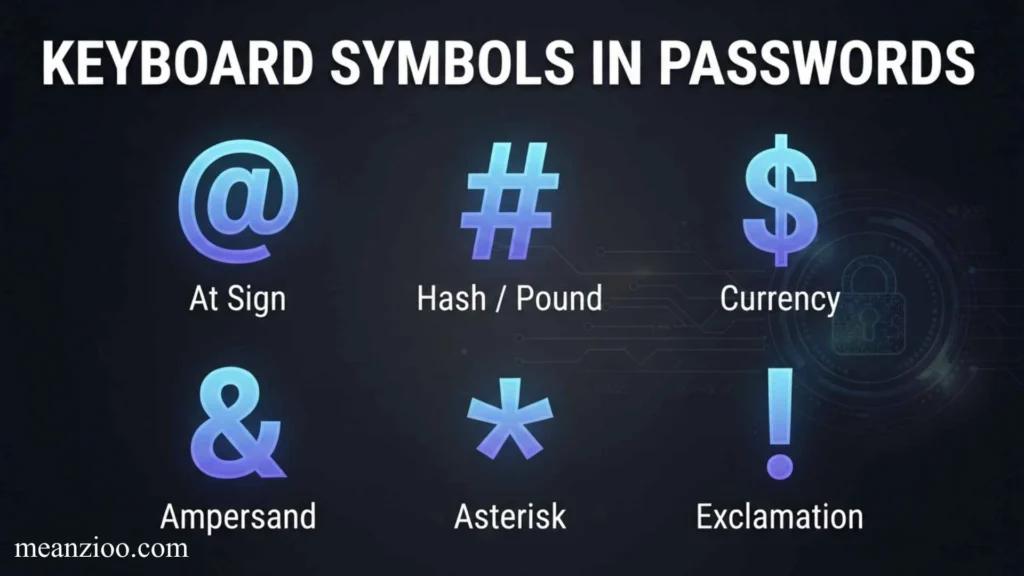
Common password symbols include:
! @ # $ % ^ & *
However, password requirements vary by website. Some services allow only certain special characters.
When creating a password, follow the specific requirements shown by the service rather than assuming every symbol is accepted.
Also Check This Post:Noto Sans Symbols: Complete Guide to Characters, Unicode, Download, Installation, and Web Use
US Keyboard Symbols vs. UK Keyboard Symbols
Keyboard symbol layouts can vary by country.
A US keyboard layout and a UK keyboard layout have several differences in the placement and availability of symbols.
For example, the @ and quotation mark keys are positioned differently on common US and UK layouts. Some punctuation symbols also appear in different locations.
This means that a keyboard shortcut that works on a US keyboard may not produce the same character on a UK keyboard.
Why Keyboard Layout Matters
If a shortcut does not produce the expected symbol, check:
- Your physical keyboard layout.
- Your operating system’s keyboard language.
- Whether you are using US, UK, or another regional layout.
- Whether Num Lock or another keyboard mode is affecting input.
How to Type Keyboard Symbols on Windows
Most common symbols can be typed using the keyboard’s standard keys.
For a US keyboard, examples include:
- ! → Shift + 1
- @ → Shift + 2
- # → Shift + 3
- $ → Shift + 4
- % → Shift + 5
- ^ → Shift + 6
- & → Shift + 7
- * → Shift + 8
- ( → Shift + 9
- ) → Shift + 0
- _ → Shift + –
- + → Shift + =
- { → Shift + [
- } → Shift + ]
- : → Shift + ;
- ” → Shift + ‘
- < → Shift + ,
- > → Shift + .
- ? → Shift + /
- ~ → `Shift + “
These combinations are based on a standard US keyboard layout and may differ on other layouts.
How to Type Keyboard Symbols on Mac
On a Mac, many symbols are typed using the Shift key in combination with another key, much like on Windows.
For a standard US Mac keyboard, common examples include:
- ! → Shift + 1
- @ → Shift + 2
- # → Shift + 3
- $ → Shift + 4
- % → Shift + 5
- ^ → Shift + 6
- & → Shift + 7
- * → Shift + 8
- ( → Shift + 9
- ) → Shift + 0
- _ → Shift + –
- + → Shift + =
Other symbols may require Option, Shift + Option, or a different keyboard layout.
How to Type Symbols on a Mobile Keyboard
Mobile keyboards work differently from physical keyboards.
On many Android and iPhone keyboards, you can access symbols by tapping a key such as:
123
or
#+=
The exact arrangement depends on the keyboard app, operating system, language, and device.
Common symbols such as @, #, $, %, &, *, _, and + are usually available from the numbers/symbols screen.
Why Mobile Symbol Names Can Be Different
A mobile keyboard may display several symbols on one key or hide less frequently used characters behind a long press.
For example, holding down a punctuation or letter key may reveal additional characters.
Keyboard Symbol Names: US and UK Terminology
Some keyboard symbols have multiple accepted names.
| Symbol | US/Common Name | Other Common Name | |
| ! | Exclamation point | Exclamation mark | |
| # | Number sign | Hash | |
| . | Period | Full stop | |
| “ | Double quote | Quotation mark | |
| ‘ | Single quote | Apostrophe | |
| [ ] | Square brackets | Brackets | |
| { } | Curly braces | Curly brackets | |
| – | Hyphen / Minus | Dash depending on use | |
| ` | ` | Pipe | Vertical bar |
| / | Slash | Forward slash | |
| \ | Backslash | Reverse slash |
The correct name often depends on the character’s context, not simply its appearance.
Keyboard Symbol Names You Should Not Confuse
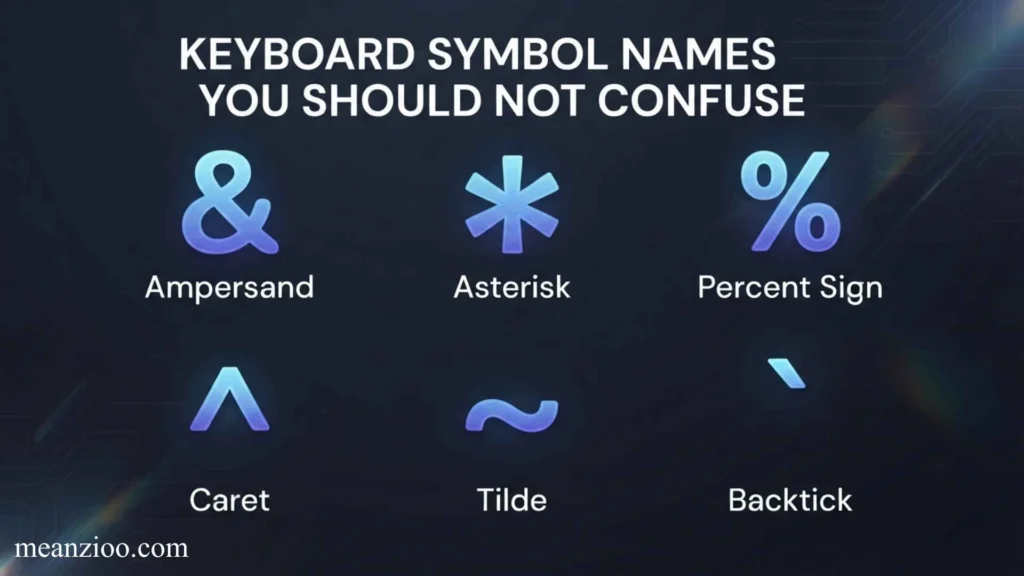
Some symbols look similar but have different names and purposes.
Hyphen vs. Minus vs. Dash
These are related but not necessarily identical typographic characters.
- – — Hyphen/minus keyboard character
- – — En dash
- — — Em dash
The standard keyboard usually provides the hyphen-minus character -, while en and em dashes may require other input methods.
Apostrophe vs. Backtick
- ‘ — Apostrophe or single quote
- ` — Backtick or grave accent
They look different and have different technical uses.
Slash vs. Backslash
- / — Forward slash
- \ — Backslash
This distinction is particularly important in programming and file paths.
Parentheses vs. Brackets vs. Braces
- ( ) — Parentheses
- [ ] — Square brackets
- { } — Curly braces
Using the correct name makes technical instructions much easier to understand.
Full Keyboard Symbols Cheat Sheet
Here is a compact list of the most important keyboard symbols names:
| Symbol | Name | |
| ! | Exclamation mark | |
| @ | At sign | |
| # | Hash / number sign | |
| $ | Dollar sign | |
| % | Percent sign | |
| ^ | Caret | |
| & | Ampersand | |
| * | Asterisk | |
| ( | Left parenthesis | |
| ) | Right parenthesis | |
| – | Hyphen / minus sign | |
| _ | Underscore | |
| + | Plus sign | |
| = | Equal sign | |
| [ | Left square bracket | |
| ] | Right square bracket | |
| { | Left curly brace | |
| } | Right curly brace | |
| \ | Backslash | |
| ` | ` | Pipe / vertical bar |
| ; | Semicolon | |
| : | Colon | |
| ‘ | Apostrophe / single quote | |
| “ | Double quote | |
| , | Comma | |
| . | Period / full stop | |
| / | Slash / forward slash | |
| ? | Question mark | |
| < | Less-than sign | |
| > | Greater-than sign | |
| ` | Backtick | |
| ~ | Tilde |
Frequently Asked Questions About Keyboard Symbols Names
What is the @ symbol called on a keyboard?
The @ symbol is called the at sign. It is most commonly recognized from email addresses and online usernames.
What is the # symbol called?
The # symbol is commonly called the number sign or hash. It is also called an octothorpe. When used on social media to label a topic, it is commonly called a hashtag.
What is the & symbol called?
The & symbol is called an ampersand. It represents the word “and.”
What is the * symbol called?
The * symbol is called an asterisk. It is used in writing, mathematics, searches, and programming.
What is the _ symbol called?
The _ symbol is called an underscore. It is frequently used in file names, usernames, programming, and digital identifiers.
What is the ~ symbol called?
The ~ symbol is called a tilde. It can represent approximation and has several technical uses in computing.
What is the | symbol called?
The | symbol is called a vertical bar, vertical line, or pipe. In programming and command-line environments, “pipe” is particularly common.
What are {} called on a keyboard?
The {} characters are called curly braces, curly brackets, or simply braces.
What are [] called?
The [] characters are called square brackets.
What are () called?
The () characters are called parentheses.
What is the \ symbol called?
The \ symbol is called a backslash. It is commonly used in programming and Windows file paths.
What is the / symbol called?
The / symbol is called a slash or forward slash. It is common in URLs, dates, fractions, and programming.
What is the ` symbol called?
The ` character is called a backtick or grave accent. It is commonly used in programming and Markdown.
Why Learning Keyboard Symbol Names Is Useful
Knowing keyboard symbols names can save time in many situations.
For Everyday Computer Use
You can follow keyboard instructions more easily when you know terms such as underscore, slash, colon, and ampersand.
For Programming
Understanding symbol names makes it easier to read documentation, tutorials, error messages, and code.
For Search and Research
Knowing a symbol’s name lets you perform more precise searches.
For example, instead of searching for “wavy keyboard symbol,” you can search for “tilde keyboard symbol.”
For Technical Support
When asking for help, identifying a character by name can make your problem much easier for another person to understand.
For Writing and Editing
Knowing the difference between hyphens, quotation marks, apostrophes, parentheses, brackets, and other punctuation improves accuracy.
Final Thoughts
Learning keyboard symbols names is a simple skill that can make computer use, writing, programming, and online communication much easier. The most important symbols to recognize include @ (at sign), # (hash or number sign), & (ampersand), * (asterisk), _ (underscore), ~ (tilde), | (pipe), \ (backslash), and the different types of brackets.
Remember that a symbol can have more than one name, and its meaning can change depending on the context. Keyboard layout also matters, so Windows, Mac, US, UK, and mobile keyboards may use different positions or shortcuts.
Once you know both the name and function of each keyboard symbol, you’ll be better prepared to follow technical instructions, search for symbols, type special characters, and understand programming and digital terminology.
Also Check This Post:Weld Symbols Explained: Complete Guide to Welding Symbols, Types, Meanings, and How to Read Them

I’m Ryan Mitchell, and I write about modern English, trending slang, and online expressions. I enjoy explaining the meanings, origins, and real-life usage of popular words in a simple way. I believe learning slang is an important step toward understanding today’s English-speaking culture. Through my work, I aim to help readers speak more naturally and stay updated with the latest language trends.