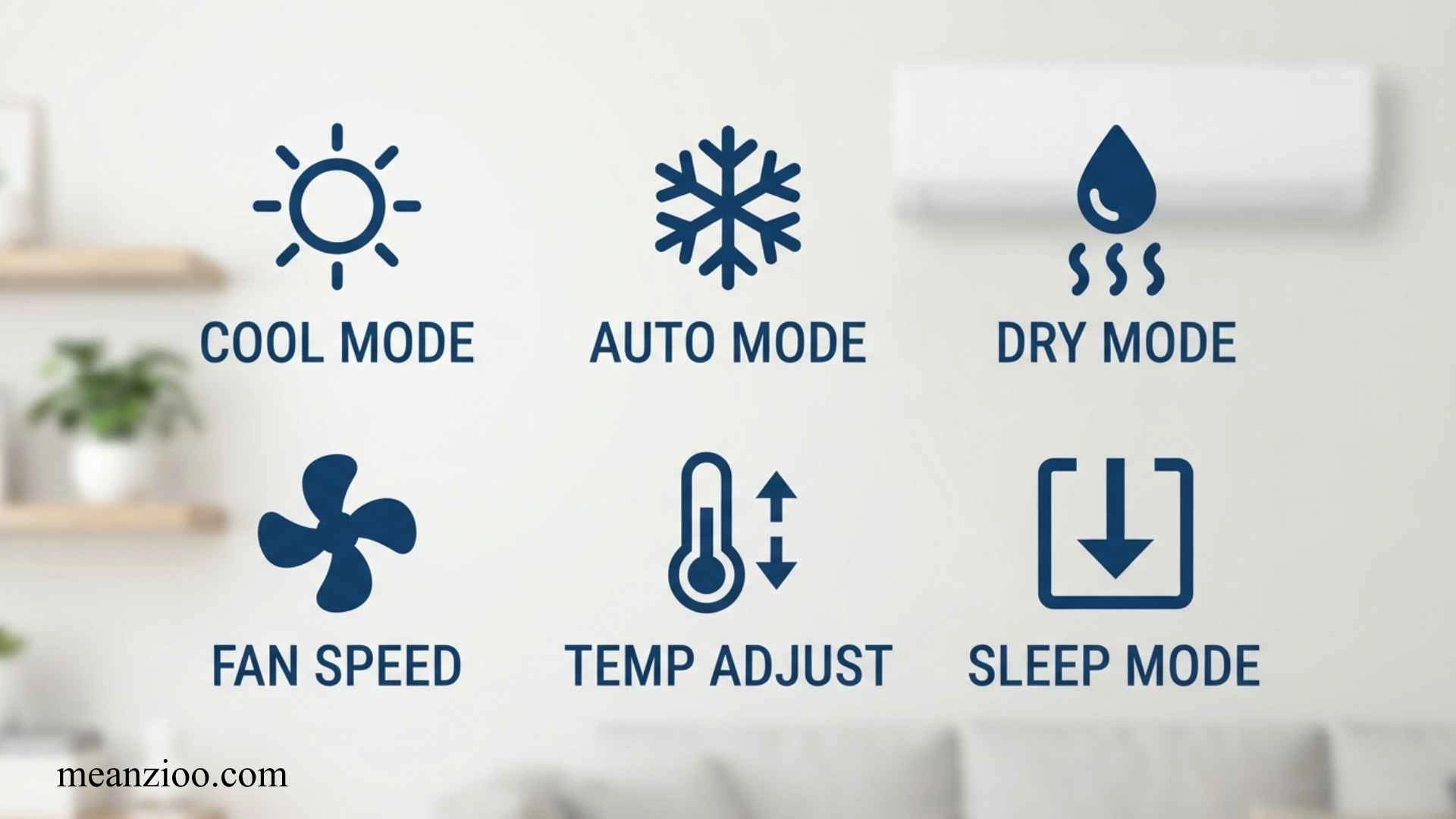
Mini split remote controls can look confusing because a single small screen may contain symbols for cooling, heating, fan speed, humidity, timers, sleep mode, swing, energy saving, Wi-Fi, cleaning, and other functions.
If you are searching for mini split remote symbols, you probably want to know what a particular icon means, which setting to use, or why your mini split is behaving differently than expected. This guide explains the most common symbols in simple language and also covers less obvious indicators such as the transmission signal, °C/°F, battery, lock, Follow Me, Breeze Away, Clean, Silence, and error-related indicators.
One important point is that mini split remote symbols are not completely universal. Different brands and models can use different icons and may offer different features. Some manuals specifically state that not all listed indicators or functions are available on every model.
Quick Mini Split Remote Symbols Chart
| Symbol or Display | Meaning | Main Purpose |
| ❄️ Snowflake | Cool Mode | Cools the room |
| ☀️ Sun | Heat Mode | Heats the room |
| 💧 Water Drop | Dry Mode | Removes humidity |
| 🌀 Fan | Fan Mode | Circulates air |
| AUTO | Auto Mode | Automatically selects operation |
| ↕️ / ↔️ | Swing | Moves the louvers |
| Fan Bars | Fan Speed | Controls airflow |
| 🌙 Moon | Sleep | Adjusts operation for sleeping |
| ⏰ Clock | Timer | Schedules operation |
| ⚡ Lightning | Turbo | Faster cooling or heating |
| 🍃 / ECO | Energy Saving | Reduces energy use |
| ⚙️ GEAR | Power Limiting | Limits system power |
| 📶 | Wi-Fi/Wireless | Enables wireless control |
| 🔒 Lock | Child Lock | Prevents button changes |
| 🔋 Battery | Low Battery | Indicates weak batteries |
| 📡 Signal | Transmission | Shows remote sending a command |
| °C / °F | Temperature Unit | Celsius or Fahrenheit |
| CLEAN | Self-Clean | Runs a cleaning cycle |
| 🤫 / Silence | Quiet Mode | Reduces operating noise |
| LED/Display | Display Control | Turns indoor display on/off |
| 👤 Follow Me/I Feel | Remote Temperature Sensor | Measures temperature near remote |
| Breeze Away | Indirect Airflow | Avoids direct airflow |
The exact icon design can vary substantially between manufacturers and models.
❄️ Snowflake Symbol: Cool Mode
The snowflake symbol normally means Cool mode.
This is the setting to use when you want your mini split to lower the room temperature.
When Cool mode is selected, you can normally adjust:
- Set temperature
- Fan speed
- Airflow direction
- Swing
- Timer
- Sleep or energy-saving functions, depending on the model
A typical mini split remote cycles through modes such as Auto, Cool, Dry, Heat, and Fan.
When should you use Cool mode?
Use Cool mode when:
- The room is too warm.
- You want normal air conditioning.
- You need stronger temperature reduction.
- The room is both warm and somewhat humid.
If your mini split is blowing air but not producing the expected cooling, check that the snowflake symbol is displayed rather than the fan or heat symbol.
☀️ Sun Symbol: Heat Mode
The sun symbol usually represents Heat mode.
This setting is available on heat-pump mini splits but not necessarily on cooling-only systems. Manufacturer manuals commonly identify Heat as a separate operating mode and note that it may not be supported on cooling-only appliances.
Use Heat mode when you want the mini split to warm the room.
Important
Do not assume every mini split can heat simply because a similar remote has a sun icon. Always check your exact model.
💧 Water Drop Symbol: Dry Mode
The water drop symbol generally means Dry mode, also called Dehumidification mode.
Dry mode is designed primarily to remove moisture from indoor air. It can make a room feel more comfortable without operating exactly like normal Cool mode.
Use Dry mode when:
- The room feels damp.
- Humidity is high.
- The temperature is tolerable but the air feels muggy.
- You want dehumidification rather than maximum cooling.
On some mini splits, fan-speed control is limited or unavailable while Dry mode is active.
Dry mode vs. Cool mode
Cool: Primarily lowers temperature.
Dry: Primarily reduces humidity.
If the room is extremely hot, Cool mode is generally the more appropriate starting point. If the room feels damp but is not particularly hot, Dry mode may be more useful.
🌀 Fan Symbol: Fan-Only Mode
The fan symbol usually means Fan mode.
Fan mode circulates indoor air without normal air-conditioning cooling or heating.
This can be useful when:
- The room temperature is already comfortable.
- You simply want air movement.
- You want to circulate air without running normal cooling.
On some systems, the temperature cannot be adjusted in Fan mode because the unit is not actively controlling the room temperature.
AUTO Symbol: Automatic Mode
AUTO means the mini split is operating in automatic mode.
Depending on the model, the system may automatically select cooling, heating, or fan operation based on the selected temperature and room conditions.
Auto mode is convenient if you do not want to manually choose between heating and cooling.
However, if you specifically want cooling, Cool mode is usually easier to understand and control because you know the system is being instructed to cool.
Some remotes do not allow manual fan-speed adjustment while Auto mode is active.
Fan Speed Symbols
Fan speed is commonly shown through:
- Fan bars
- LOW
- MED
- HIGH
- AUTO
- Percentage values
- Silence/quiet indicators
Some newer mini split remotes can display fan speeds using percentages, while others use traditional Low, Medium, High, and Auto settings.
What do the fan bars mean?
Generally:
Low → Medium → High
means progressively stronger airflow.
Which fan speed should you use?
For everyday operation:
- Low: quieter operation
- Medium: balanced airflow
- High: faster room circulation
- Auto: system-controlled airflow
The best choice depends on room size, comfort, noise preference, and the specific mini split.
↕️ ↔️ Swing Symbol: Airflow Direction
The Swing symbol indicates movement of the indoor unit’s louvers.
Depending on the model, the remote may provide:
- Horizontal swing
- Vertical swing
- Both directions
- Fixed louver positions
Some remotes use one button to start horizontal swing and require a longer press to activate vertical swing.
Why is Swing useful?
Swing can distribute conditioned air across a larger part of the room.
If you want air directed toward one particular area, you can normally stop the swing function at the desired position.
🌙 Sleep Symbol: Sleep Mode
The moon symbol usually represents Sleep mode.
Sleep mode is intended for nighttime use. Depending on the manufacturer, it may gradually adjust the temperature, reduce energy use, or change other operating characteristics.
For example, one mini split manual describes a sleep function that gradually adjusts cooling or heating during the first part of the sleep cycle before maintaining the temperature.
Because Sleep mode differs between models, do not assume every moon icon behaves exactly the same way.
⏰ Timer Symbol: Timer On and Timer Off
A clock symbol usually indicates a timer function.
Most mini split remotes provide one or both of these:
Timer ON
The system starts operating after the selected time.
Timer OFF
The system stops operating after the selected time.
Some remotes allow both an ON and OFF timer. Timer ranges and increments vary by model. One example provides settings up to 24 hours.
Why use the timer?
A timer can help you:
- Turn the AC on before you return home.
- Turn it off after you fall asleep.
- Avoid unnecessary operation.
- Schedule short periods of cooling or heating.
⚡ Turbo Symbol: Fast Cooling or Heating
A lightning bolt commonly represents Turbo mode.
Turbo is designed to help the mini split reach the selected temperature quickly by increasing system output and/or airflow.
Use Turbo when:
- The room is extremely hot.
- You have just entered the room.
- You want faster initial cooling.
- You need quicker heating.
Turbo is generally more useful as a temporary boost than as a setting you need continuously.
Some remotes also provide a Super Heat function activated by holding the Turbo button for several seconds while heating. This is model-specific.
🍃 ECO Symbol: Energy-Saving Mode
An ECO or leaf-shaped symbol usually means the system’s energy-saving mode is active.
ECO operation can change the temperature and fan behavior to reduce energy consumption. The exact strategy differs between models.
For example, some remotes combine ECO with GEAR settings that can limit power consumption to approximately 75% or 50% of a reference level.
ECO vs. normal operation
ECO may be useful when:
- You want lower energy consumption.
- The room is already relatively comfortable.
- You do not need maximum cooling performance.
However, an energy-saving mode may not provide the same aggressive cooling as maximum-output operation.
⚙️ GEAR Symbol: Power-Limiting Mode
Some mini split remotes display a GEAR symbol.
GEAR is different from ordinary fan-speed control. On supported systems, it can limit the system’s power consumption.
Some remotes provide:
ECO → GEAR 75% → GEAR 50% → Previous Setting
The exact behavior depends on the model.
If you see GEAR on your remote, consult your specific manual before assuming the percentage represents an exact electricity bill reduction.
📶 Wi-Fi or Wireless Symbol
A Wi-Fi or wireless symbol indicates that the mini split supports wireless connectivity or that wireless-control functionality is active.
Depending on the system, Wi-Fi can allow you to control settings through a smartphone application.
Some remotes use an AP mode during wireless-network setup.
Why is the Wi-Fi symbol flashing?
A flashing wireless indicator may mean the unit is entering pairing or configuration mode. The exact meaning depends on the model.
If the Wi-Fi icon does not behave as expected, use the setup instructions for your exact mini split rather than assuming all brands use the same procedure.
🔒 Lock Symbol: Child Lock
The lock symbol usually indicates that the remote’s buttons have been locked.
This helps prevent accidental changes to:
- Temperature
- Mode
- Fan speed
- Timer
- Other settings
The button combination used to activate or deactivate Lock varies by manufacturer.
For example, some remotes use two buttons simultaneously for several seconds, while other models use different combinations.
If the remote buttons are not working
Check whether a lock icon is visible.
If it is, the remote may simply be locked rather than broken.
🔋 Battery Symbol: Low Battery Indicator
A battery icon indicates the condition of the remote’s batteries.
A flashing or low battery indicator can mean the batteries need replacement. Some remote manuals specifically identify a flashing battery indicator as the low-battery warning.
Signs of weak remote batteries
You may notice:
- The remote works only at short distances.
- Buttons respond slowly.
- The indoor unit does not respond consistently.
- The screen becomes faint.
- A battery symbol flashes.
Replace the batteries with the type specified by your remote’s manual.
📡 Transmission or Signal Symbol
A signal/transmission icon indicates that the remote is sending a command to the indoor unit.
Some remotes show this symbol whenever you press a button.
If the signal symbol appears but the AC does nothing
Check:
- Remote batteries.
- Whether the remote is pointed toward the indoor unit.
- Whether anything is blocking the receiver.
- Whether the indoor unit has power.
- Whether the remote is locked.
If the transmission indicator works but the unit consistently fails to respond, the problem may be with the remote, receiver, or indoor unit.
🌡️ °C and °F Symbols
The °C and °F symbols indicate the temperature measurement system.
- °C = Celsius
- °F = Fahrenheit
Many mini split remotes allow users to switch between the two.
For example, some remotes switch between °C and °F by holding the temperature-up and temperature-down buttons simultaneously for several seconds. Other models use a dedicated °C/°F button.
Why does my AC suddenly show 86 instead of 30?
You may have accidentally switched from Celsius to Fahrenheit.
For example:
30°C ≈ 86°F
So a change from 30 to 86 does not necessarily mean the AC has developed a problem.
The exact method for changing units depends on the remote.
👤 Follow Me or I Feel Symbol
The Follow Me or I Feel symbol is one of the more useful advanced mini split functions.
Instead of relying only on the temperature sensor inside the indoor unit, the remote can measure the temperature around the remote itself.
Some systems send the remote’s measured temperature to the indoor unit at regular intervals.
Example
Imagine the mini split is mounted high on a wall while you are sitting several feet away.
The temperature near the ceiling may differ from the temperature near your chair.
With Follow Me enabled, the system can use the remote’s location as a reference for temperature control.
When should you use Follow Me?
It can be useful when:
- You spend most of your time in one area.
- The indoor unit is far from where you sit.
- The room has noticeable temperature differences.
Keep the remote somewhere representative of where you want comfortable conditions.
🌬️ Breeze Away Symbol
The Breeze Away function is designed to prevent conditioned air from blowing directly onto your body.
Some remotes provide Breeze Away as a separate button or icon and restrict it to certain operating modes such as Cool, Fan, and Dry.
This can be useful if you want the room cooled without having cold air blowing directly onto you.
🧼 CLEAN or Self-Clean Symbol
A Clean or Active Clean symbol indicates a cleaning-related function.
On some systems, Active Clean runs a special cycle involving the indoor coil to help remove accumulated dust, moisture, and other contaminants. One manual describes a cycle that freezes and then thaws the coil and automatically ends after a set period.
What does CL mean on a mini split?
On some systems, CL can appear on the indoor display while an Active Clean cycle is running.
This does not necessarily mean an error.
The exact meaning of CL depends on the manufacturer and model, so consult the manual if you see it.
🤫 Silence, Quiet, or Mute Symbol
A Silence, Quiet, or Mute symbol indicates a reduced-noise function.
This setting may reduce fan speed, compressor frequency, or other operating characteristics to make the system quieter.
Some manuals warn that Silence mode can reduce cooling or heating performance because system output is restricted.
When should you use Silence mode?
Use it when:
- You are sleeping.
- You are working.
- Noise is more important than maximum output.
- The room is already close to the desired temperature.
💡 LED or Display Symbol
An LED, Display, or light-bulb symbol usually controls the indoor unit’s display or indicator lights.
This can be useful at night if the indoor unit’s display is too bright.
Some remotes also allow the display or buzzer to be switched off.
The exact behavior differs by model.
🧽 Filter Clean and Maintenance Indicators
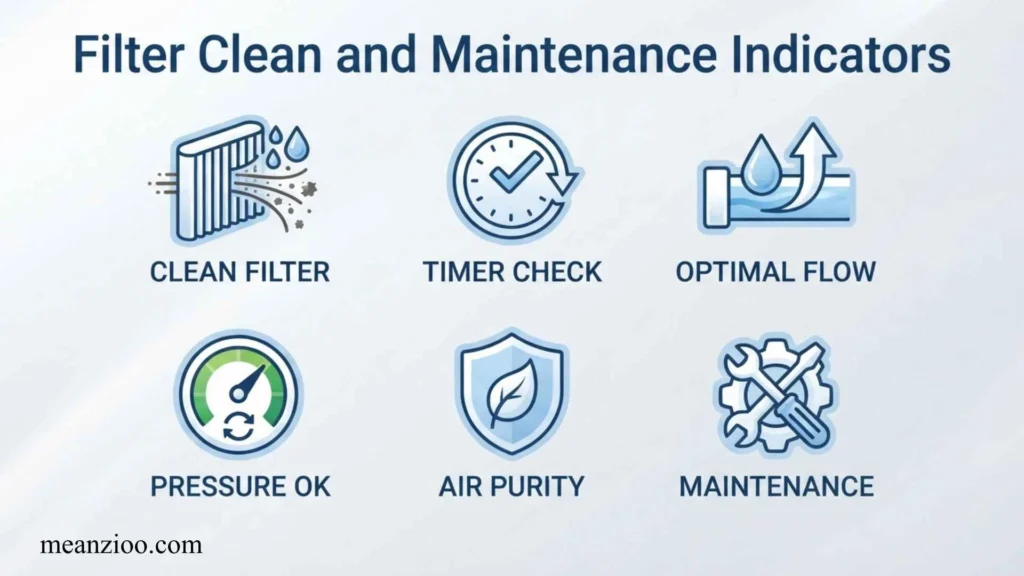
Some mini split systems provide maintenance-related indicators.
A filter reminder may tell you that the indoor filter needs attention.
This is important because dirty filters can restrict airflow and reduce system performance.
If your remote or indoor unit displays a maintenance symbol, check the manufacturer’s manual for the reset procedure after cleaning the filter.
Do not assume every cleaning indicator means the same thing. Some symbols refer to routine filter maintenance, while others refer to a self-cleaning cycle.
🦠 Health, Fresh Air, UV, and Air Purification Symbols
Some advanced mini split remotes include symbols for:
- Fresh Air
- UV/UV-C
- Ionizer
- Health
- Air purification
- Plasma or similar functions
These features are not universal.
For example, some remote manuals list Fresh or UV-C functions among optional features, while others include Health or similar indicators.
If your remote contains one of these icons, check whether your particular indoor unit actually supports that function.
🌀 Anti-Mildew or Anti-Fungal Symbol
Some remotes include an Anti-Mildew, Anti-Fungal, or similar symbol.
The purpose is generally to help dry internal components after operation, reducing conditions that can contribute to mold or unpleasant odors.
The exact operating sequence varies by system.
This is different from ordinary Fan mode and should not be treated as a universal feature.
❄️ What Is the Best Mini Split Remote Setting for Cooling?
For normal cooling:
- Press MODE until the ❄️ snowflake appears.
- Set a comfortable temperature.
- Select Auto, Low, Medium, or High fan speed.
- Use Swing if you want wider air distribution.
- Use Turbo temporarily if the room is very hot.
- Use Sleep at night if desired.
If you accidentally select Fan mode, the mini split may circulate air without providing normal cooling.
💧 What Is the Best Setting for Humid Weather?
If the room is damp or muggy, try Dry mode.
The water-drop symbol tells you that the system is prioritizing dehumidification.
However, if the room is both very hot and humid, Cool mode may provide more noticeable temperature reduction.
☀️ What Is the Best Mini Split Setting for Heating?
If your system is a heat pump, select Heat mode, usually represented by the ☀️ sun symbol.
Then:
- Select a suitable temperature.
- Choose Auto or an appropriate fan speed.
- Use Swing to distribute warm air.
- Use Turbo temporarily if rapid heating is needed.
If the system is cooling-only, Heat mode will not be available.
❄️ Why Is My Mini Split Blowing Air but Not Cooling?
Before assuming there is a mechanical problem, check the remote.
Make sure:
- The ❄️ Cool symbol is selected.
- The set temperature is below the room temperature.
- Fan-only mode is not selected.
- Dry mode has not been selected accidentally.
- Turbo is not being confused with a permanent cooling setting.
- The filter is reasonably clean.
- The outdoor unit is operating normally.
If the remote is showing the wrong mode, correcting the setting may solve the problem.
☀️ Why Does My Mini Split Show the Sun Instead of the Snowflake?
The sun normally means Heat mode.
If you want cooling, press MODE until the snowflake appears.
If the remote refuses to select Cool mode, check the specific model’s manual.
💧 Why Does the Water Drop Make My Room Feel Cooler?
Dry mode removes moisture from indoor air.
Lower humidity can make the room feel more comfortable, even though the primary purpose of Dry mode is moisture reduction rather than maximum cooling.
If your main goal is to reduce temperature quickly, use Cool mode.
📡 Why Does the Remote Show a Signal but the Unit Does Not Respond?
A transmission symbol usually means the remote is sending a command.
If the unit does not respond:
- Replace weak batteries.
- Point the remote directly toward the indoor unit.
- Remove objects blocking the receiver.
- Check whether the indoor unit has power.
- Check for a Lock symbol.
- Try the Power button.
- If necessary, reset the remote according to its manual.
If other remote buttons work but one specific function does not, that function may not be supported by your model.
🔋 Why Is My Battery Symbol Flashing?
A flashing battery symbol commonly means the remote batteries are low.
Replace the batteries and test the remote again.
If the symbol remains after replacing the batteries, check the battery orientation and the remote’s contacts.
🔒 Why Are My Mini Split Remote Buttons Not Working?
Look for the Lock symbol.
If a lock is displayed, the remote may be in Child Lock mode.
The unlocking procedure varies by model, so avoid assuming that a button combination from another brand will work.
🌡️ Why Did My Mini Split Change From Celsius to Fahrenheit?
You may have accidentally pressed the temperature buttons or dedicated unit button used to change the display.
For example, some remotes switch between °C and °F by holding the temperature-up and temperature-down buttons together for several seconds.
Check your manual for the exact procedure.
⏰ Why Does the Timer Symbol Stay on?
The timer symbol normally stays visible while a Timer ON or Timer OFF setting is active.
To cancel it, use the remote’s timer function and return the timer setting to its cancellation value according to the manual.
Some systems use a 0.0-hour setting to cancel the timer.
⚠️ What Do Flashing Symbols on a Mini Split Remote Mean?
A flashing icon does not always mean the same thing.
It can indicate:
- A function is being selected.
- The remote is transmitting a command.
- Batteries are low.
- A timer is being configured.
- A wireless function is being configured.
- A setting needs confirmation.
- The indoor unit has detected an operating condition.
Do not automatically treat every flashing symbol as an error.
For an actual fault code, use the troubleshooting section of your exact mini split manual.
Why Are Some Symbols Missing From My Remote?
Mini split systems do not all have the same features.
A remote may support several functions across a product family, while a particular indoor unit only supports some of them.
This is why a remote can contain symbols for features you never use.
Manufacturer manuals commonly state that some functions are model-dependent and that not all indicators appear during normal operation.
Do Mini Split Remote Symbols Mean the Same Thing on Every Brand?
No.
The most common symbols are relatively consistent:
- ❄️ = Cool
- ☀️ = Heat
- 💧 = Dry
- 🌀 = Fan
- AUTO = Automatic
- ⏰ = Timer
- ↕️/↔️ = Swing
But advanced functions can differ considerably.
For example, one system may use a particular icon for Fresh Air while another uses it for a different air-treatment feature.
Even the same function can have a different button combination from one brand to another.
Mini Split Remote Symbols by Purpose
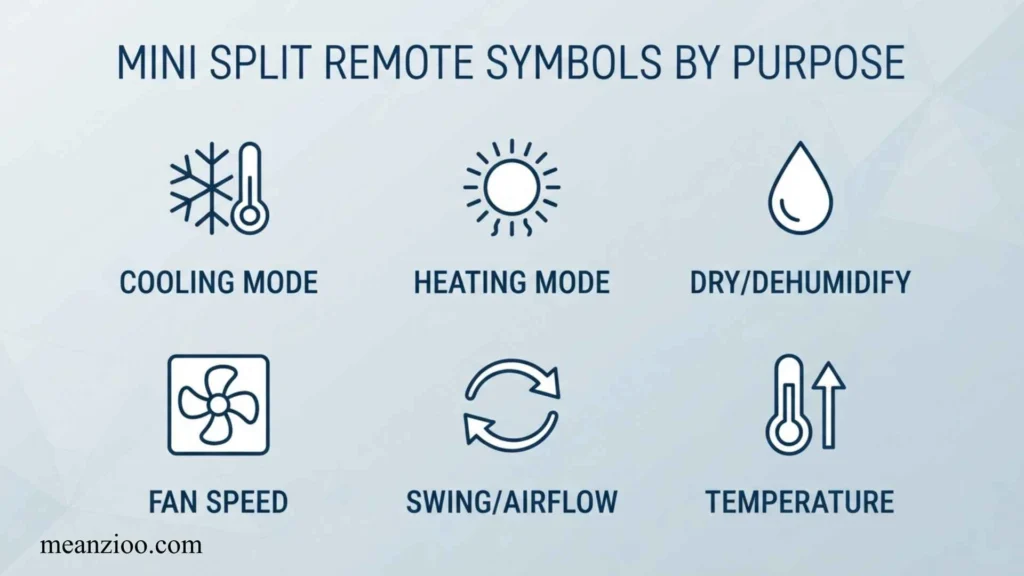
For Cooling
❄️ Snowflake = Cool
For Heating
☀️ Sun = Heat
For Dehumidifying
💧 Water Drop = Dry
For Air Circulation
🌀 Fan = Fan Mode
For Automatic Operation
AUTO = Auto Mode
For Moving Air
↕️ / ↔️ = Swing
For Sleeping
🌙 = Sleep
For Fast Temperature Changes
⚡ = Turbo
For Energy Saving
🍃 / ECO = Energy Saving
For Power Limiting
⚙️ GEAR = Reduced Power Operation
For Wireless Control
📶 = Wi-Fi/Wireless
For Remote-Based Temperature Sensing
👤 = Follow Me/I Feel
For Avoiding Direct Airflow
Breeze Away = Indirect Airflow
For Cleaning
CLEAN = Self-Clean/Active Clean
For Quiet Operation
🤫 = Silence/Quiet
For Locking Controls
🔒 = Lock
Mini Split Remote Symbols: Common Mistakes
Mistake 1: Selecting Fan Instead of Cool
Fan mode may circulate air without providing active cooling.
Mistake 2: Confusing Dry With Cool
Dry mode prioritizes humidity reduction rather than maximum cooling.
Mistake 3: Using Turbo Continuously
Turbo is intended for rapid temperature adjustment and may not be necessary once the room is comfortable.
Mistake 4: Ignoring Airflow Direction
Even when the temperature is correct, poor louver positioning can leave parts of a room uncomfortable.
Mistake 5: Assuming Every Remote Works the Same Way
Button combinations for Lock, °C/°F, Sleep, Follow Me, and other functions can vary.
Mistake 6: Assuming Every Icon Is an Error
Some symbols simply indicate that a function is active or being configured.
Mistake 7: Ignoring Low Batteries
A weak remote battery can make the AC appear unresponsive.
How to Identify an Unknown Mini Split Remote Symbol
If you do not recognize an icon, use this process:
Step 1: Check the operating mode
Look for:
- AUTO
- ❄️
- ☀️
- 💧
- 🌀
These usually identify the primary operating mode.
Step 2: Check the surrounding buttons
An icon next to Fan, Timer, Swing, Turbo, or Clean can give you a strong clue about its purpose.
Step 3: Look for a manual
Search for the exact:
- Brand
- Model number
- Remote model number
The model number is much more useful than simply searching for the brand name.
Step 4: Check whether the symbol is flashing
A flashing symbol may indicate that a setting is being selected rather than activated.
Step 5: Check whether the indoor unit responds
If the remote sends a signal but the indoor unit does not respond, investigate batteries, line of sight, lock status, and power before assuming the symbol represents a fault.
Mini Split Remote Symbols: Quick Reference
| Symbol | Meaning | Use It When |
| ❄️ | Cool | You want cooling |
| ☀️ | Heat | You want heating |
| 💧 | Dry | You want dehumidification |
| 🌀 | Fan | You want air circulation |
| AUTO | Automatic | You want automatic operation |
| ↕️ | Vertical Swing | You want vertical airflow movement |
| ↔️ | Horizontal Swing | You want horizontal airflow movement |
| 🌙 | Sleep | You are sleeping |
| ⏰ | Timer | You want scheduled operation |
| ⚡ | Turbo | You want rapid cooling/heating |
| 🍃 | ECO | You want energy-saving operation |
| ⚙️ | GEAR | You want to limit power use |
| 📶 | Wi-Fi | You want wireless control |
| 👤 | Follow Me/I Feel | You want temperature sensing near the remote |
| 🌬️ | Breeze Away | You want indirect airflow |
| 🧼 | Clean | You want a cleaning cycle |
| 🤫 | Silence | You want quieter operation |
| 🔒 | Lock | You want to prevent accidental changes |
| 🔋 | Battery | Battery condition is being indicated |
| 📡 | Signal | Remote is transmitting |
| °C | Celsius | Temperature is shown in Celsius |
| °F | Fahrenheit | Temperature is shown in Fahrenheit |
| LED | Display | Indoor display/light control |
Frequently Asked Questions About Mini Split Remote Symbols
What is the snowflake symbol on a mini split remote?
The snowflake normally means Cool mode.
What does the sun symbol mean on a mini split?
The sun normally means Heat mode on a heat-pump system.
What does the water drop mean?
The water drop normally represents Dry or dehumidification mode.
What does the fan symbol mean?
It generally means Fan-only operation, which circulates air without normal cooling or heating.
What does Auto mean on a mini split remote?
Auto allows the system to automatically determine the appropriate operating mode based on its programming and sensed conditions.
What does Swing mean?
Swing controls movement of the indoor unit’s louvers to change airflow direction.
What does the moon symbol mean?
The moon normally indicates Sleep mode.
What does the lightning bolt mean?
It usually represents Turbo or rapid cooling/heating.
What does ECO mean?
ECO normally indicates an energy-saving operating mode.
What does GEAR mean?
On supported systems, GEAR can limit system power consumption, sometimes using levels such as 75% or 50%.
What does Follow Me mean?
Follow Me allows the remote to act as a temperature-sensing reference so the system can respond to conditions around the remote.
What does Breeze Away mean?
Breeze Away is designed to redirect airflow so it does not blow directly onto the occupant.
What does Clean mean?
Clean or Active Clean activates a cleaning-related cycle on supported models.
What does the lock symbol mean?
The lock symbol generally means the remote’s controls are locked.
What does the battery symbol mean?
It indicates battery status and may flash when the batteries are low.
What does the signal symbol mean?
It indicates that the remote is transmitting a command to the indoor unit.
Why does my remote show °F instead of °C?
The remote has probably been switched to Fahrenheit. Use the model-specific °C/°F procedure to change it back.
Why does my remote have buttons that do nothing?
Your remote may support several models or functions that are not available on your particular indoor unit.
Final Takeaway
Understanding mini split remote symbols becomes much easier when you separate the icons into a few groups.
The most important symbols are:
- ❄️ Snowflake: Cool
- ☀️ Sun: Heat
- 💧 Water drop: Dry
- 🌀 Fan: Fan-only
- AUTO: Automatic operation
- ↕️/↔️: Swing
- 🌙 Moon: Sleep
- ⏰ Clock: Timer
- ⚡ Lightning: Turbo
- 🍃 ECO: Energy saving
- 📶 Wi-Fi: Wireless control
- 🔒 Lock: Button lock
- 🔋 Battery: Battery status
- 📡 Signal: Remote transmission
- 👤 Follow Me: Temperature sensing near the remote
- 🧼 Clean: Cleaning cycle
- 🤫 Silence: Quiet operation
The biggest thing to remember is that mini split remote symbols are not completely standardized. Basic operating symbols are usually easy to recognize, but advanced functions such as Follow Me, Breeze Away, Clean, GEAR, Fresh Air, UV, Health, Anti-Mildew, and wireless functions can vary by brand and model.
If you need the meaning of one specific symbol, the most accurate approach is to identify the mini split brand and model number and then compare the remote with that model’s manual.

I’m Ryan Mitchell, and I write about modern English, trending slang, and online expressions. I enjoy explaining the meanings, origins, and real-life usage of popular words in a simple way. I believe learning slang is an important step toward understanding today’s English-speaking culture. Through my work, I aim to help readers speak more naturally and stay updated with the latest language trends.