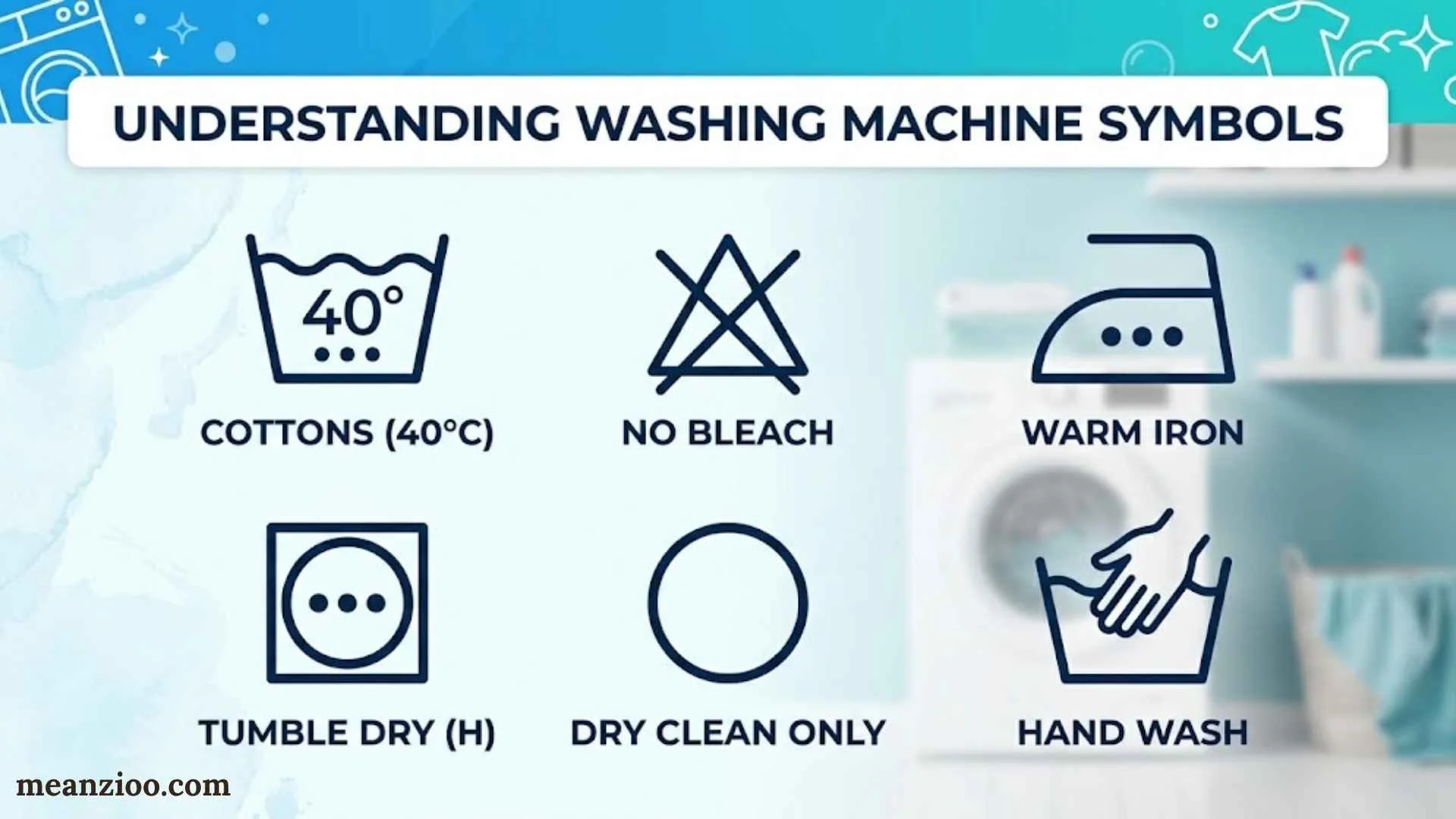
Washing machine symbols can look like a secret language when you’re standing in front of the control panel with a pile of laundry. A cotton flower, a spinning spiral, a padlock, or a tiny water tap might seem simple, but choosing the wrong setting can affect how your clothes wash, rinse, and spin.
Understanding washing machine symbols meaning makes laundry easier. You’ll know which program suits your clothes, where detergent belongs, what different temperatures do, and when a warning light needs attention.
This guide explains the most common washing machine symbols, washing machine icons, detergent drawer markings, temperature settings, spin options, and warning indicators. It also covers laundry care label symbols, which appear on clothing rather than on the appliance itself.
One important point: washing machine icons aren’t universal. Although many manufacturers use similar designs, the meaning of a particular symbol can vary by brand and model. When an icon looks unfamiliar, your machine’s manual is the most reliable reference.
Quick Guide to Washing Machine Symbols and Their Meanings
If you need a quick answer, start with this washing machine symbols chart. It covers common icons, what they usually mean, and when you might use them.
| Washing machine symbol | Common meaning | When to use it |
| Cotton boll | Cotton wash cycle | Cotton shirts, sheets, towels, and other suitable cotton items |
| T-shirt | Everyday clothing or a general wash program | Everyday laundry, depending on the model |
| Flask | Synthetics or easy-care cycle | Polyester and other suitable synthetic fabrics |
| Feather | Delicate wash | Fragile garments that need gentler treatment |
| Ball of yarn | Wool cycle | Machine-washable wool garments |
| Hand in a tub | Hand-wash program | Garments designed for a gentle hand-wash cycle |
| Clock or stopwatch | Time, delay, or quick program | Depends on the accompanying label or icon |
| Leaf | Eco program | Energy-conscious washing |
| Spiral | Spin cycle | Removing excess water from washed clothes |
| Snowflake | Cold-related setting | Cold washing on models that use this icon |
| Padlock or key | Door lock or control lock | Checking whether the door or buttons are locked |
| Water tap | Water supply indicator or warning | Investigating a possible water inlet problem |
| Tub with cleaning marks | Drum or tub cleaning | Running a maintenance cycle |
| Roman numeral I | Pre-wash detergent compartment | Detergent for a selected pre-wash |
| Roman numeral II | Main-wash detergent compartment | Detergent for the main wash |
| Flower | Fabric softener compartment | Adding fabric softener where appropriate |
| Crossed-out care symbol | Prohibited garment treatment | Avoiding the treatment shown on a clothing label |
Remember: These are common interpretations, not guaranteed definitions for every machine. A clock might indicate a delay timer on one model and a quick program on another.
What Do Washing Machine Symbols Mean?
Washing machine symbols communicate what your appliance can do, what it’s doing now, and whether something needs attention. You’ll usually find them around the program dial, beside control buttons, inside the detergent drawer, or on a digital display.
Most icons fall into a few practical categories.
- Wash cycle symbols: Identify programs for cotton, synthetics, wool, delicate fabrics, and everyday clothing.
- Temperature symbols: Show the selected washing temperature or a cold-wash option.
- Spin symbols: Control how quickly the drum spins to extract water.
- Detergent drawer symbols: Identify compartments for pre-wash detergent, main-wash detergent, and fabric softener.
- Status symbols: Show whether the machine is sensing a load, running a cycle, or locking the door.
- Warning symbols: Alert you to possible water supply, drainage, or other operating problems.
- Maintenance symbols: Remind you to clean the drum or perform another recommended maintenance task.
An illuminated icon doesn’t always mean something is wrong. For example, a door-lock light often appears during normal operation because the machine locks its door for safety.
Likewise, a flashing light doesn’t automatically indicate a fault. You need to consider the symbol, the timing, any accompanying message, and your machine’s instructions.
Washing Machine Cycle Symbols and Their Meanings
The cycle selector determines how the washer handles your laundry. Different programs can change washing time, drum movement, water temperature, rinsing, and spin speed.
Choosing a suitable program helps clean your clothes without exposing delicate fabrics to unnecessary wear.
Cotton Cycle Symbol
The cotton cycle symbol often resembles a cotton boll or cotton flower. This program suits durable cotton garments and household textiles that can tolerate the selected washing conditions.
Common examples include:
- Cotton T-shirts and underwear
- Bedsheets and pillowcases
- Cotton towels
- Everyday cotton clothing
Cotton programs may use stronger drum movement and higher selectable temperatures than delicate programs. However, the best setting depends on the garment’s care label, color, and soil level.
Don’t automatically choose the hottest available temperature. Colored cotton can fade, and some cotton garments can shrink when washed too hot.
Synthetics and Easy-Care Symbols
Some machines use a flask, clothing outline, or another manufacturer-specific icon for synthetics or easy-care programs.
These cycles suit many polyester garments, synthetic blends, and clothes that benefit from gentler handling than a standard cotton wash.
A synthetics program often adjusts drum movement and spinning to suit the fabric. Exact settings vary, so check the available temperature and spin options before starting the wash.
Delicate Wash Symbol
A delicate wash symbol may look like a feather or a lightweight garment. It identifies a program designed for clothing that needs gentler treatment.
Use the delicate cycle for suitable fragile fabrics, lightweight garments, or items whose labels recommend gentle machine washing.
This program may use gentler drum action and a reduced spin speed. Those adjustments can help limit fabric stress, although they don’t make every delicate item safe to machine-wash.
Always check the care label before washing silk, lace, or other fragile materials.
Wool Cycle Symbol
The wool wash symbol commonly appears as a ball of yarn. Some machines use a sheep or another wool-related graphic.
Wool programs are designed for compatible wool garments that require careful washing. They may use gentle drum movements and controlled spinning to reduce unnecessary agitation.
Before selecting this cycle, check the garment’s care label. Some wool items are machine-washable, while others require hand washing or professional cleaning.
Using a wool program doesn’t override a label that prohibits machine washing.
Hand-Wash Symbol
A hand positioned over a wash tub commonly represents a hand-wash cycle.
Despite the name, this setting runs automatically inside the machine. It generally uses gentler movement than a standard wash program.
Choose it for compatible garments whose labels recommend hand washing. However, a hand-wash setting isn’t a guarantee that every hand-wash-only garment can safely go into your washer.
When in doubt, follow the clothing manufacturer’s instructions.
Quick Wash Symbol
A quick wash symbol may include a clock, stopwatch, or a short-cycle label.
Quick programs are useful when you need to refresh a small load of lightly soiled clothing. They can save time, but they aren’t necessarily suitable for heavily stained garments or a full drum.
For better results:
- Wash a small load when the program requires it.
- Avoid mixing heavily soiled items with lightly worn clothes.
- Use the detergent amount recommended for the load and program.
- Check the cycle description because quick-wash duration varies by model.
A shorter cycle doesn’t always mean lower energy or water consumption per garment. The actual result depends on the machine and selected program.
Eco Wash Symbol
The eco wash symbol often resembles a leaf or another nature-related graphic.
An eco program aims to reduce resource use, particularly energy consumption. Many eco cycles achieve this by washing at lower temperatures and extending the cycle time.
That explains why an eco cycle may take longer than a standard program. The extra time can help the machine clean effectively without relying as heavily on energy-intensive heating.
Eco programs are useful for suitable everyday laundry. Still, follow garment instructions and choose a different program when a particular item needs special treatment.
Pre-Wash Symbol
The pre-wash symbol identifies an additional washing stage before the main wash. Its exact appearance varies by manufacturer.
A pre-wash can help with heavily soiled laundry by loosening dirt before the main cleaning stage. It may be useful for muddy clothing or workwear, provided the fabric allows machine washing.
You may need to place detergent in the compartment marked I when using a pre-wash program. The main-wash detergent usually goes in compartment II.
Don’t select pre-wash automatically for every load. It adds another stage and may increase water and energy use.
Drum Clean, Tub Clean, or Self Clean Symbol
A drum clean symbol or tub clean symbol indicates a maintenance program designed to clean the washing machine’s interior.
Manufacturers may call this feature Drum Clean, Tub Clean, Self Clean, or something similar. The exact program and reminder system depend on the model.
These cycles help address residue and buildup inside the drum and tub. Follow your manufacturer’s instructions about whether to run the program empty and whether a particular cleaner is recommended.
Don’t confuse a cleaning reminder with a mechanical fault. If the reminder remains after the recommended procedure, consult the manual to learn how that model clears the indicator.
Washing Machine Temperature Symbols Explained
Washing machine temperature symbols tell you how hot the wash water will be or which temperature option you’ve selected. The display may show a number with °C or °F, while some models use a snowflake or a dedicated cold-wash button.
Temperature matters because heat affects cleaning performance, fabric shrinkage, dye stability, and energy consumption.
Cold, Warm, and Hot Wash Symbols
Cold-wash settings generally use cold water or a low-temperature wash, depending on the machine’s design. They’re useful for many colored garments and lightly soiled everyday items.
Warm and hot settings use higher temperatures. They may suit particular fabrics and hygiene needs, but you should never assume that every garment can tolerate hot water.
Here’s a practical temperature guide.
| Temperature | Common use | What to consider |
| Cold or low-temperature wash | Many colored garments and lightly soiled laundry | Check whether the detergent works well at low temperatures |
| 30°C (86°F) | Suitable delicates and everyday garments | Follow the garment label |
| 40°C (104°F) | Many everyday cotton and synthetic items | Check colors, fabric type, and care instructions |
| 60°C (140°F) | Certain durable items that permit a hotter wash | Not suitable for every fabric or color |
| 90°C (194°F) | Specialized hot-wash applications on machines that offer them | Use only when both the garment instructions and machine allow it |
These temperatures are examples, not universal recommendations. The correct setting depends on the clothing label, the washer’s available programs, and the type of laundry.
What Does the Snowflake Symbol Mean on a Washing Machine?
A snowflake symbol often relates to cold washing or a low-temperature option. However, some manufacturers use different icons for cold water, temperature selection, or other features.
If your machine displays a snowflake, check whether it’s beside a temperature button or appears as a status indicator. That context can help you identify its function.
Don’t confuse a cold-wash setting with a water-supply warning. If a tap symbol appears alongside the snowflake, consult the manual to understand what each indicator means.
What Do Temperature Dots Mean on Clothing Labels?
Temperature dots usually appear on garment care labels rather than on washing machine control panels. Their meaning depends on the type of care symbol.
For example, dots inside an iron symbol indicate an ironing temperature range. A wash tub may instead contain a number specifying the maximum washing temperature under the applicable labeling system.
According to GINETEX’s official care-symbol guide, numbers inside the wash tub specify the maximum washing temperature in degrees Celsius. Lines underneath the tub indicate a gentler process with reduced mechanical action.
The distinction matters: a number on a clothing label is a care limit, not necessarily the temperature you must select.
How to Choose the Right Washing Temperature
Before starting a load, follow these simple steps:
- Read the care labels on the garments.
- Separate items that need different washing conditions.
- Check whether the colors are likely to bleed.
- Select a compatible wash program and temperature.
- Use a detergent suitable for the chosen temperature and load.
For many everyday loads, a lower temperature can be a sensible choice. However, heavily soiled items or specialized laundry may need a different approach.
Washing Machine Spin Symbols and Their Meanings
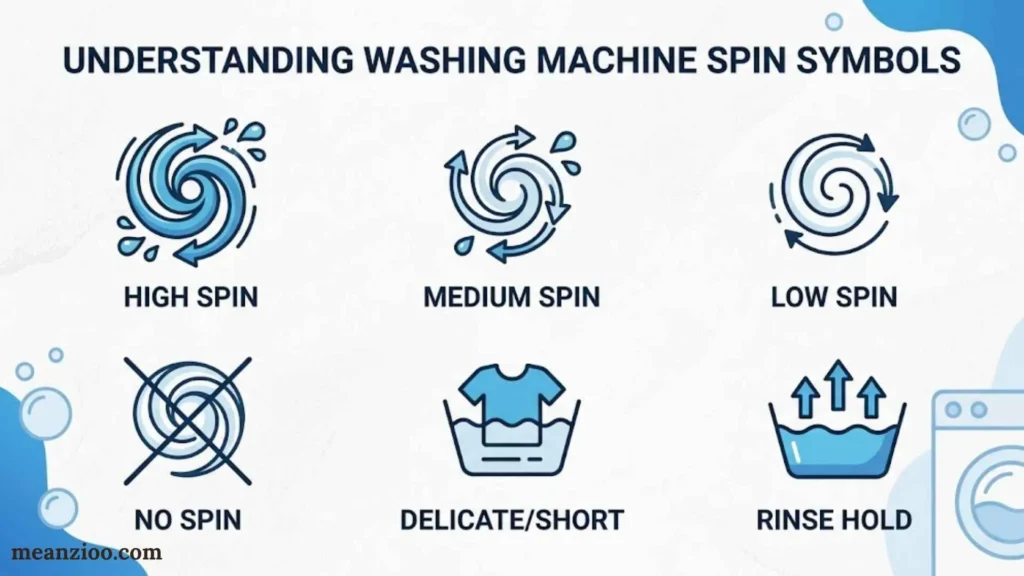
The spin cycle symbol commonly looks like a spiral or coil. It represents the stage in which the drum spins to remove water from laundry.
Spin speed affects how wet clothes remain after washing. A faster spin generally extracts more water, while a slower spin may be gentler on certain fabrics.
What Does the Spiral Symbol Mean?
A spiral washing machine symbol commonly identifies the spin function. On some models, selecting it runs a separate spin program; on others, the icon appears beside a spin-speed control.
The spin cycle doesn’t replace washing. It removes water from laundry after washing or rinsing.
If your clothes feel unusually wet, check whether the selected program uses a low spin speed or omits the final spin.
What Does RPM Mean on a Washing Machine?
RPM stands for revolutions per minute. It tells you how many times the drum rotates in one minute during the spin stage.
For example, a 1,200 RPM setting means the drum rotates at 1,200 revolutions per minute during the relevant part of the cycle. It doesn’t mean the machine maintains that speed throughout the entire wash.
Higher spin speeds generally remove more water, which can reduce drying time. Lower speeds can help limit creasing or suit delicate fabrics.
However, the highest setting isn’t always the best choice. Follow garment instructions and use the spin options available for your selected program.
What Do No-Spin and Reduced-Spin Symbols Mean?
A no-spin option prevents the usual final spin, while a reduced-spin option limits the spin speed. The precise icon varies by machine.
These settings can help when certain garments require gentler handling. The trade-off is that laundry may retain more water.
Some machines also offer rinse hold, which leaves laundry in the final rinse water until you select another action. On models with this feature, you may need to run a drain or spin program before removing the clothes.
What Is the Difference Between Drain and Spin?
A drain-and-spin program removes water from the drum and then spins the laundry if the selected program supports spinning.
A drain-only option removes standing water without the usual spin stage.
Use the option that matches the problem. If water remains in the drum, investigate drainage first. If the drum is empty but the clothes remain wet, check the spin setting and load balance.
Why Does a Washing Machine Reduce Spin Speed?
Your washer may reduce spin speed when it detects an unbalanced load. This can happen when heavy items bunch together on one side of the drum.
Try these steps:
- Pause the machine if the controls allow it.
- Redistribute tangled clothing.
- Avoid overloading the drum.
- Check whether a heavy item is washing alone and causing imbalance.
- Restart the spin program if appropriate.
If the machine repeatedly shakes, makes unusual noises, or fails to spin, consult the troubleshooting section of its manual.
Washing Machine Detergent Drawer Symbols Explained
The detergent drawer has several markings that determine where different laundry products belong. Using the correct compartment helps the machine dispense detergent at the appropriate stage.
senza-nature.fr
A common detergent drawer has three sections:
- I: Pre-wash detergent.
- II: Main-wash detergent.
- Flower symbol: Fabric softener.
The LG washing machine instructions describe these common markings and explain that softener should remain below the MAX line.
Not every machine has the same drawer layout, so check the markings on your own appliance.
What Does I Mean on a Washing Machine?
The Roman numeral I commonly identifies the pre-wash detergent compartment.
Use it only when you’ve selected a program that includes a pre-wash. The machine dispenses this detergent during the preliminary stage before the main wash begins.
If you’re running a regular cycle without pre-wash, you generally don’t need to add detergent to compartment I.
What Does II Mean on a Washing Machine?
The Roman numeral II usually identifies the main-wash detergent compartment.
For a standard wash without pre-wash, this is typically where you add the detergent. Follow the detergent packaging and washer instructions for the correct amount.
Too much detergent can create excess foam and leave residue. Too little may reduce cleaning performance.
What Does the Flower Symbol Mean?
The flower symbol commonly marks the fabric softener compartment. The machine usually dispenses the softener during the rinse stage.
Keep the liquid below the MAX line. Overfilling can interfere with the dispenser and may cause premature dispensing or residue on clothing.
Don’t pour fabric softener directly onto garments unless the product instructions specifically permit that use.
What Does the Star or Another Drawer Symbol Mean?
Some drawers use a star-like icon or a different graphic instead of a familiar flower. You shouldn’t assume every such symbol means the same thing.
Look for nearby text, the compartment’s shape, and any markings on the removable insert. If you’re unsure, consult the model manual before adding detergent or softener.
Where Should You Put Detergent and Fabric Softener?
| Product | Usual location | Important note |
| Main-wash detergent | Compartment II | Used for the main washing stage |
| Pre-wash detergent | Compartment I | Used only with a compatible pre-wash program |
| Fabric softener | Flower-marked compartment | Stay below the MAX line |
| Laundry additive or specialized cleaner | As specified by its instructions | Don’t assume it belongs in a standard detergent compartment |
Some machines accept detergent in the drum through a suitable dosing device, while others require the dispenser drawer. Follow your washer and detergent instructions.
Why Isn’t the Detergent Drawer Emptying?
If the drawer retains detergent or softener, several issues may be responsible.
- Buildup: Dried detergent or softener can obstruct the dispenser.
- Incorrect placement: A product in the wrong compartment may not dispense as intended.
- Overfilling: Excess softener can interfere with the siphon mechanism.
- Water flow problems: The drawer may not receive enough water to flush out its contents.
Remove and clean the drawer according to the manual. If the problem continues, check the water supply and dispenser instructions before assuming a component has failed.
Washing Machine Status Symbols, Indicator Lights, and Warnings
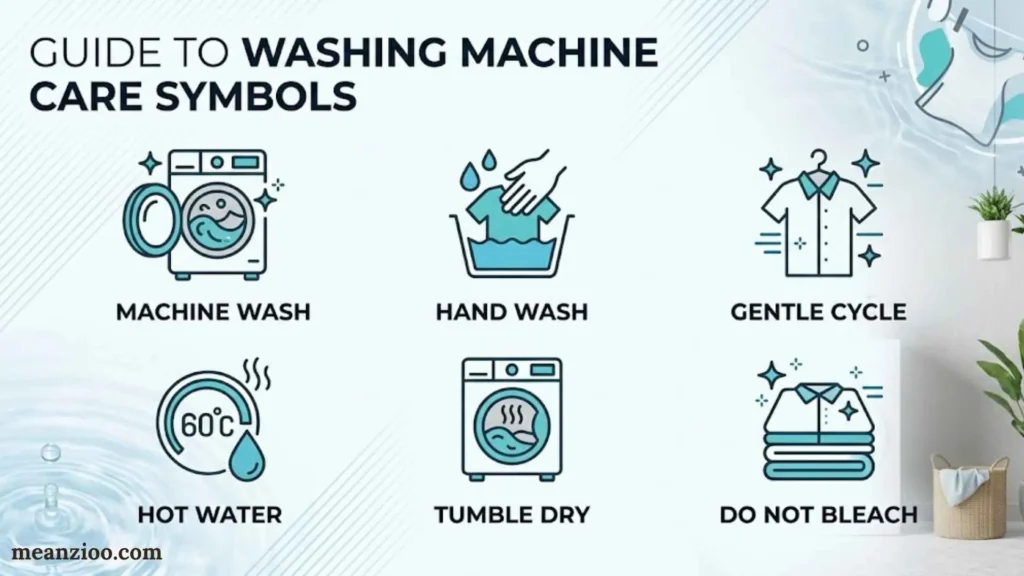
Washing machine status symbols tell you what the appliance is doing or whether it needs attention. Understanding the difference between normal status indicators and warning lights can save you from unnecessary worry.
Door Lock and Padlock Symbols
A washing machine lock symbol usually indicates that the door is locked or that a control-lock feature is active. The exact meaning depends on where the icon appears and which machine you own.
A door-lock indicator commonly appears during a wash cycle because the machine prevents the door from opening while conditions are unsafe.
If the lock remains on after the cycle ends, wait for the machine to finish draining and cooling as required. Don’t force the door open.
Samsung’s official washing-machine manual explains that its door-lock icon indicates a locked door and turns on automatically during a cycle.
Child Lock or Control Lock Symbol
A child lock symbol or key icon commonly indicates that the control panel’s buttons have been disabled to prevent accidental changes.
Depending on the model, you may need to press and hold a particular button or combination of buttons to activate or deactivate the feature.
Look for a lock icon beside the relevant controls or check the manual. Avoid trying random button combinations, especially when the machine is running.
Delay Start and Clock Symbols
A clock icon may indicate a delay start function. This feature lets you schedule when the washing program begins.
For example, you might set the washer to start later rather than run immediately after loading the laundry.
Check the display for a countdown or a delay indicator if the machine doesn’t start when expected. You may have scheduled the cycle unintentionally.
A clock can also represent remaining time or a timed program, so its location and accompanying text matter.
Load Sensing Symbol
Some washers display a sensing message or indicator while they estimate the load or adjust the cycle.
During this stage, the machine may determine how much water or time the load needs. The displayed duration may change as the washer adapts to operating conditions.
A brief sensing stage is often normal. If the machine remains stuck on sensing for an unusually long time, consult its manual and check for any accompanying error messages.
Water Tap or Faucet Warning
The washing machine tap symbol may indicate a water-supply problem. Depending on the model, it can appear when the machine detects that water isn’t entering as expected.
Start with these checks:
- Confirm that the water tap is fully open.
- Check whether water is available elsewhere in the home.
- Look for visible kinks in the inlet hose.
- Check the hose and inlet filter only as described in the manual.
- Look for an accompanying error code.
Turn off the water supply before disconnecting any hose. If the warning persists, the machine may need further inspection.
Drain Warning Symbol
A drain-related icon or error message can indicate that the washer isn’t removing water as expected.
Possible causes include a kinked drain hose, a blocked filter, or a drainage-system problem. The exact cause depends on the model and the displayed code.
If your manual provides a filter-cleaning procedure, follow it carefully. Switch off and unplug the machine before carrying out maintenance that requires access to internal or filter areas. Be prepared for residual water if the instructions warn about it.
Never dismantle electrical components to investigate a warning light.
Suds or Foam Symbol
A washing machine suds symbol may indicate that the appliance has detected excessive foam. Not every washer has a dedicated suds icon, and some communicate the condition through a message or extended cycle time.
Excess foam can result from using too much detergent or choosing a detergent unsuitable for the machine.
To reduce the problem:
- Use the recommended detergent type.
- Measure detergent according to the product instructions.
- Adjust the amount for the load and water conditions where appropriate.
- Avoid adding extra detergent simply because the clothes look dirty.
Some washers respond to excess suds by extending the cycle or adjusting rinsing. If the warning keeps returning, follow the manufacturer’s troubleshooting guidance.
End-of-Cycle, Pause, and Progress Indicators
These indicators generally communicate normal operating conditions rather than faults.
| Indicator | Common meaning |
| End or completion icon | The wash program has finished |
| Pause symbol | The program is paused |
| Progress lights | The machine is moving through its wash stages |
| Remaining-time display | Estimated time left in the program |
| Delay indicator | A scheduled start or delay function is active |
The estimated remaining time can change during a wash. Load sensing, water heating, imbalance correction, and extra rinsing may affect the total duration.
If the cycle takes longer than the initial estimate, that doesn’t automatically mean the washer has malfunctioned.
Tub Cleaning and Maintenance Reminder
A maintenance light may appear when the washer needs a cleaning cycle. Some models track usage and display a reminder after a certain number of cycles.
Follow the recommended cleaning procedure, including any instructions about detergent, drum-cleaning products, and whether the drum should be empty.
If the light remains on, check how your model clears the reminder. Don’t assume the machine has a fault just because a maintenance icon stays illuminated.
Washing Machine Error Symbols and Flashing Lights
A washing machine warning symbol doesn’t always identify a specific failed component. Sometimes it points to a general condition that needs checking; in other cases, a code provides more precise information.
Warning Symbol vs. Error Code
A warning icon is a visual indicator. An error code is a letter-and-number combination or another diagnostic message that the manufacturer uses to identify a particular operating condition.
For example, a water-related icon may suggest a supply problem, but an error code and the machine’s manual may provide more specific troubleshooting instructions.
Don’t assume that codes mean the same thing across brands. Even similar models may use different diagnostic systems.
What Do Flashing Washing Machine Lights Mean?
Washing machine indicator lights flashing can indicate a normal operating state, a selected option, a maintenance reminder, or a fault.
To identify the cause:
- Note which icon or light is flashing.
- Record whether the light flashes alone or with other indicators.
- Check the display for an error code.
- Note when the flashing begins.
- Consult the model’s troubleshooting section.
If several lights flash together, their combination may matter more than any single light. A photograph or short video can help you record the pattern before contacting support.
Common Problems Associated With Warning Indicators
| Problem | Possible cause | First step |
| Washer won’t start | Active control lock, open door, or supply issue | Check the door and displayed indicators |
| Washer won’t fill | Closed tap, kinked hose, or inlet issue | Check the water supply |
| Washer won’t drain | Blocked filter, kinked hose, or drainage fault | Follow the manual’s drain checks |
| Washer won’t spin | Load imbalance, selected setting, or drainage issue | Check load distribution and spin settings |
| Door won’t unlock | Cycle still active, water remains, or safety delay | Wait and follow the manual |
| Washer stops mid-cycle | Supply interruption or detected fault | Record the display message |
| Control panel won’t respond | Control lock or possible control fault | Check the lock indicator and manual |
These are possible causes, not confirmed diagnoses. A symbol alone rarely proves that a specific part has failed.
How to Respond to an Error Symbol
Use a careful, consistent approach.
- Stop and read the displayed message.
- Record any error code or flashing pattern.
- Check the relevant section of the user manual.
- Perform only the basic checks the manufacturer recommends.
- Use an approved reset procedure if the instructions call for one.
- Contact a qualified technician if the problem persists or involves a safety concern.
A reset doesn’t repair an underlying fault. If the same warning returns, investigate the cause rather than repeatedly resetting the appliance.
Laundry Care Label Symbols vs. Washing Machine Symbols
Washing machine control icons and clothing care symbols are related, but they serve different purposes.
Machine icons help you operate the appliance. Laundry care label symbols tell you how to wash, bleach, dry, iron, or professionally clean a particular garment.
Learning the difference helps you choose a machine program that respects the garment’s care instructions.
Washing Tub Symbol
The wash tub appears on clothing labels to indicate whether and how a garment can be washed. Under the ISO-aligned system described by GINETEX, the number inside the tub specifies the maximum washing temperature in degrees Celsius.
A line beneath the tub indicates a gentler process. Two lines indicate a very gentle process, commonly used for wool and similarly sensitive items.
For example, a wash tub marked 30 indicates a maximum washing temperature of 30°C under that system. It doesn’t mean the machine’s cotton cycle is automatically the right choice.
Triangle Bleaching Symbol
The triangle laundry symbol relates to bleaching.
- An empty triangle generally permits bleaching under the applicable care-label system.
- A triangle with diagonal lines restricts bleaching to specified types, such as oxygen bleach under the GINETEX system.
- A crossed-out triangle means bleaching isn’t permitted.
Check the full label and the bleach product instructions before treating a garment.
Square Drying Symbol
The square laundry symbol relates to drying.
A square containing a circle represents tumble drying under the international care-label convention. Dots inside the circle indicate the permitted drying temperature range.
A square with lines can provide instructions for natural drying, such as line drying or drying flat.
Don’t confuse these garment instructions with a washing machine’s spin or drain settings.
Ironing Symbol
The iron-shaped symbol indicates how a garment may be ironed. Dots represent temperature levels, and a crossed-out iron means the garment shouldn’t be ironed.
The permitted temperature depends on the care-label system and garment instructions. Follow the label rather than choosing a setting based only on the fabric’s name.
Circle Professional-Care Symbol
A circle generally relates to professional textile care, including dry cleaning or professional wet cleaning.
Letters inside the circle provide information intended for professional cleaners. Lines beneath the circle may indicate a gentler professional process.
Most household washing machines don’t use this circle to identify an ordinary wash program.
Crossed-Out Laundry Symbols
A cross over a care symbol means the represented treatment isn’t permitted under that care-label system.
For example, a crossed-out wash tub means the garment shouldn’t be washed using the treatment shown. A crossed-out triangle prohibits bleaching, while a crossed-out tumble-drying symbol prohibits tumble drying.
Always read the symbol as a whole rather than interpreting the shape alone.
How to Read a Clothing Care Label Correctly
The main care symbols generally follow this sequence:
- Washing
- Bleaching
- Drying
- Ironing
- Professional textile care
This order is used in the international care-labeling system described by GINETEX.
Read all applicable instructions before choosing your wash program. A garment may tolerate machine washing but still require a low temperature, gentle cycle, or special drying method.
Are Washing Machine Symbols Universal?
No. Although many washing machine symbols follow familiar conventions, manufacturers don’t use one identical icon set for every model.
A cotton icon often identifies a cotton program, and Roman numerals I and II commonly mark detergent compartments. However, a clock, flower, snowflake, or lock icon may have different meanings depending on its location and the machine’s design.
Several factors explain these differences:
- Manufacturer: Each brand can use its own icon designs and program names.
- Model: Two washers from the same brand may have different control panels.
- Machine type: Front-load and top-load washers may offer different programs and features.
- Market: The available settings and displayed terminology may vary by region.
- Technology: Smart washers may display additional icons for connectivity, automatic dosing, or remote controls.
The safest approach is to treat general symbol guides as a starting point and confirm unfamiliar icons in your machine’s manual.
Washing Machine Symbols by Brand
Different manufacturers use different control panels, display messages, and diagnostic systems. Here’s how to find reliable explanations for your washer.
Samsung Washing Machine Symbols
Samsung washers may display icons for door locking, wash options, temperature, spin speed, smart controls, and maintenance functions.
The exact icon set depends on the model. For example, Samsung’s official laundry-combo manual explains its door-lock and wash-option icons. That documentation applies to the equipment it covers, so don’t assume every Samsung washer uses identical controls.
If you see an unfamiliar Samsung symbol:
- Record the complete model number.
- Check the official manual for that model.
- Look for the icon in the display or troubleshooting section.
- Follow the instructions associated with any accompanying error code.
LG Washing Machine Symbols
LG washers commonly use recognizable markings for pre-wash detergent, main-wash detergent, fabric softener, temperature, and spin speed.
The LG washing machine guide explains common detergent drawer markings, including I, II, and the flower symbol.
However, program names and additional features vary. Check the exact manual before interpreting an unfamiliar display icon or error message.
Other Washing Machine Brands
Whirlpool, Bosch, GE, Maytag, and other manufacturers may use different icons, program names, and diagnostic codes.
For accurate information, use the official support website for your brand and model. Avoid relying on an error-code list from another machine, even if the appliance looks similar.
How to Identify an Unknown Washing Machine Symbol
If your washer displays an unfamiliar icon, you don’t need to guess. A few simple steps can help you find its meaning.
- Check the location. Is the icon beside the program dial, on the display, near a button, or inside the detergent drawer?
- Look at its behavior. Is it printed on the panel, illuminated continuously, or flashing?
- Read nearby markings. Numbers, letters, and adjacent icons can provide useful context.
- Find the model number. Look at the rating label or identification plate, following the manual’s guidance if necessary.
- Locate the official manual. Search the manufacturer’s website using the full model number.
- Check the symbol legend. Review the control-panel, display, and troubleshooting sections.
- Contact support if needed. Provide the model number, a photo of the icon, and any displayed error code.
The model number is especially useful because it helps distinguish your machine from other versions with different controls.
Common Washing Machine Symbol Problems and What to Do
Use this troubleshooting table when a symbol appears alongside a problem with your laundry.
| Problem | Possible explanation | What to check |
| Lock icon stays on | Door remains locked or control lock is active | Check whether the cycle has finished and consult the manual |
| Tap icon appears | Water supply or inlet problem | Check the tap and inlet hose |
| Drain warning appears | Water isn’t draining correctly | Inspect the drain hose and follow the approved filter-cleaning procedure |
| Suds warning appears | Excess foam detected | Check detergent type and dosage |
| Washer stays on sensing | Load detection or cycle adjustment is taking longer | Allow the normal sensing period and check for error messages |
| Clothes come out soaking wet | Low spin speed, imbalance, or drainage issue | Check spin settings and load distribution |
| Detergent drawer retains residue | Buildup or a dispensing problem | Clean the drawer according to the manual |
| Softener compartment retains water | Residual water or a dispenser issue | Check the compartment and siphon instructions |
| Self-clean light remains on | Maintenance reminder hasn’t cleared | Complete the prescribed cleaning procedure and check how the reminder resets |
| Washer stops mid-cycle | Operating condition or detected fault | Record the displayed message and follow the model’s troubleshooting guide |
These symptoms can have several causes. Use the table to identify your next check, not to diagnose a failed component without further evidence.
Should You Reset a Washing Machine When a Symbol Appears?
Not necessarily. A reset may help after a temporary interruption, but it won’t fix a blocked drain, faulty water supply, or other underlying problem.
Before resetting the machine:
- Record any error code.
- Check the manual’s recommended procedure.
- Confirm that the washer isn’t performing a normal cycle stage.
- Address the stated problem when the instructions identify one.
- Seek qualified service if a warning persists or the appliance appears unsafe.
Avoid repeatedly resetting a washer that displays the same error. The recurring message may be important diagnostic information.
Frequently Asked Questions About Washing Machine Symbols
What do the symbols on a washing machine mean?
Washing machine symbols identify programs, temperatures, spin settings, detergent compartments, operating status, and warnings. Their exact meanings depend on the manufacturer and model.
What does the spiral symbol mean on a washing machine?
A spiral usually represents the spin cycle, which extracts water from laundry. On some machines, it also appears beside the spin-speed control.
What does the padlock symbol mean on a washing machine?
A padlock commonly indicates that the door is locked or the control panel is locked. Check its location and your machine’s manual to determine which function it represents.
What does the tap symbol mean on a washing machine?
A tap or faucet icon may indicate a water-supply problem. Check that the tap is open, the inlet hose isn’t kinked, and the water supply is working.
What does the snowflake symbol mean on a washing machine?
A snowflake often relates to cold washing or a low-temperature setting. However, the exact function varies by model, so check the surrounding controls and manual.
What does the flower symbol mean in a washing machine drawer?
The flower symbol commonly identifies the fabric softener compartment. Add softener according to its instructions and keep it below the drawer’s MAX line.
What do I and II mean in a washing machine detergent drawer?
I usually identifies the pre-wash compartment, while II identifies the main-wash compartment. Use compartment I only when the selected program includes a pre-wash.
What does the tub-clean symbol mean?
A tub-clean or drum-clean symbol indicates a maintenance program intended to clean the washer’s interior. Follow the manufacturer’s instructions for running the cycle.
Why is my washing machine symbol flashing?
A flashing icon may indicate a normal status, a maintenance reminder, or an operating problem. Identify the exact symbol and record any accompanying error code before troubleshooting.
Why are my clothes still wet after washing?
Possible causes include a low spin setting, an unbalanced load, or a drainage problem. Check the selected program and redistribute the laundry if necessary.
Are washing machine symbols the same for every brand?
No. Some symbols are widely recognized, but icon designs, program names, warning indicators, and error codes vary by manufacturer and model.
Where can I find my washing machine symbol guide?
Check the owner’s manual for your exact model. You can usually locate it through the manufacturer’s official support website using the model number.
Final Thoughts on Washing Machine Symbols and Their Meanings
Understanding washing machine symbols meaning helps you choose the right cycle, use detergent correctly, protect delicate fabrics, and recognize warnings before they become bigger problems.
Start by learning the common icons: cotton for durable fabrics, a spiral for spinning, I and II for detergent compartments, a flower for fabric softener, and a padlock for a locking function. Then use the machine’s manual to confirm anything unfamiliar.
Most importantly, remember that the right setting depends on both your washing machine and your clothes. Check the care label, choose a compatible program, and investigate persistent warning indicators instead of guessing.
Once you recognize the symbols on your own machine, selecting a wash program becomes much simpler.

I’m Ryan Mitchell, and I write about modern English, trending slang, and online expressions. I enjoy explaining the meanings, origins, and real-life usage of popular words in a simple way. I believe learning slang is an important step toward understanding today’s English-speaking culture. Through my work, I aim to help readers speak more naturally and stay updated with the latest language trends.
 Charlotte Hayes